
Known Participant
February 3, 2025
Question

A lag while adjusting motion parameters, if the "Motion effect" is not manually selected.

  • February 3, 2025
  • 3 replies
  • 380 views

Why does Premiere tend to lag when displaying changes to Motion parameters?
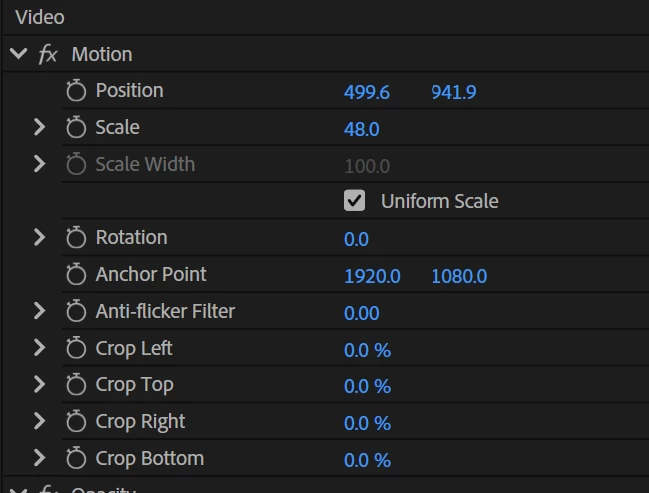
However, if I select the Motion tab and adjust the parameters, the lag disappears—the Program Monitor displays the changes quickly, smoothly, and without issues.
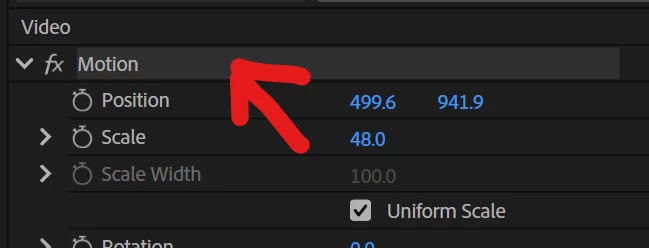
This bug is present in all versions, for years. I have even developed a habit to select it, but it's annoying. (please fix)

3 replies

ricothegiant
Participating Frequently
April 5, 2025

I've also had issues with this and learned to kind of deal with it, but when I select the motion tab (or for any other effects) I get these huge skips that might be even worse than the small lag that I get when the tab isn't selected. I created a demonstration video so you can have a better understanding of the issues that Viktor might be having as well as what i'm experiencing. 


Also please note:


  • You won't be able to re-create the inital issue in the video on a fresh timeline with no cuts, effects etc., but you can quickly see the second issue on a fresh timeline. 
  • I edit with h.264 footage and I also use pro-res proxies and both have the same issue.

Community Manager
February 3, 2025

Hi @Viktor Devjatov 


Welcome to the Premiere Pro forums!  We’re happy you’ve reached out. 


We’ll need a bit more info to try to help with your issue. Please see: How do I write a bug report?


I hope we can help you soon.

Kevin J. Monahan Jr.
Community Manager
Community Manager
February 3, 2025

Hi @Viktor Devjatov,

Thanks for the message. Hi, I'm Kevin from Adobe Support, a moderator here.


Your issue sounds unusual. Can you provide the team more information? See: How do I write a bug report? 


With more information, the community and the team have a better shot at solving your issue. I hope we can help you as soon as possible. Sorry for the hassle.


Cheers,
Kevin


Kevin Monahan - Sr. Community and Engagement Strategist – Adobe Pro Video and Audio