


Participant
May 16, 2022 4:37 AM UTC
Answered

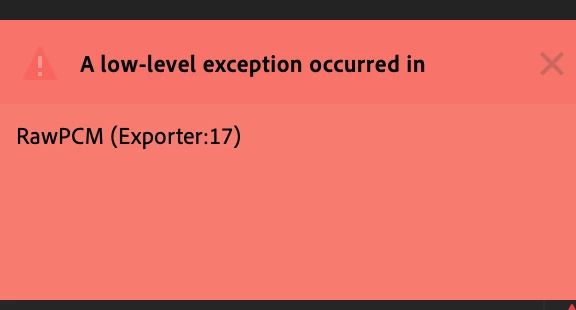
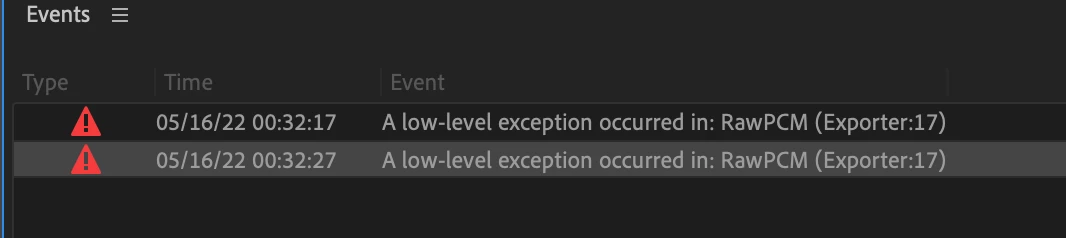
A low level exception occured RawPCM Exporter: 17

I am trying to automatically translate my audio sequence into Spanish (as I did before) and when I click on "Create Transcription" it generates the error: "A low level exception... Exporter 17"


Only with the Spanish language. 


does anyone know how to fix it? has happened to them?


Thanks a lot!
This topic is closed to new replies. Start a new post to keep the conversation going.
yosoyelcapiCorrect answer
Participant
Jun 10, 2022 8:37 PM UTC

I found an origin that generates the problem in my case... I solved it by removing the effects of the Audio Track Mixer, clean audio and I can only generate the subtitles without error.

In case of having effects, it keeps giving me an error.

58 replies

Participant
Apr 25, 2023 11:20 PM UTC

Resolved-ish.


I hate workarounds, but I found one that worked for me. Disable any music or sfx you may have, export out a .wav, then bring that file in and try to transcribe the sequence. It's annoying but worked for me.


Translate
Participant
Mar 30, 2023 9:05 AM UTC

FR : J'ai résolu ce problème en enlevant la musique. Une fois la transcription des sous-titres faite, j'ai ajouter la musique. Ca fonctionne.

EN : I solved this problem by removing the music. Once the subtitles were transcribed, I added the music. It works.

POR/BR : Eu resolvi este problema removendo a música. Uma vez que as legendas foram transcritas, adicionei a música. Agora funciona.

Translate
Participant
Mar 12, 2023 9:54 PM UTC

This does work, but until 2023 there is still this error is very troublesome

Translate
Participant
Feb 9, 2023 6:56 PM UTC

Just came across this exact error. The fix that worked for me was to disable spell check in the text panel and then restart PP. After that Transcribe/auto captions worked with no issues. 

Translate
gil754
Participating Frequently
Jan 18, 2023 7:58 PM UTC

Has this now been fixed in 23.1.0?

Translate
Foto de Gastronomia
Participant
Jan 18, 2023 6:56 PM UTC

Consegui corrigir o erro clicando em ANINHAR a sequencia de áudio.

Translate
Participant
Dec 6, 2022 2:22 AM UTC

A fix that worked for me was to export my sequence, then import that export in a dedicated sequence inside premiere again.

My initial sequence had many audio FX already implemented, maybe it screwed up the whole thing, and it was too much work to remove all these effects. Exporting and re-importing did the trick.

Translate
Participating Frequently
Dec 5, 2022 6:06 PM UTC

I did have audio effects on the seq, but removing it didn't make any difference. The classic "close program, open program" worked.

Translate
Nobir5C18
Participant
Dec 5, 2022 3:48 PM UTC

 I solve it creating a new sequence 

Translate
Participant
Nov 30, 2022 2:33 PM UTC

O meu eu resolvi retirando os efeitos do Audio Mix, deu certo aqui!

Translate