Inspiring
September 22, 2025
Question

After adding two subtitle tracks, the 1080p export weighs in at 12GB. The source is was 999MB.

  • September 22, 2025
  • 3 replies
  • 112 views

Perhaps after less than a week of using Premiere Pro, I can't expect to get optimal results, but my experience with this app is proving to be an ordeal.


Today, I finally managed to complete the export process, which last Friday seemed like an impossible task, partly because after opening a help request in the community https://community.adobe.com/t5/premiere-pro-discussions/all-export-attempts-have-failed/m-p/15513253#M571263

, Adobe support told me in chat that I would have to wait for the new release that would fix the problem, which was already known and cataloged as a bug.


However, the result leaves a bitter taste in my mouth because, even if I overlook the processing time of 4 hours, the file went from 999MB to 12GB.


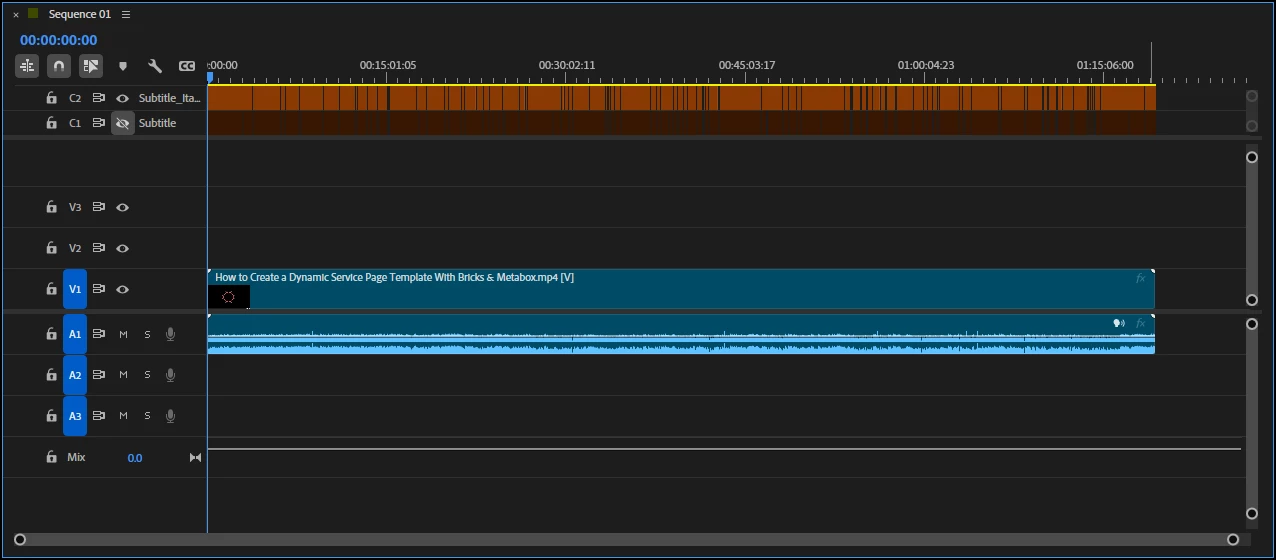
The only processing performed was the addition of subtitles. Two tracks, EN and IT, but if I understand correctly, in embedded mode in the video, it only supports one track.

I am attaching screenshots of the timeline and export parameters


Where did I go wrong?

 

3 replies

Community Manager
September 23, 2025

Hi Arturo266834390dbm,


The export size can depend on several factors, such as the codec used, Target Bitrate, and Bitrate Encoding (VBR/CBR). As Stan Jones suggests, you may try using VBR instead of CBR to improve storage efficiency. Also, in case you can't reduce Target Bitrate further, you may try using a more compressed codec like HEVC instead of H.264. This can further help reduce the file size. Hope it helps. Let us know if you have any questions.


Thanks,

Sumeet

Stan Jones
Community Expert
Community Expert
September 23, 2025

@Arturo266834390dbm,


You're exporting HD 29.97 using a software encoding constant bit rate of 20 for a 1 hour 19 minute timeline. The subtitles add essentially nothing. It's all about the bitrate, length, and pixel resolution. Use a variable bit rate single pass. 


Your original sequence is variable frame rate, and I wonder if it was a more highly compressed format than H.264. 


Stan


Kevin J. Monahan Jr.
Community Manager
Community Manager
September 22, 2025

Hi,

Thanks for the message. I read that your export was unusually large. Can you create a screenshot of your export settings? I hope I can help you.


Thanks,

Kevin


Kevin Monahan - Sr. Community and Engagement Strategist – Adobe Pro Video and Audio