

Known Participant
May 27, 2024
Answered

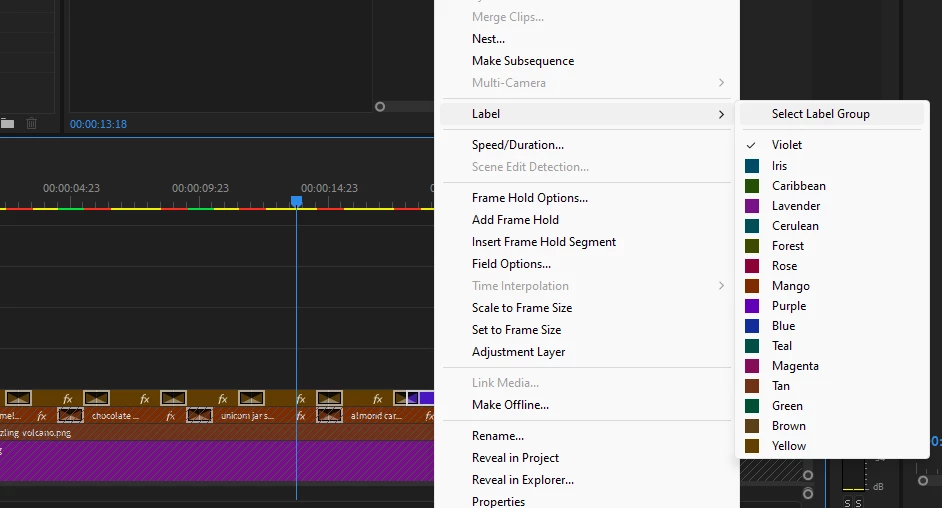
All the Label Colours of Premiere Pro are changed into darker.

  • May 27, 2024
  • 6 replies
  • 3840 views

Yellow, Tan, Mango = All looks like Brown.

Other colors were also chaged to darker tone.

How to revert it back or is this bug?
 

This topic has been closed for replies.
Correct answer Adolfo H.

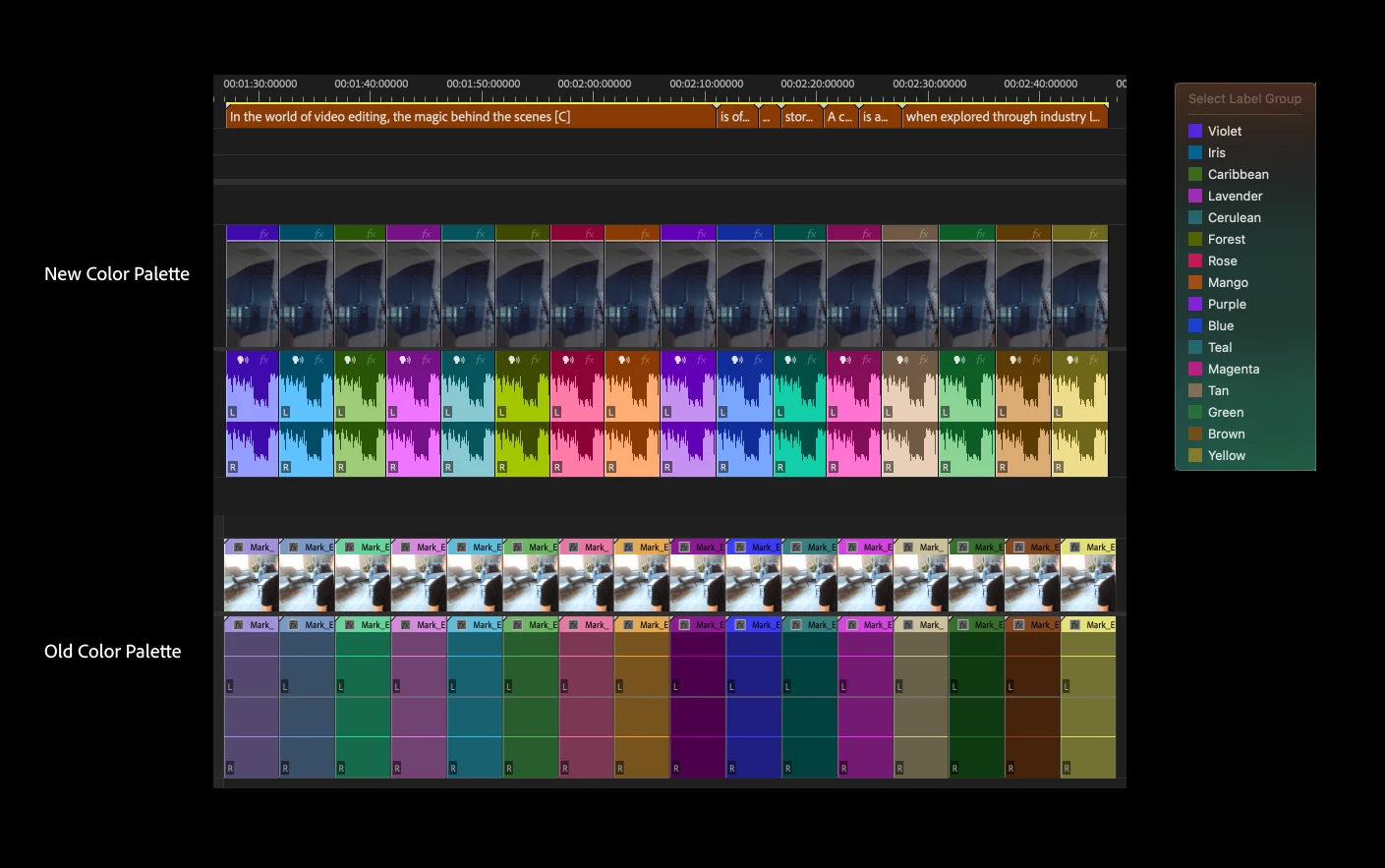
Hi @PavanVadilalGroup for this release we had a couple of bugs that we are resolving. Premiere just released a new color palette and we just adjusted the brown colors to be more differenitated.  Thanks for your post and feedback.
6 replies

Participant
July 2, 2024

This new color palette is terrible! I can't find where we can change it to "classic". WHy can't the Premiere program designers allow us to change the color labels to what we prefer? My timeline is a mess now since I can hardly distinguish the color differences. Please allow us to change the colors to what we want and are used to!

Ann Bens
Community Expert
Community Expert
July 2, 2024

Color labels are in the Preferences.

MeKevinB
Known Participant
July 24, 2024

We know where to change them. The question is WHY did they randomly and automatically revert to incorrect, mislabeled, and confusing combinations without any changes made by the user? That screenshot above was from seconds after opening PPro and immediately seeing this disgusting palette of dingy, dull colors that don't make any sense.

MeKevinB
Known Participant
June 19, 2024

Label colors reverted back to default today, randomly, without manually instigating any update in the CC app. I constantly fail at trying to understand how Adobe engineers think. Label colors get reverted to a new default. Okay, fine. But why are the default colors what they are? Yellow and Red are certainly not anywhere near yellow or red. I didn't set these colors.


Just mystifying.


Adolfo H.Community ManagerCorrect answer
Community Manager
May 27, 2024

Hi @PavanVadilalGroup for this release we had a couple of bugs that we are resolving. Premiere just released a new color palette and we just adjusted the brown colors to be more differenitated.  Thanks for your post and feedback.

Dantertainment
Participant
June 2, 2024

I just updated Premiere - and I am not a fan of the colour change. Also - I don't see an updated colour palatte at all. The colours in my software are like your original post. Where yellow and brown are both brown. Several colours are practically the same as others... like, carribean, forest, green and teal. All look practically the same to me. I dont' know why they felt the need to mess around with something that didn't messing around with. If anything. How about coming up with - the possibilty of people making their own colour labels. Why are we limited to what you default us to? Why not grant us the abililty to select our own custom colours. Anyway. Would sure like to know how to revert back to the old colours. Or. How to update the palette. 

R Neil Haugen
Legend
June 3, 2024

There are some users that got that all-darkened color thing like you've got, and it ain't what you're supposed to be seeing.


Try the "Classic" option that you now have down in the lower right corner, as we can modify and save color label schemas. Click on a color, then in the picker that pops up, adjust the color.

Everyone's mileage always varies ...
zelov38
Participating Frequently
May 27, 2024

Not a bug, but a feature. The colors have changed in the latest update, these are the new colors. Everyone on this forum is complaining about it, but adobe wants us to use them, so now we are stuck with them. There is an option to go back to "classic" colors, which kinda resembles the old colors, but it isn't really the same. So yeah..., just get used to it, I guess. This is the way premiere looks now.

Participant
May 27, 2024

Oh, thanks for the info

Ann Bens
Community Expert
Community Expert
May 27, 2024

Latest release of Premiere Pro, new features summary


Search the forum for more posts like this.

Participant
May 27, 2024

Same here, how to fix this? It's not like this when i last opened it, i want the default one