DanielZapata
Participant
April 4, 2018
Answered

Anybody having trouble with PNG's with the new Update of Premier Pro 2018 April 3rd?

  • April 4, 2018
  • 61 replies
  • 30592 views

I cant get Premier to read PNG's, I make them in Photoshop and export them as PNG's but when they come in Premier is all the weird crap.

I already clear the cache, re installed, re exported, started  new project, I cant get it t work! WHAT THE CRAP IS HAPPENING!!!

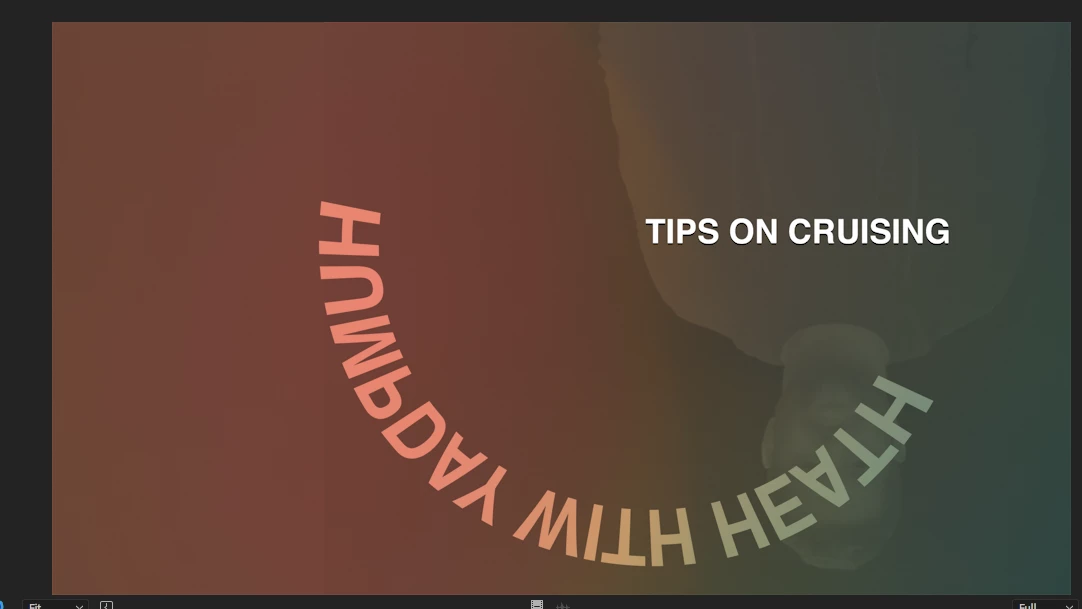
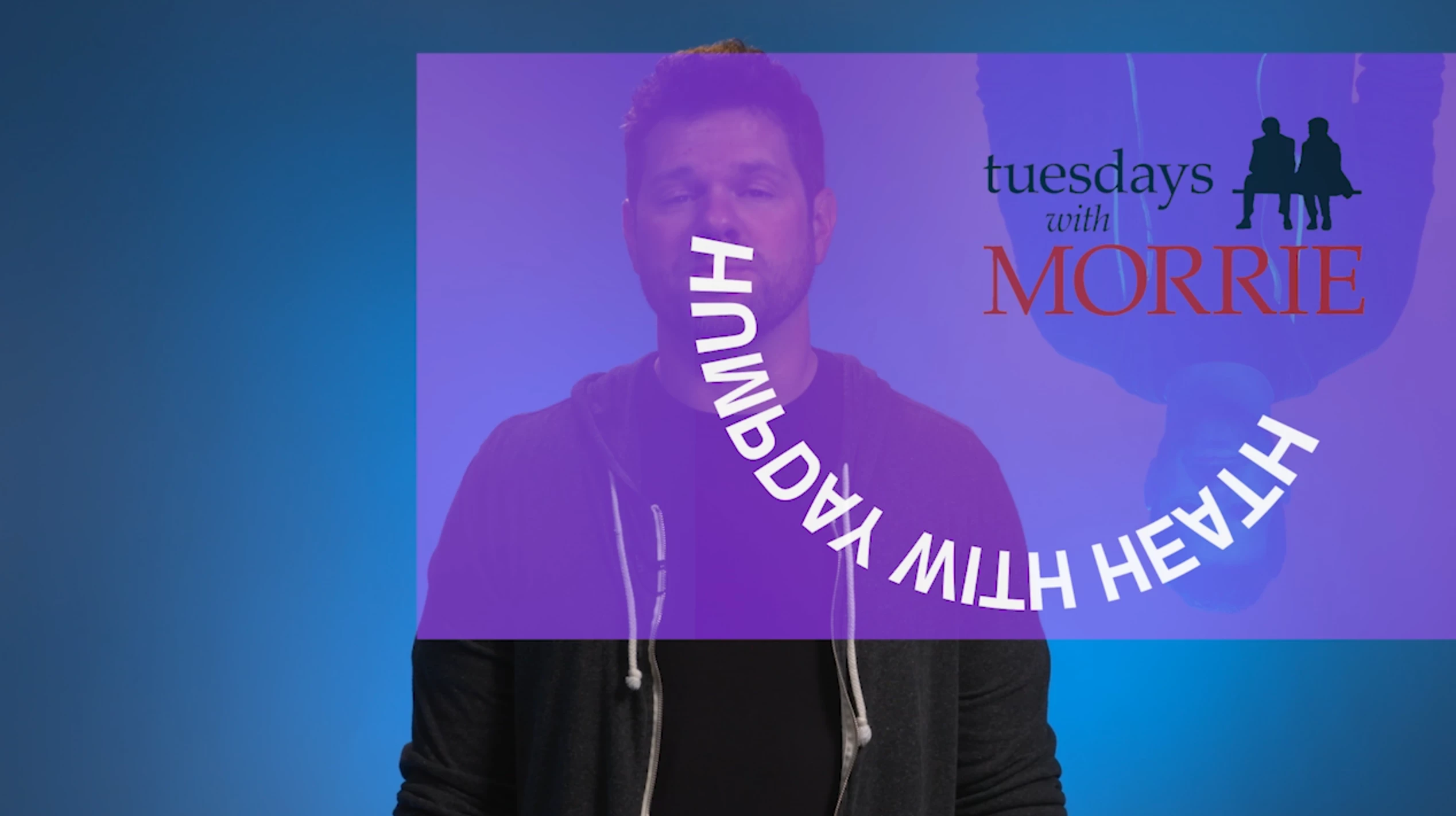
This are two pictures of PNG's it is one title, but Premier is merging all the PNGS in to one picture, same with the one below, it suppose to say TIPS on crussing, not all that weird color and reverse shadow going on.... this is totally wrong!!
This topic has been closed for replies.
Correct answer Vinay Dwivedi

Hi,

The patch has been released and live now. This patch includes bug fix related to PNG's.

Bug fixes in Premiere Pro versions 12.1 and 12.1.1

//Vinay

61 replies

andrewk89256747
Known Participant
April 17, 2018

Please fix this @adobe. This is killing us right now

Participant
April 17, 2018

I just "updated" Premiere this morning only to find the same issue... How has it been 12 days without a fix Adobe? We all have deadlines and pay a premium for your professional software, what is going on?????

ChrisIsAtWork
Inspiring
April 16, 2018

Just look at what Premiere has done to this animation with alpha. It's duplicating frames, the end appearing at the beginning and vice versa and that upside down stuff does not exist in the original. It's not an exaggeration that EVERY project I work on is currently on hold because of this bug. EVERY animation MOV with an alpha is messed up. No, going back to the previous version DOES NOT WORK. I'm either too high a version, or too low a version and never the tween shall meet. I'm in a business that requires frequent updates to the videos... if this isn't fixed in the next day or so... I wouldn't want to be me. But I am me!

Inspiring
April 16, 2018

Hi Chris. The messed up PNG issue is known and fixed. The animation MOV with a messed up alpha is another issue and won't get the attention it deserves in this thread. Feel free to email me at dramirez|at|adobe.com about this second issue. I'm assuming you're talking about a quicktime video using the animation codec?

Dan Ramirez

Character Animator QA

Participating Frequently
April 17, 2018

Hi Dan,

I'm confused.  You wrote the PNG issue is known and fixed.  If it is fixed, how come there is no patch? 

Alessandro Serena
Participant
April 16, 2018

In the next days I'll have to pay more than 800 Euros for a software that doesn't work.. And nobody can tell us a deadline for tha patch..

I hope Adobe will offer some compensation for this trouble.

Unbelievable

Participant
April 16, 2018

Same problem here, and like anybody super annoying with approaching deadline. I recognise the screwed up colours, and random squares and circles. Also, my captions don't show up when I render through media encoder instead of out of premiere. Another annoyance, since this problem has been around for a long time.

*j-w-m*
Participant
April 16, 2018

Same problem here.  Reporting the bug in ALL CAPS so they'll know I'm shouting.

Ville Honkonen
Participating Frequently
April 16, 2018

3 jobs is pending because i cant use premiere... why i need to pay this? for real adobe... do something!

R Neil Haugen
Legend
April 16, 2018

Until the fix, use Illustrator or Photshop (or maybe Bridge?) to convert the files to psd's ... which will work. You can batch this, of course.

Neil

Everyone's mileage always varies ...
Known Participant
April 14, 2018

Change your files to .psd.  this is the only thing that consistantly works untill they fix the bug

Participating Frequently
April 14, 2018

I've run into this bug, it's brought me to a standstill.


Seriously, Adobe, WTF. You released an update that can't render still images. How the hell does that get through QA?

If you're going to do this cloud crap and push updates regularly, try testing them a little.

This bug has cost me more than a year's subscription to CC costs.

Participant
April 14, 2018

I saved out as PSD and it fixed the problem. But still, I shouldn't have had to do that.

-M

Participant
April 14, 2018

Same problem.  I've downgraded to 12.0.0 but am still having the issue!  Media cache is cleared. Must be something to do with leftover files from 12.1? Anyone else downgrade and experiencing this?

Participant
April 14, 2018

Nevermind, solved, forgot to downgrade Media Encoder as well