

Dark Horse Agency
Participating Frequently
July 16, 2024
Answered

Applying a Noise Effect to Footage Crops the Clip

  • July 16, 2024
  • 7 replies
  • 1109 views

I'm working with some 1080p footage in a 1080p sequence and when I apply the Noise effect to the footage the left and right sides of the footage in the Program monitor suddenly disappear? If I remove the effect, they reappear again.
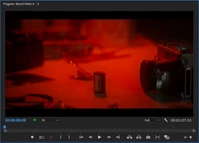
Effect off.
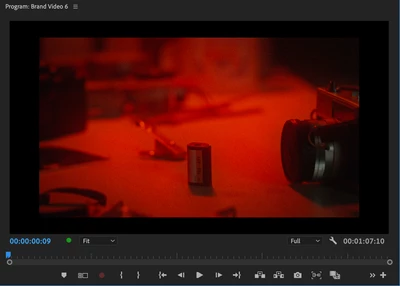
Effect on.


I've also noticed if I Scale the footage down using the mouse slider left/right, once it hits 50% Scale the missing sides of the footage reappear again but disappear once I release the mouse.


If I use a mask on the Noise effect, the missing parts of the image only disappear within the active mask area as shown in this image: 
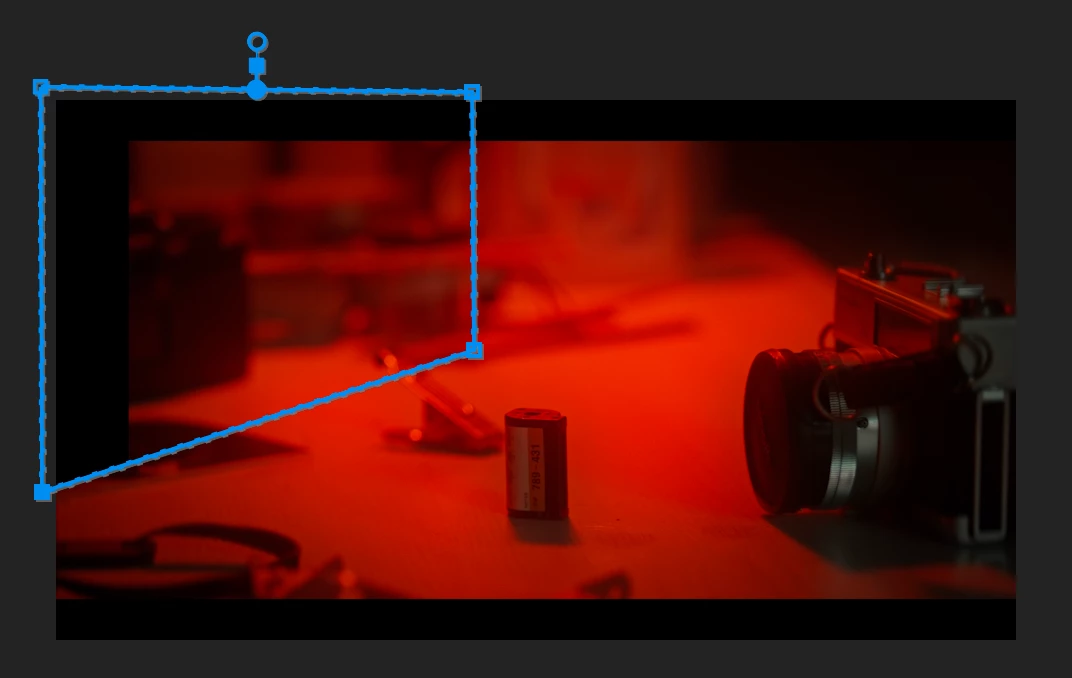
 

This feels like a bug to me? Unless there's a setting or reason for this?


My workaround now is to add an adjustment layer and appy the noise effect to that, which achieves the same end result. But I shouldn't have to do this if this bug wasn't present.

Correct answer Ann Bens

Your sequence setting's pixel aspect ratio does not match the file pixel aspect.

7 replies

Dark Horse Agency
Participating Frequently
August 20, 2024

Nice one, @Ann Bens. Setting the Sequence Setting Pixel Aspect Ratio to match the footage allows the Noise effect to be applied without the cropping occuring.


It would be nice if the weird cropping didn't occur just because the pixel aspect ratio was different, but this is the reason.

Ann Bens
Community Expert
Community Expert
August 20, 2024

On a side note: the par is quite odd for a hd (1920x1080( file.

Dark Horse Agency
Participating Frequently
September 9, 2024

It's a stock video, so some weirdness could be inherant, haha!

Ann Bens
Community Expert
Ann BensCommunity ExpertCorrect answer
Community Expert
August 20, 2024

Your sequence setting's pixel aspect ratio does not match the file pixel aspect.

Dark Horse Agency
Participating Frequently
August 20, 2024

@Kevin-Monahan 

  • Issue - See original post.
  • Adobe Premiere Pro version number: Version 24.5.0 (Build 57)
  • Operating system - MacOS Sonoma 14.5
  • System Info: CPU, GPU, RAM, HD:
    • CPU Apple M1 Pro

    • RAM 16GB

    • Hard Drive 500GB SSD, Macbook Pro 2021

  • Video format:
    • Type: MPEG Movie
    • File Size: 3.37 MB
    • Image Size: 1920 x 1080
    • Frame Rate: 25.00
    • Total Duration: 00:00:02:20
    • Pixel Aspect Ratio: 1.2121
    • Alpha: None
    • Color Space: Rec. 709
    • Color Space Override: Off
    • Input LUT: None
    • Video Codec Type: MP4/MOV H.264 4:2:0
  • Workflow details:
  • Steps to reproduce - (Very important!)
    1. Drag footage into sequence
    2. Apply Noise effect from Effects panel
  • Expected result - What should have happened after the last step?
    • The Noise effect is applied to the footage.
  • Actual result -  What did happen after the previous step? 
    • The noise effect was applied, but visual cropping occured to the left and right of the visible footage in Program monitor.
Dark Horse Agency
Participating Frequently
August 20, 2024

Hello, thank you for the reply. Yeah I'm on MacOS (see my reply with full system details below).

I just tried trashing all preferences as you suggested but the bug remains, unfortunately.

Community Expert
July 16, 2024

In the mean time applying effects to an adjustment layer is fine and could be a temporary fix until a solution is found.

Kevin-Monahan
Community Manager
Community Manager
July 16, 2024

Hello Dark Horse Agency,

Thanks for filing this bug. Can the team get more info about your system and media? See, How do I write a bug report?


I hope the team, an Adobe Expert, or the community can help you soon. Sorry for the hassle.


Cheers,
Kevin

Kevin Monahan - Sr. Community & Engagement Strategist – Pro Video and Audio
Ann Bens
Community Expert
Community Expert
July 16, 2024

Not seeing this on windows: tried trashing preferences?