
Audio + Footage Out of Sync
Hello, everyone!
I've been looking for a possible solution to this issue, but can't seem to find any answer.
Everything was fine up until the end of editing session yesterday. When I opened the Project file this morning, I noticed that all the footage just the sequence I worked on last night was out of sync. Red numbers and +/- everywhere.
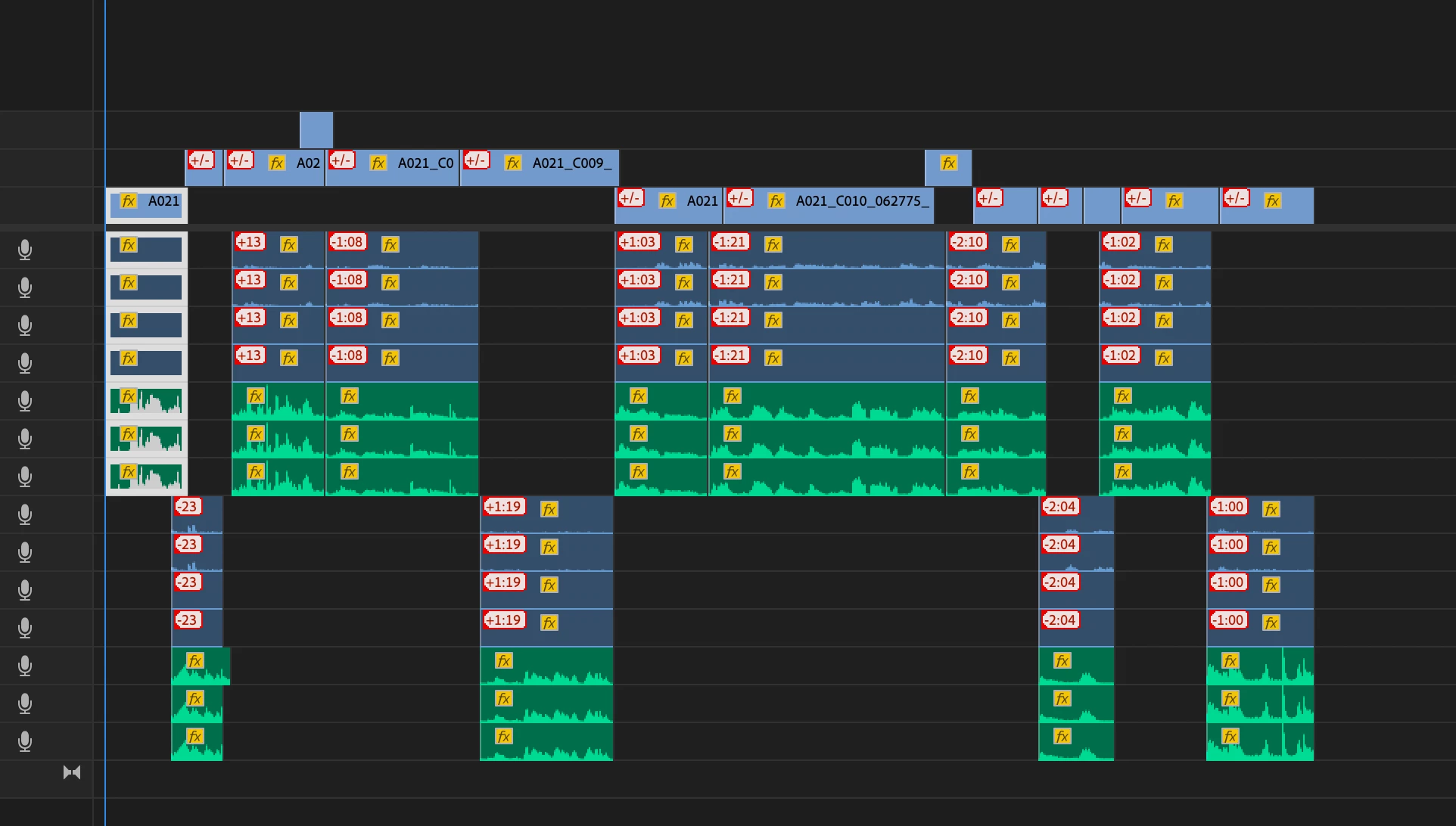
Apparently this has something to do with the footage being out of sync w/ the audio.
What I've noticed is that the GREEN audio (recorded separately, synced w/ timecode) retained all of my edits/changes, and it's intact on my timeline. -- The footage files, on the other hand, are completely out of sync, as if they were "moved". Some are playing from the beginning.
I used the right-click, and both "move into sync" and "slip into sync" don't seem to quite solve the problem.
Other sequences within my project were not affected by this issue. -- The issue is also present in all of my auto-saves from yesterday.
Any ideas about what could be going on, or any possible solutions?


 AdChoices