Audio plugin resets when duplicating sequence
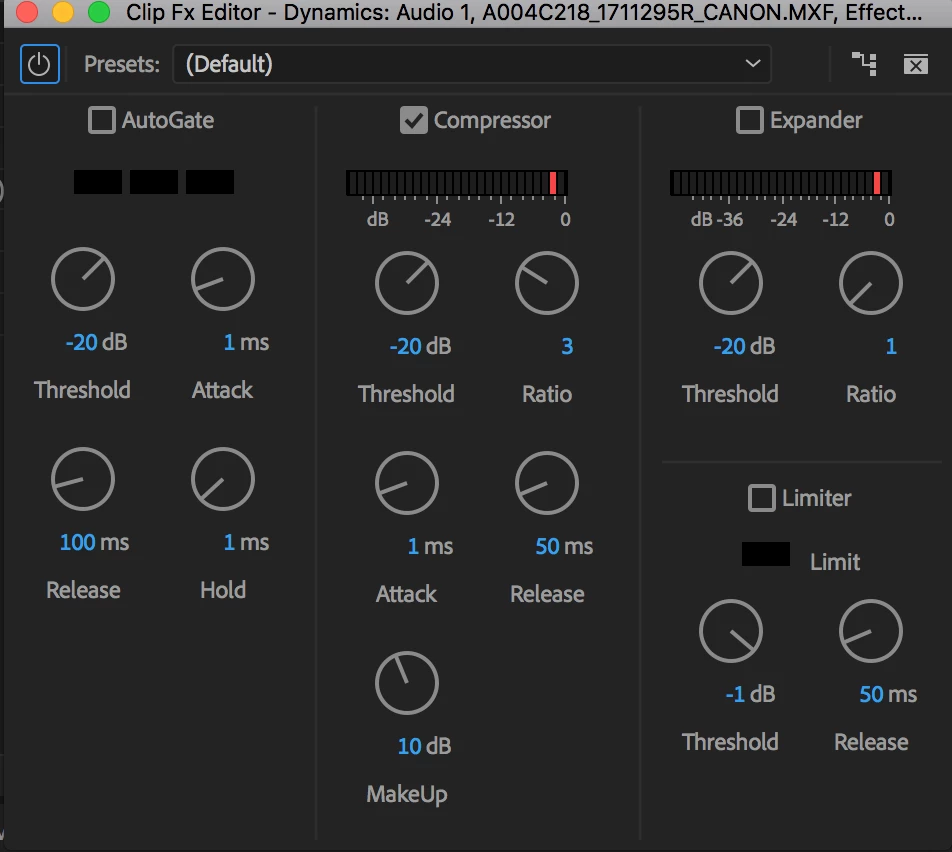
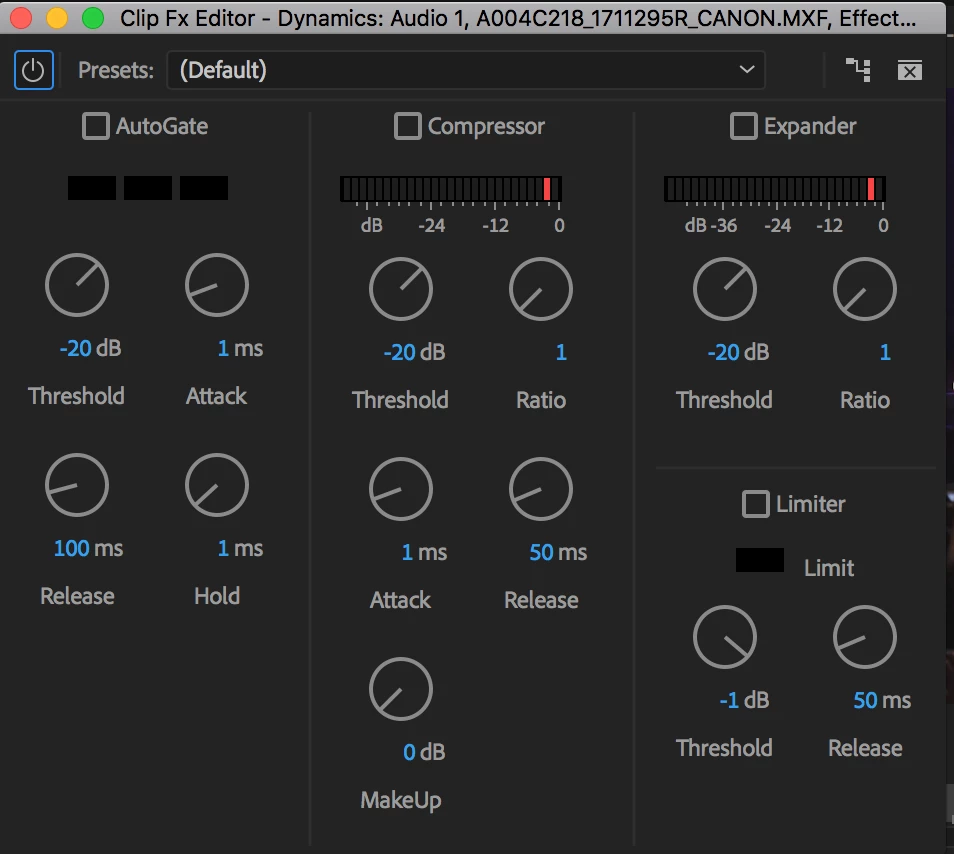
So I'm having an issue when duplicating sequences where some of my audio plugins will reset their settings. I'll often duplicate a sequence when moving to a new round of client revisions. Specifically, if I'm using the Dynamics plugin on audio interview clips, when I open the newly duplicated sequence, the Dynamics plugin settings will have reverted back to factory defaults. I'm using the compressor within the Dynamics, and suddenly, the compressor box is not checked, and any dials I tweaked will have reset. Has anyone else had this problem? It's a massive time-waster. For instance, in a documentary project, I'll have different settings for each interview clip, and I inevitably lose them all and have to copy and paste individually from the previous sequence. Any help would be greatly appreciated.
For reference, I've included screenshots of the Dynamics plugin from the original sequence, and from the newly duplicated sequence.
Currently running Mac OS Sierra 10.12.6 on a MacBook Pro (Retina, Late 2013) and the most up-to-date version of Premiere Pro CC 2018.
 AdChoices