

AUDIO Problem: Premiere CC Does Not Import Audio Track of a Video, and Does Not Import an Audio File
Hi, everybody!
So I figured I have an audio problem.
That happened not only with a video file that has sound but also with an audio only file.
First of all, I tried importing my .mov video, which couldn't be done (file details below in picture 1 & 2). I had to install Quicktime player in order to be able to import the video. But no audio track comes with it, just video. I recently had to re-install my Windows 10, maybe I am missing some codecs?
But what's weird, is that I had a problem with a different (audio) file even before re-installing Windows and all Adobe programs (before re-install I had no problem with the before mentioned video+audio file). So the way it looks is that I import that audio file (file details in picture 3), try to play it, but that little pin doesn't move. I can't move it either.
Screenshot can be seen on picture 4, with the arrow pointing at the blue line that shouldn't be blue. Another fact: when the audio file is imported, it says it has 15fps and a resolution of 640X480. That doesn't make sense because it's audio only.
Things I already tried and did not work:
- importing both kind of files through Media Browser, but that doesn't do the trick
- installing and using ASIO codec
- reinstalling Premiere Pro CC latest version
- updating my audio drivers in Device Manager
- logging out and signing into Premiere
- restarting computer
- deleting media cache files
Just for the record, so far I am not having problems with other files, and they get imported fully and correctly.
Do you guys have any ideas on how to solve this?
IMAGE 1 & 2: The Video File
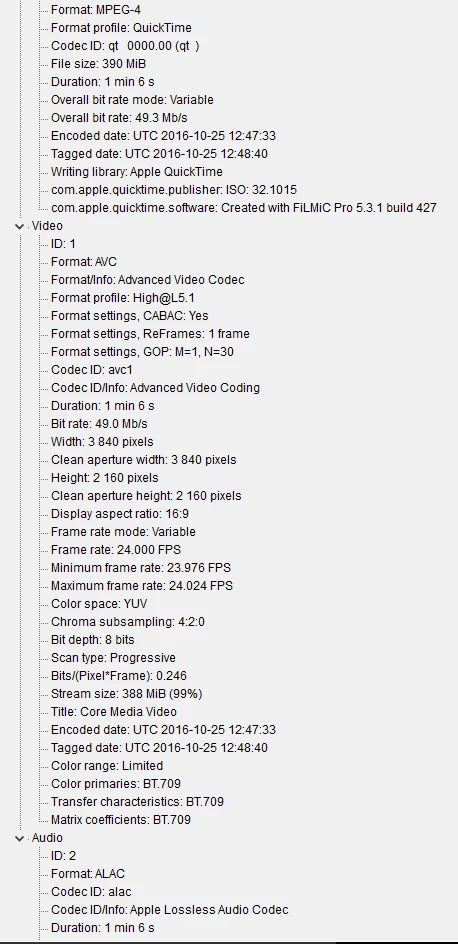
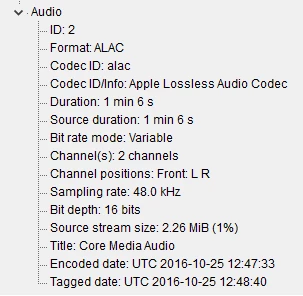
IMAGE 3: Audio only file
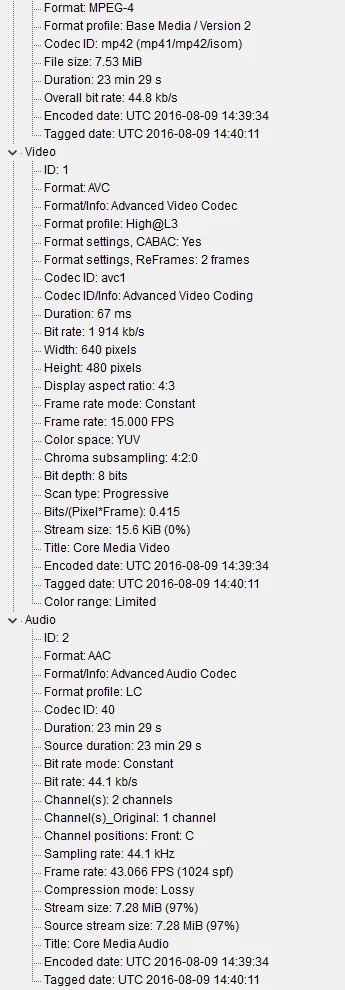
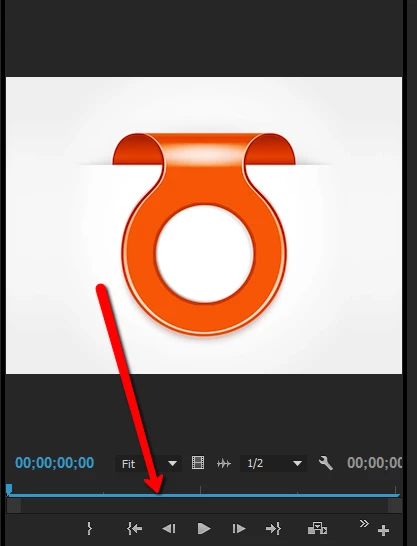


 AdChoices