
Answered
Audio Waveform not showing on Premiere Pro 26
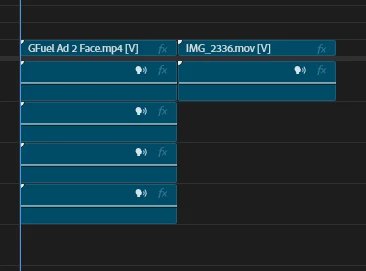
Pretty much what the title already says, sometimes Premiere loads up and reads the waveform (that wheel on top-right corner) but now it simply doesn’t read any audios from the videos I’m working on.
Things that I already tried to fix the problem:
- Sequence - Render Audio
- Reset preferences
- Delete Peak Files
- Check and unchecking Show Audio Waveform
Keep in mind that the issues only shows up with Premiere 26 since I tried working on the 25 and it the waveform showed up there, so I think maybe Premiere 26 have some kind of weird bug to read audio files?
Any suggestions to what I could do to get the waveform back?


 AdChoices