


Best adobe tools for removing background in THIS video clip?
*Update: I've attached the video file below
Hello, creative people! I'm new to the video-based adobe software, and would love your oppinion on the best route for a project I'm making in premiere pro.
I'd like to see if there's a way I could remove the background in the image below.
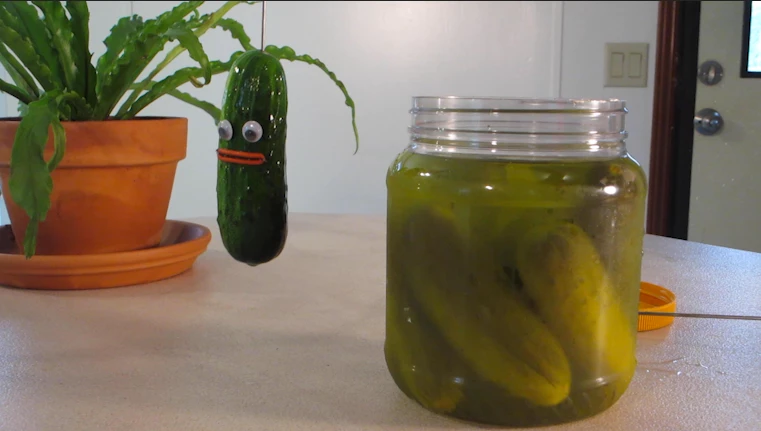
The image is from a 1 second video clip of a pickle jumping out of a jar, and landing on the table. I belive its at 30 fps. It's for a really goofy kid's music video, of course. What I'd like to do is remove all of the background from the video. (the plant, table, wall behind... and just have the pickle and jar remaining). I'll probably edit out the rod holding the pickle too. Then, I'll create a background to layer behind the images.
I'm considering redoing the shots completely, perhaps with some greenscreen, but I'd love to know how to go about this type of edit in the future if I need to. I know I may need to edit the images frame by frame in photoshop, but I'd like to see if there's any other solution. OR, any workflow you'd suggest for editing frame by frame.
I know it's a big question. if anything comes to mind, I'd be grateful to hear it!
 AdChoices