Participant
March 10, 2025
Question

Black lines
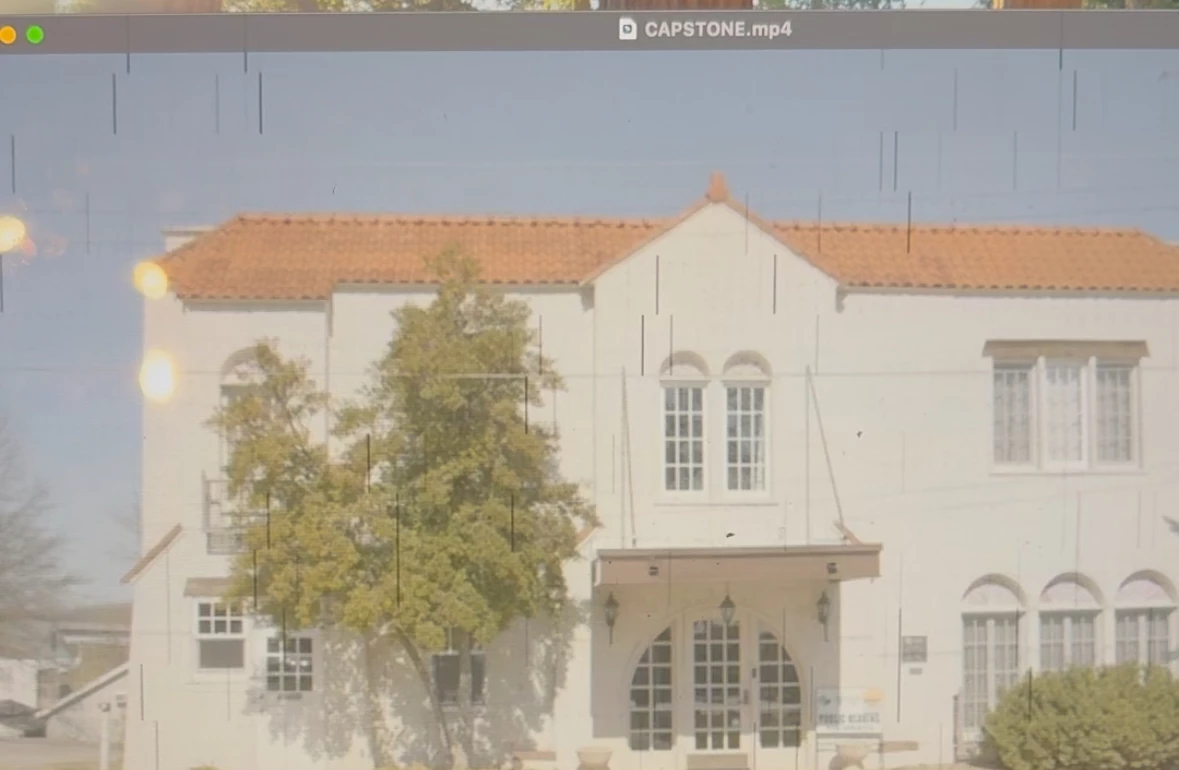
  • March 10, 2025
  • 4 replies
  • 322 views

how do I remove these black lines from my footage on Premiere? It's over almost all of my footage and I can't figure out how to remove them.

4 replies

MyerPj
Community Expert
Community Expert
March 10, 2025

Can you upload a short clip somewhere, of the original footage giving you a problem, to Google drive or such. 

If it's all one long clip, you can use  https://www.shutterencoder.com/en/ to 'Cut without reencoding'. And then send that. Otherwise, Info needed for a bug report.

MyerPj
Community Expert
Community Expert
March 10, 2025

Do you have a short clip you can put on google drive or such and post a link, I'll give it a try. On a PC we would say to check your video driver, but it looks like you are on a mac?

drew_4733Author
Participant
March 10, 2025

Well, what I was able to edit was deleted somehow. I can throw some footage into Premeire and send it over if that works. 

R Neil Haugen
Legend
March 10, 2025

What camera? Are those the older cDNG, ProRes, or BRAW?


What is your GPU, and if Nvidia, which driver are you using?

Everyone's mileage always varies ...
MyerPj
Community Expert
Community Expert
March 10, 2025

You'll probably need this: Info needed for a bug report

drew_4733Author
Participant
March 10, 2025

Thank you! I'm so frustrated by this because I can't do any editing 

MyerPj
Community Expert
Community Expert
March 10, 2025

All over different clips, from different cameras?

drew_4733Author
Participant
March 10, 2025

I'm using historical photos in my video and it's on those and footage I took with my school's Black Magic. The photos and the footage are both perfectly fine everywhere else but on Adobe. It's nothing to do with exporting because it's messed up in the app itself before I exported.