
Inspiring
March 16, 2023
Question

BUG: Use Previews....Doesn't Use Previews.

  • March 16, 2023
  • 98 replies
  • 16172 views

This workflow has been broken for a long time and I would really love to fix this one. I know this used to be on uservoice but I can't find the old bug. 


Steps:


1. Set sequence preview file to "Apple ProRes 422HQ" or whatever your favorite is. 

2. Render Sequence to full green.

3. Go to Export, Select an H.264 preset, check "use previews"

4. Watch as PrPro doesn't acess a single preview on disk and instead renders the whole timeline from scratch. 


From my current example I have a .png sequence from blender than I've rendered to green in the timeline.


Export->H.264, use previews checked...


Look at windows resource monitor, why is premiere chewing up PNGs when it should just be referencing the preview files I JUST RENDERED. 
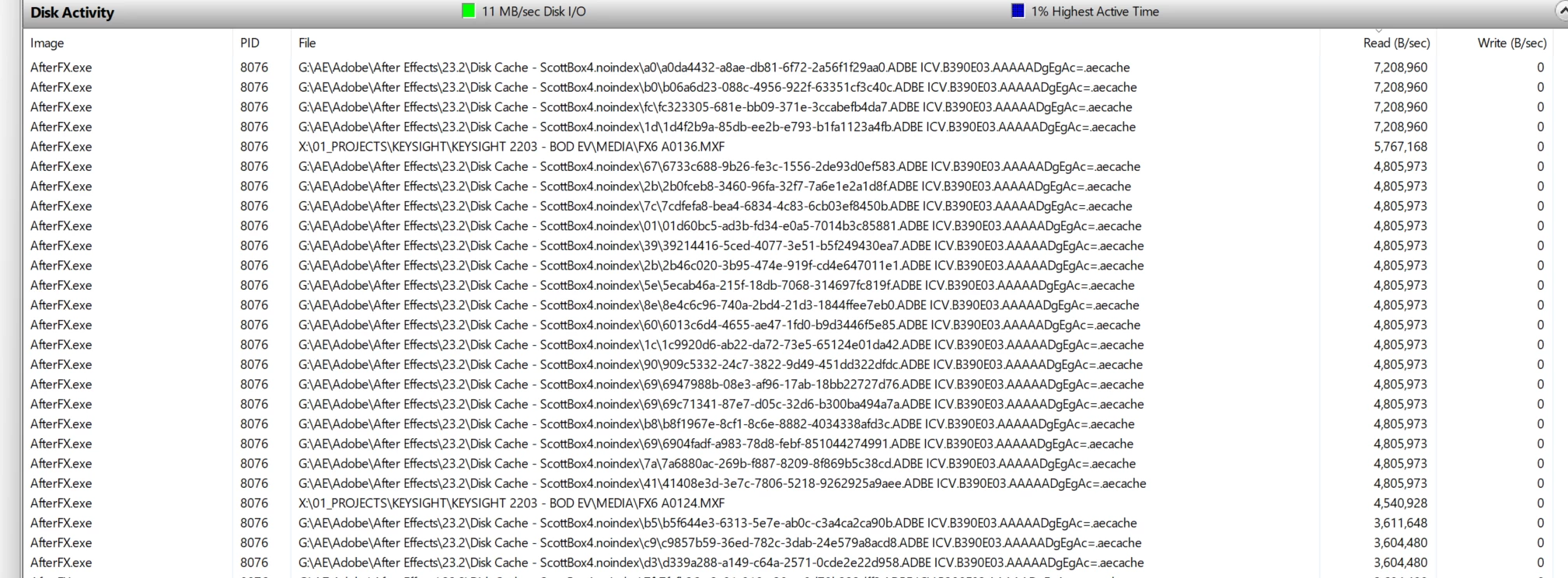
.aecache files being acessed for no reason. 
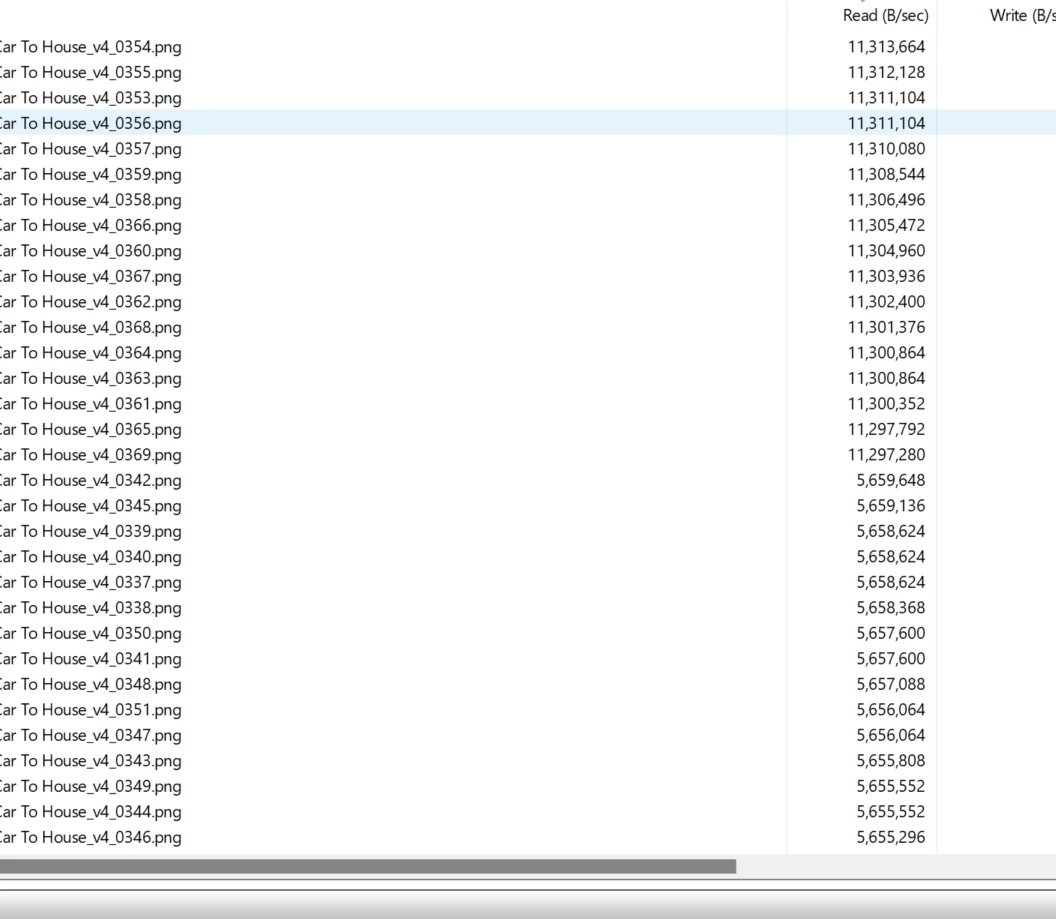
.png sequence being read. WHY. 


98 replies

Scott.C.Author
Inspiring
July 26, 2024

Thanks JonesVid, but as we've outlined in this lengthy thread, we are talking about the loss of doing any sort of H.264 or other output from already rendered timeline preview files. I.E. "Using Previews" no matter the final output.  Getting a "smart render" out has still worked most of the time, but any sort of re-encode from previewed files has been broken for what feels like 5 years at least. 

JonesVid
Community Expert
Community Expert
July 26, 2024

I have had some feedback from Adobe Support on this very recently.

If you use 'Match Sequence Settings' for the Export it will automatically 'tick use previews' and actually does use them on export.

It no longer renders the whole timeline again.

If you actually select the AppleProRes422  codec manually and same criteria as your previews it will not work.? Why... no idea.

I have always been selecting Apple ProRes 422 4K 50fps to match my preview settings - but for some weird reason it will not work if you do that.

I have tested it twice and have produced an Apple ProRes 422 master a lot quicker now. Before it re-rendered the whole timeline every time and by passed rendered previews.

Try using 'Match Sequence Settings' and see if it works for you


Incidentally, I am also in contact with Adobe Support about the 'Lost Previews' issue. This is where you have rendered everything (as far as you have edited) and close the project. Randomly it loses some previews when you open the project again - not always - its a random thing on my machine. It does it on my Windows 11 and Windows 10 platforms

Engineering are still working on it - but Adobe Support have seen it happen with their own eyes on my machine with Remote Desktop session.

https://community.adobe.com/t5/premiere-pro-bugs/some-prores-422-video-preview-files-lost-on-closing-and-re-opening-project/idc-p/14730173#M30608


Scott.C.Author
Inspiring
July 26, 2024

Bump. Still looking for someone from Adobe dev team to actually respond to this. New coat of paint is all well and good but this type of functionality is whats actually important. 

R Neil Haugen
Legend
March 28, 2024

This is a primarily user to user forum, and they've relied on users helping others for most posts here. Staffer activity over the last year though is up rather dramatically. And they have recognized this is an issue.


They haven't popped back in with a final fix, no. Which would be a great thing, and yea, that this has taken so freaking long is frustrating.

Everyone's mileage always varies ...
JonesVid
Community Expert
Community Expert
March 28, 2024

I would fully agree that it is difficult to comprehend why this annoying bug of not using previews on export has not been fixed.

The arrogance of Premiere Pro engineering to not even engage on this 'bug report' is also adding to the frustration of subscribing to software that does not function correctly.

Ryan Fritzsche
Inspiring
March 28, 2024

I'm having a hard time undersanding why this is such a difficult thing to fix.  I don't need the software to try to nanny what codec my previews are in, and I don't need a discussion about whether I should generate my master from long-gop interstitial files (who uses long-gop for previews anyway??).  I just want a button that says "use previews", thatn when checked, means PP and AME will use them, however crappy they do or don't look, no matter what resolution they are, etc.  The reality of most edit projects these days is that there are countless lo-res, lo-quality exports for review and notes, and then only one or two masters at the very end.  So speed is more important than quality on the vast majority of the exports I do.  I want the quality, of course, when I need it for a master.  But this is not a peripheral issue: it is a core issue to my workflow.

SpaceCherryFilms
Inspiring
March 28, 2024

Ok I'm loving this thread.  The "Use Previews" used to work as it was designed to do. Use previews in the render to speed it up.  I remember using this feature to tske my timeline (which was DNXHR I think back then) to h264 and it was super fast export.  Then one version it just broke and wouldn't use the previews anymore. Not I'm doing what everyone else is, render the preview in Prores then exporting that out then doing the extra step of taking the prores file and rendering it to h264.  In the past I didn't have to do that.   And I have been using Premiere since version CS4, and WITHOUT fail Adobe will give us something new in a update but then take away something we need.  It's the Adobe way. 

JonesVid
Community Expert
Community Expert
March 28, 2024

Which codec are you using for your renders?

Even if I have all complete ProRes422 renders present in the video previews folder Premiere does not access any of them and re-renders the entire timeline. 
At least that was how it behaved the last time I tried it.

Which version of Premiere are you using ?

Inspiring
March 28, 2024

I just tried it using Media Encoder and it did not work. Does work from export media though. Use previews is under general at the bottom of the settings window. At least it works that way.

MobyTrix
Known Participant
February 3, 2024

Interestingly, the export-with-previews is only supposed to work from within premiere pro itself, and that's how I used to use it because media encoder in the past did not honor that option.  In fact, their own documentation states the same thing.

Maybe they're migrating the functionality to Media Encoder; I'll have to check.  I wouldn't be surprised, since the new in-Premiere export dialog is hot garbage.