
Inspiring
March 16, 2023
Question

BUG: Use Previews....Doesn't Use Previews.

  • March 16, 2023
  • 98 replies
  • 16272 views

This workflow has been broken for a long time and I would really love to fix this one. I know this used to be on uservoice but I can't find the old bug. 


Steps:


1. Set sequence preview file to "Apple ProRes 422HQ" or whatever your favorite is. 

2. Render Sequence to full green.

3. Go to Export, Select an H.264 preset, check "use previews"

4. Watch as PrPro doesn't acess a single preview on disk and instead renders the whole timeline from scratch. 


From my current example I have a .png sequence from blender than I've rendered to green in the timeline.


Export->H.264, use previews checked...


Look at windows resource monitor, why is premiere chewing up PNGs when it should just be referencing the preview files I JUST RENDERED. 
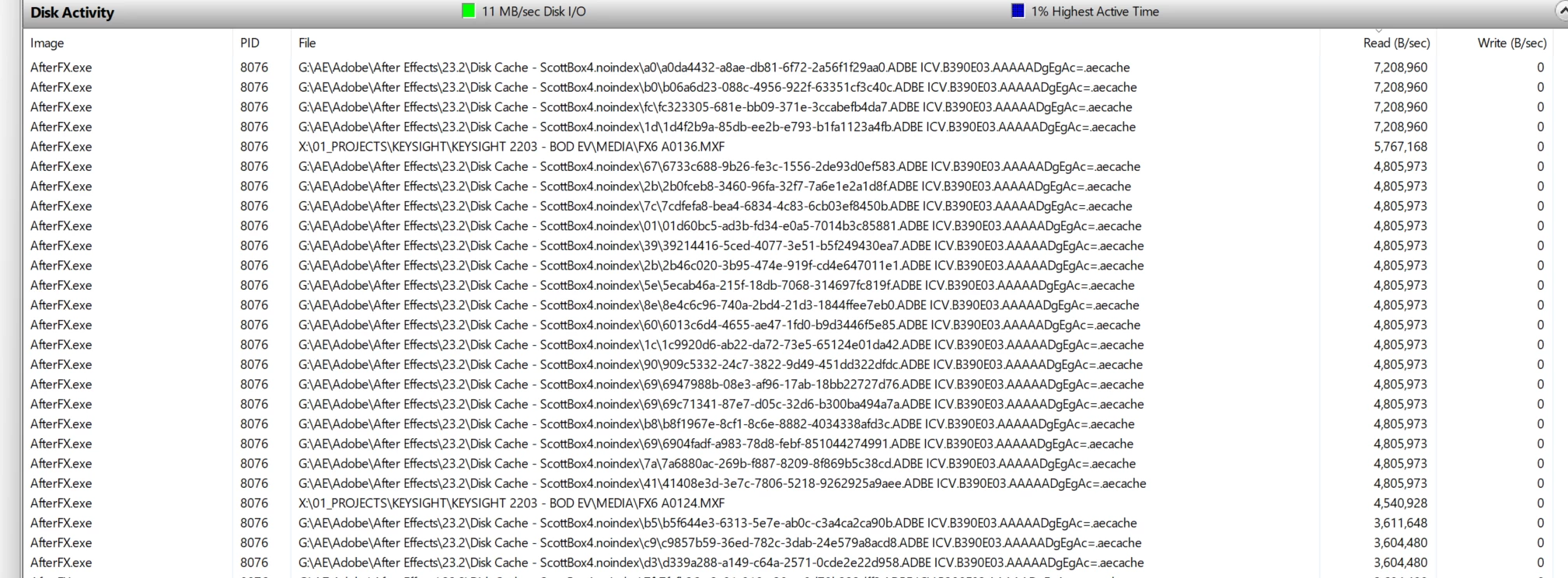
.aecache files being acessed for no reason. 
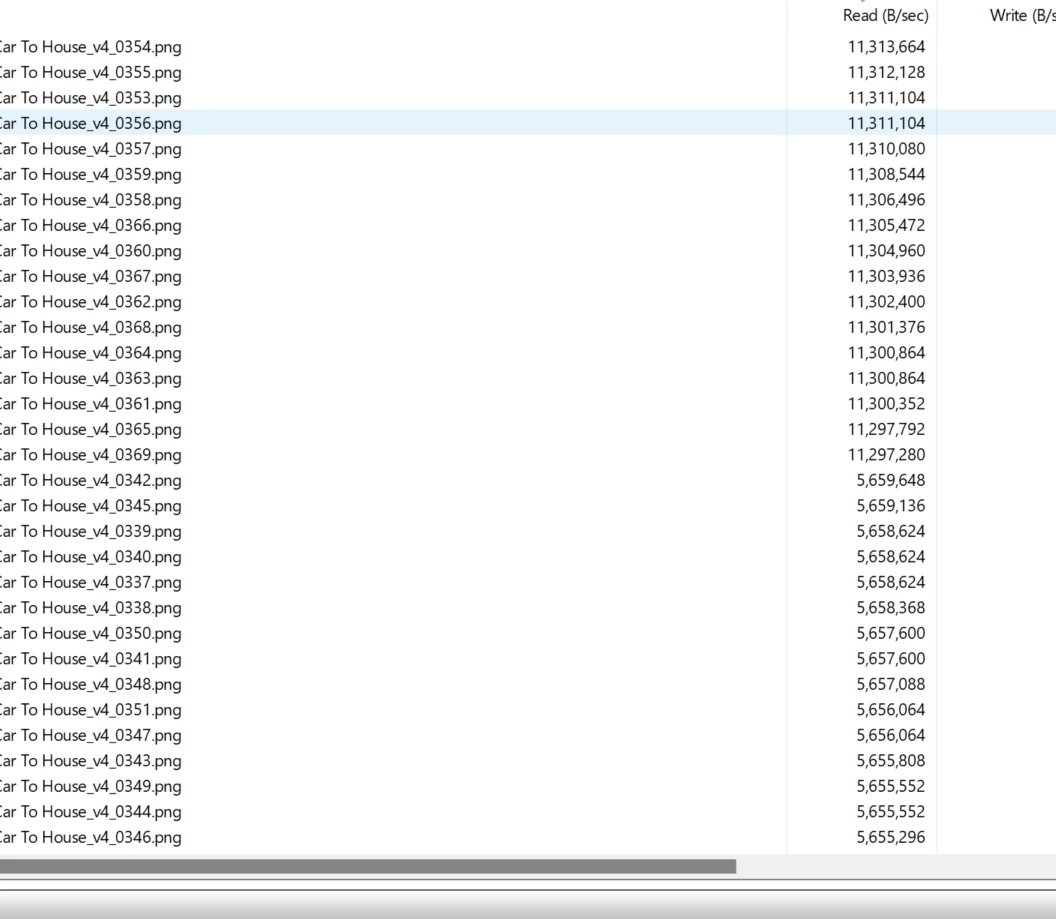
.png sequence being read. WHY. 


98 replies

Scott.C.Author
Inspiring
August 11, 2023

Just bumping this to say still no fix in 23.6. Still crossing my fingers. 

Scott.C.Author
Inspiring
May 12, 2023

Just wanted to drop in and say this is still not functioning from the main exporter in premiere 23.4.

Ryan Fritzsche
Inspiring
March 31, 2023

Well now I wish I was gonna be at NAB!  But alas.  Thx for all your help and patience with griping users.  🙂

Kevin J. Monahan Jr.
Community Manager
Community Manager
March 31, 2023

Thanks for the specs and the version info. I believe with the thread and info that @Scott.C. hipped us to, the team can make some headway on a bug fix. I think I owe you a beer too. I also upvoted. 🙂


Cheers,
Kevin

Kevin Monahan - Sr. Community and Engagement Strategist – Adobe Pro Video and Audio
Ryan Fritzsche
Inspiring
March 31, 2023

One more comment on when it started... I think @Scott.C. is probably right about when it first appeared, and more attuned to the issue.  The projects I was focused on mainly in 2019 & 2020 didn't lead me to run into the issue as easily.  But it was definitely there by CC 2021 (that's v15, if I'm not mistaken?).


Ryan Fritzsche
Inspiring
March 31, 2023

Thx @Kevin-Monahan!  If you need/want, here's my system specs:


MacPro 6,1, 8-core, Dual D700 (6GB) GPUs, 64 GB RAM. Mac OS 12.6.3. G-Studio 8-bay Thunderbolt RAID, where all media and previews live.  Have been running into the issue since at least late 2020.  I've observed the issue in at least Premiere 2021, 2022, and 2023, and going back several OS.

Kevin J. Monahan Jr.
Community Manager
Community Manager
March 31, 2023

Cool, thanks mucho for the added info. I will add this new info to my internal advocacy for a bug fix. You've convinced me that it is, indeed, a bug and should be worked on. So happy to be wrong. If you'll be at NAB, I'll buy you a beer.

Kevin

Kevin Monahan - Sr. Community and Engagement Strategist – Adobe Pro Video and Audio
Scott.C.Author
Inspiring
March 31, 2023

@Kevin-Monahan  Its one of those things that you don't notice until you start noticing a slowdown so I can't be sure what version the bug was introduced. I know for a fact there were bug reports on UserVoice but they must not have reached the threshold for being logged. That would have helped me date the bug a little more closely but I know between 2018 and 2020. Not sure if there is an archive of those out there somewhere but one of them for sure lived at this address:  https://adobe-video.uservoice.com/forums/911233-premiere-pro/suggestions/38985541-bug-prpro-2020-export-using-previews-not-working


As far as my system goes:


Processor AMD Ryzen Threadripper 3960X 24-Core Processor, 3800 Mhz, 24 Core(s), 48 Logical Processor(s)

RAM: 128 GB 

3 SSD

1: CC Programs OS etc. 

2. Media Cache

3. Scratch (most scratch items files etc, kept separatly from Project location unless I forget to check scratch disks *shakes fist angrily at dumb new import page*) 


Media files typically kept on internal raid 5 or fast usb disks. 


Operating System Windows v.10.0.22621.1

Video NVIDIA GeForce RTX 2080 Ti v.31.0.15.3141
Audio Audioengine D1 v.10.0.22621.608
No conflicts to report.

Premiere Pro 23.2.0 (Build 69) (Nice) 

Kevin J. Monahan Jr.
Community Manager
Community Manager
March 31, 2023

Hi @Scott.C. 


quote

I still consider this a bug.


Basically if you want it to use previews the "old way" you have to send your sequence to Media Encoder and make sure "import seqeunces natively" is un-checked. 'PrProHeadless.exe" For whatever reason it actually respects the "use preveiws" checkbox regardless of output format and renders very fast.

By @Scott.C.


Nice! Thanks for reporting on this. I hope it holds some key to a fix. It is helpful that the issue is occurring in a current version of the software. Can you provide details on your system? Are you on macOS or PC? Which version of the OS? That info might also help them with a reproducible case.

Kevin

Kevin Monahan - Sr. Community and Engagement Strategist – Adobe Pro Video and Audio
Kevin J. Monahan Jr.
Community Manager
Community Manager
March 31, 2023

Hi @Scott.C. - Hey there @Ryan Fritzsche 

Thanks for your comments. I apologize for not empathizing with your situation well enough. I wish I could do more.  I would like to assist you by advocating for this issue so that it can be addressed sooner. I'm doing my best behind the scenes to help you and others facing this issue. To start, I've asked the product team to respond to this issue, as they are the ones that can address this issue accordingly.


Thank you for providing all the info you have so far.


Nailing down the version as to when the issue began to occur might be a good starting point for devs assigned to investigating the issue. Since you have indicated that this began in 2018, that would be ~ v.11.0. Was that the time when things went wrong for you? Let me know.


Have a good weekend.


Cheers,
Kevin

Kevin Monahan - Sr. Community and Engagement Strategist – Adobe Pro Video and Audio