
Inspiring
March 16, 2023
Question

BUG: Use Previews....Doesn't Use Previews.

  • March 16, 2023
  • 98 replies
  • 16172 views

This workflow has been broken for a long time and I would really love to fix this one. I know this used to be on uservoice but I can't find the old bug. 


Steps:


1. Set sequence preview file to "Apple ProRes 422HQ" or whatever your favorite is. 

2. Render Sequence to full green.

3. Go to Export, Select an H.264 preset, check "use previews"

4. Watch as PrPro doesn't acess a single preview on disk and instead renders the whole timeline from scratch. 


From my current example I have a .png sequence from blender than I've rendered to green in the timeline.


Export->H.264, use previews checked...


Look at windows resource monitor, why is premiere chewing up PNGs when it should just be referencing the preview files I JUST RENDERED. 
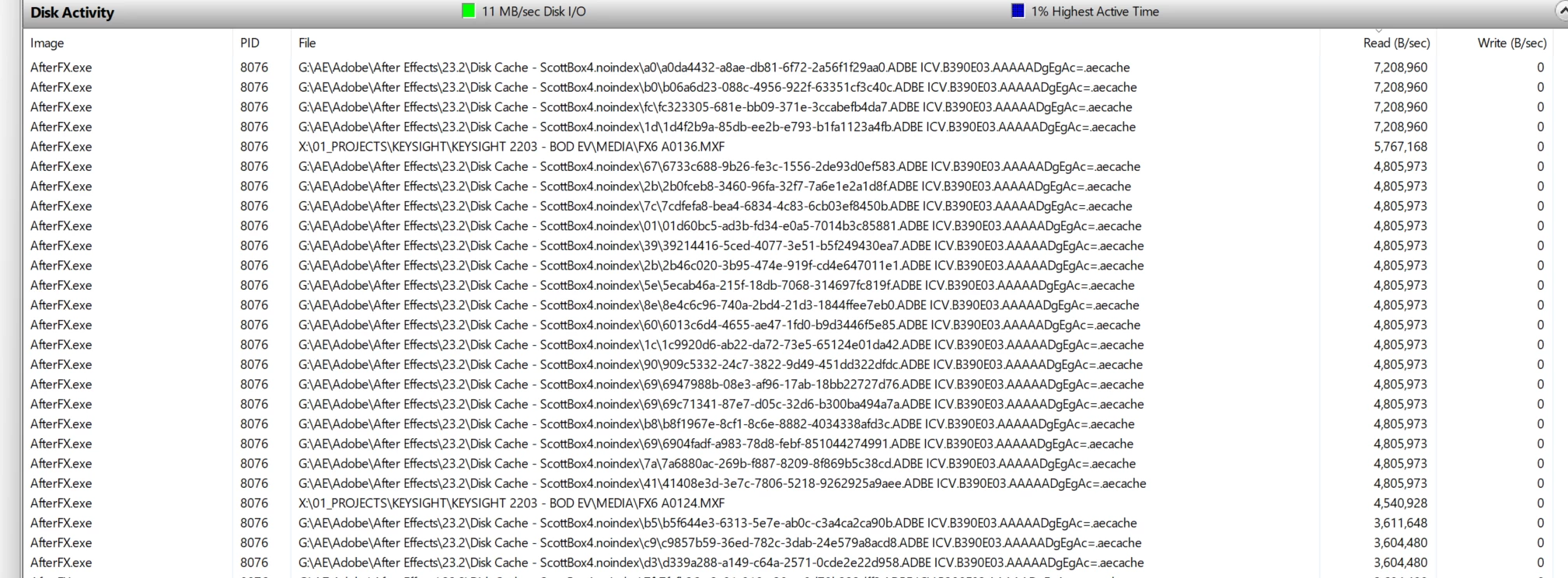
.aecache files being acessed for no reason. 
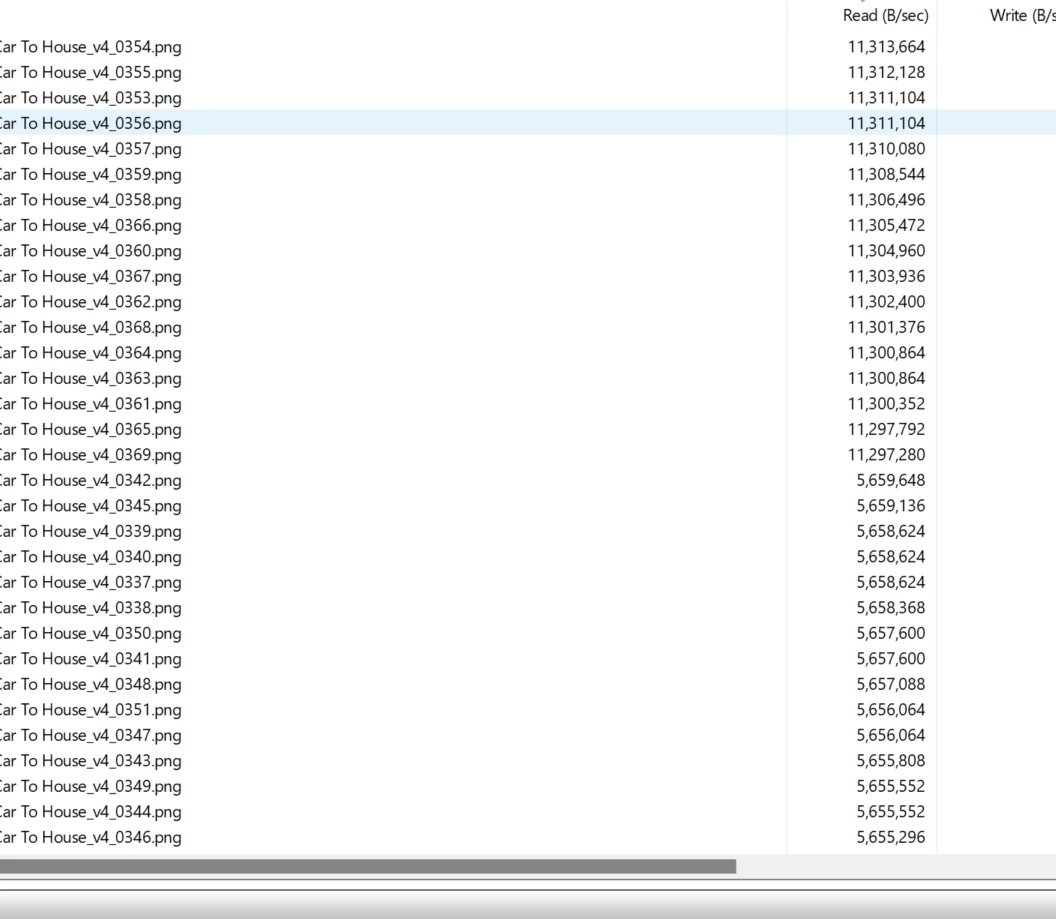
.png sequence being read. WHY. 


98 replies

Scott.C.Author
Inspiring
December 20, 2023

From latest beta...


No use previews when using match source h.264...


Comes back when you use the match seqeunce setting...


Ryan Fritzsche
Inspiring
December 20, 2023

Seriously?!  

Scott.C.Author
Inspiring
December 20, 2023

I was messing around with the Beta today and they removed "use previews" altogether in the export window when not using the "match sequence preview" preset. Frustrating... instead of restoring the old feature / or fixing the bug they just seem fit to remove it from the interface. I love shouting into the void. 

Scott.C.Author
Inspiring
November 16, 2023

I had sort of abandoned hope for this but, I was troubleshooting an AME bug today and noticed that my exports were going really fast. Mind you this only works in AME. 


So I have a green rendered timeline full of AE comps to ProRes422LT, and sent to Media Encoder for na H.264 export with "use previews" checked and with "import native" turned off.


The renders went very fast, and when I checked resource monitor it was in fact using the .PRV folder and not working AE to re-render all the comps. 


So that old workaround seems like it might be working again. Weird that it only seems to work in AME and it still seems inconsistent overall. Of course the last render crashed for .... reasons. 


Still hoping they merge whatever the code is into a unified exporter that just works. I grow tired of all the use native / use headless prpro / Premiere VS AME circus just to get a fast and consistent export. 

Scott.C.Author
Inspiring
October 24, 2023

Seems like there is a new bug related to use previews. Can you fix this new bug and also restore the old functionality where use previews was codec agnostic?  

MobyTrix
Known Participant
October 21, 2023

Kevin, I just tested with the beta as you suggetsed and the issue is still there.


This is really easy for Adobe to reproduce:  Use Quicktime Prores 422 HQ as the sequenece preview settings, then try to export using previews to exactly the same thing (quicktime, prores 422 hq).  This used to work in previous versions.  Can you fast-track this into the system somehow?

Kevin-Monahan
Community Manager
Community Manager
October 19, 2023

Is it working for you in Beta? Let us know!


Thanks,

Kevin

Kevin Monahan - Sr. Community and Engagement Strategist – Adobe Pro Video and Audio
Known Participant
October 19, 2023

Same for me, since 24 Premiere is not using my preview files to export.

MobyTrix
Known Participant
October 18, 2023

While this worked for me in 23.6 (prores 422 HQ in sequence preview settings, then exporting to a prores 422 HQ file directly from premiere, would just copy from the previews and not re-render), it is now broken for me in 24.  Frustrating.

Ryan Fritzsche
Inspiring
August 12, 2023

@Kevin-Monahan do you have any updates on this one?