Participant
June 28, 2023
Answered

Can someone please explain why iphone footage exports so overexposed?

  • June 28, 2023
  • 3 replies
  • 754 views

1. version 23.4.0

2. i'm on a mac ios 13.1, 

3. i thought i found a work around for this via a youtuber. (bryanadamc.gumroad.com/l/hdrconversionlut)

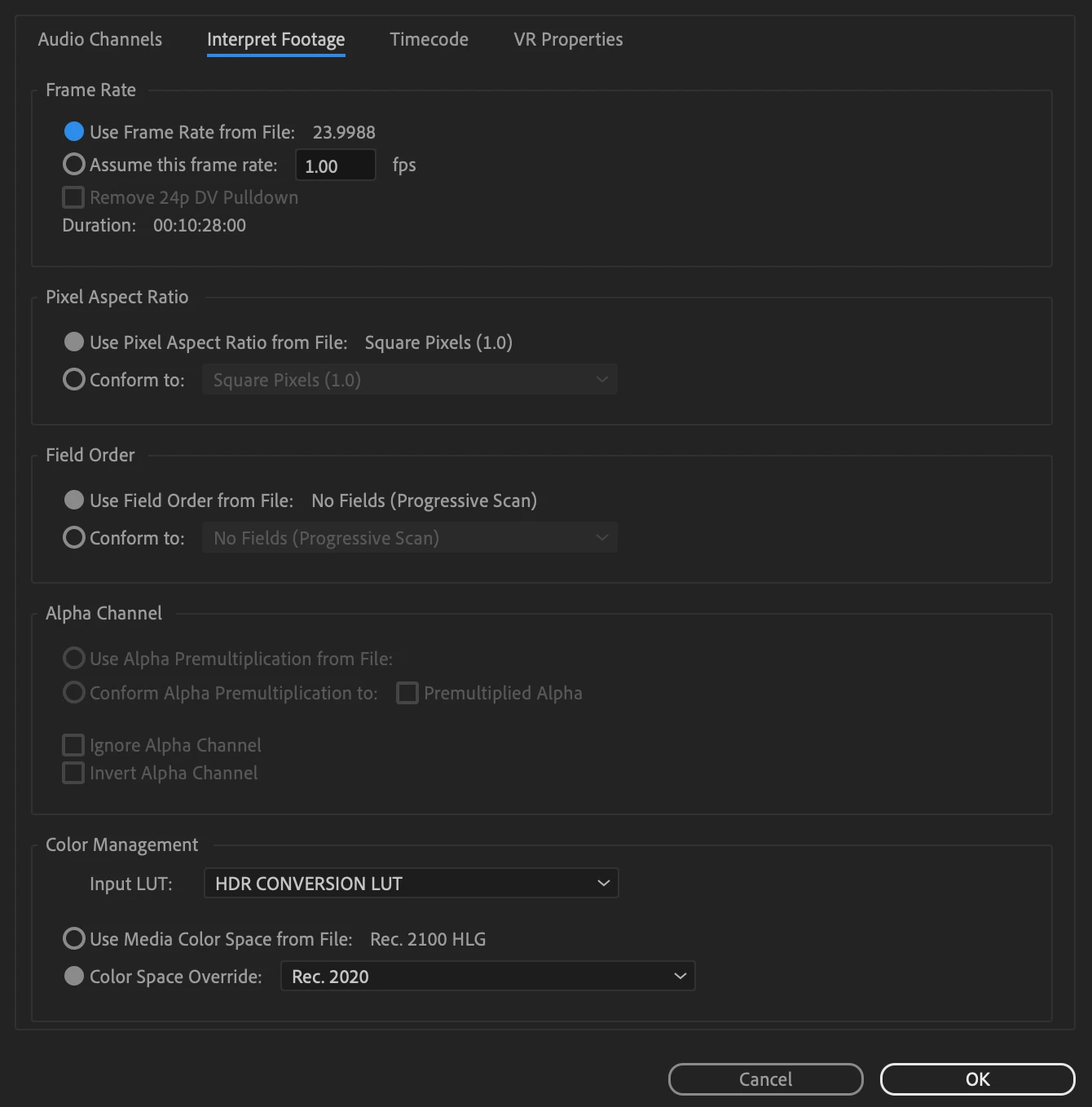
i applied his lut to my files by right clicking on my clip then going to modify > interpret footage > color management, adding his lut, and then selecting rec. 2020

 i then color corrected my video to look how i wanted it and it.

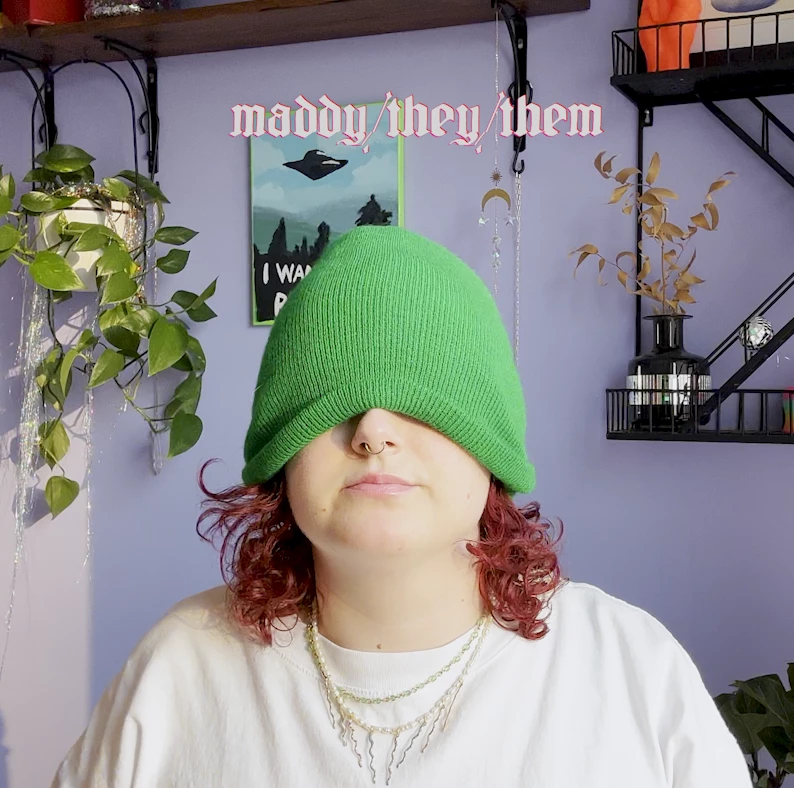
here is the color corrected version in my timeline


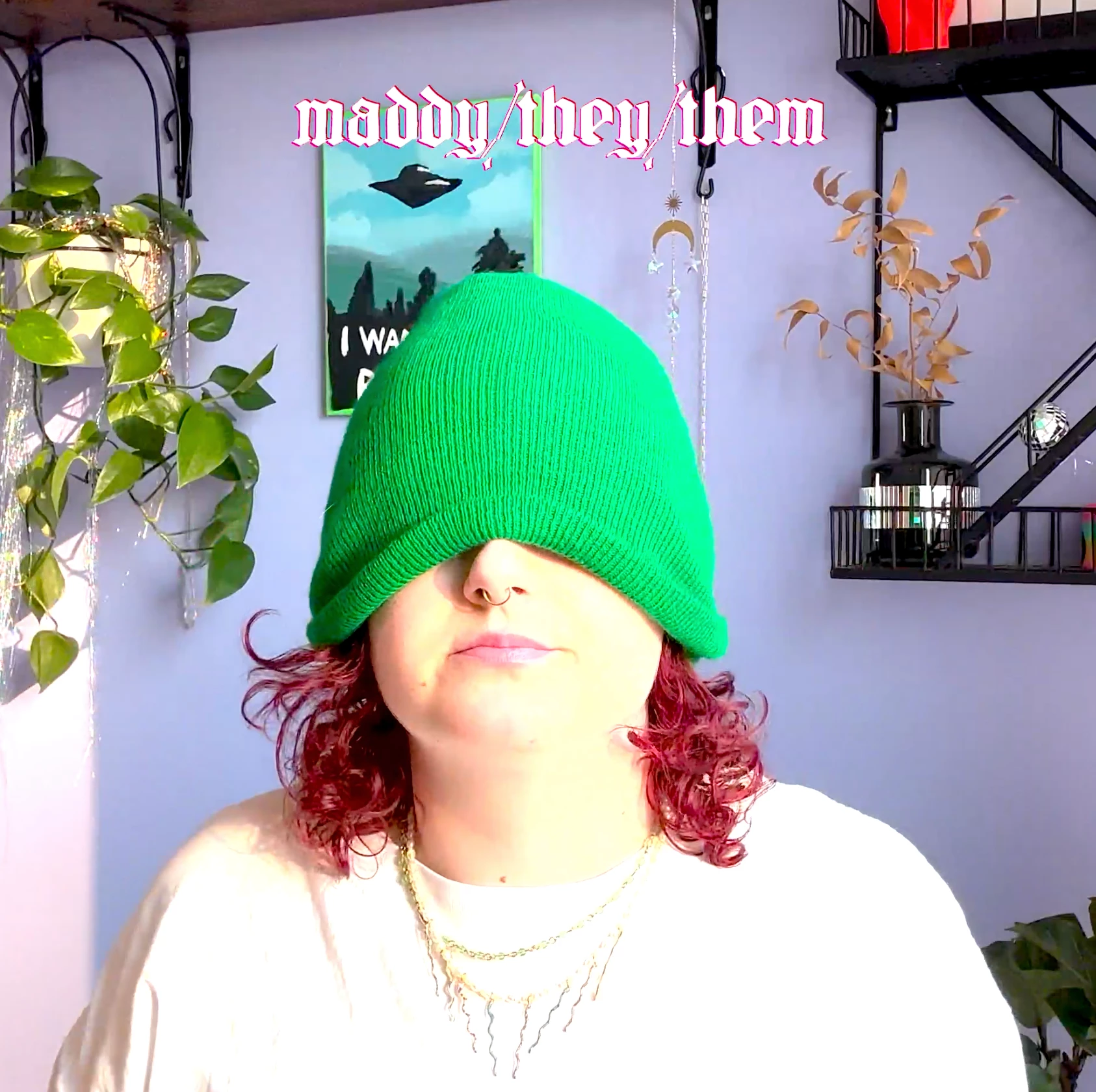
and here is what it looks like exported


i tried as many tricks as i could think of lol. but it feels like im just missing something bigger? help?? i want to finish this damn video asap haha

This topic has been closed for replies.
Correct answer R Neil Haugen

Working in HDR is extremely problematic still. It is totally the Wild Wild West.


First, most screens don't handle it correctly if at all.


Second, it takes a lot of understanding to make sure that your setup is handling things correctly so that those few people that do have useful HDR screens ... see good things.


Are you a very experienced person, savvy with color spaces, dynamic ranges, and all the arcana of those things? If not ... I don't recommend working in HDR. And if you were, you wouldn't be asking this now, would you?


Your best bet, both for actually putting out good clean media, is to stick working in SDR/Rec.709. Set the camera back to non-HDR settings on that phone.


And for the media you've already captured, forget that LUT (which isn't of any real use in any intended workflow!) ... and use the Over-ride-To option set to Rec.709.


Now set your sequence color management to Rec.709, and use standard export presets. Then ... you can work without spending the next couple months and probably another couple thousand bucks to get hardware that can do HDR reliably.


But if you do want to keep playing in HDR ... lose that LUT.


That clip is HLG ... and Premiere can handle it decently. Simply use an HLG sequence color management, and use an export preset that includes HLG in the preset name.


You need to know how to use the scopes in HDR mode, and have a monitor that really truely works in HDR, in HLG, and have your OS set to work in HDR also. The stuff that does ain't cheap, by the by.


Neil

3 replies

Participating Frequently
September 14, 2023

I've had a similar issue with the iPhone 14. Even in non-HDR mode, it is recording footage in 2100 HLG which is not matching most Premiere timelines and MPEG4 formats (DSLR etc) which are Rec 709.

No matter how much you play with these settings (sometimes 2020 gives the better result) it will always look like it's color-graded and you can't change it except for manual manipulation.

I spent some time talking with Adobe via remote control assistance adjusting various settings.

Long story short, Adobe support said that iPhone uses a broader color range than Premiere is currently capable of.
They said they are aware of the issue and hoping to expand on that in an upcoming update.

A workout they suggested is to upload to imovie in iPhone and then export it as the highest quality of ProRes. I didn't try it because I don't have an iPhone I simply got some footage from it and tried to edit for someone.

I guess we'll have just to keep waiting for a miracle update...

R Neil Haugen
R Neil HaugenCorrect answer
Legend
June 28, 2023

Working in HDR is extremely problematic still. It is totally the Wild Wild West.


First, most screens don't handle it correctly if at all.


Second, it takes a lot of understanding to make sure that your setup is handling things correctly so that those few people that do have useful HDR screens ... see good things.


Are you a very experienced person, savvy with color spaces, dynamic ranges, and all the arcana of those things? If not ... I don't recommend working in HDR. And if you were, you wouldn't be asking this now, would you?


Your best bet, both for actually putting out good clean media, is to stick working in SDR/Rec.709. Set the camera back to non-HDR settings on that phone.


And for the media you've already captured, forget that LUT (which isn't of any real use in any intended workflow!) ... and use the Over-ride-To option set to Rec.709.


Now set your sequence color management to Rec.709, and use standard export presets. Then ... you can work without spending the next couple months and probably another couple thousand bucks to get hardware that can do HDR reliably.


But if you do want to keep playing in HDR ... lose that LUT.


That clip is HLG ... and Premiere can handle it decently. Simply use an HLG sequence color management, and use an export preset that includes HLG in the preset name.


You need to know how to use the scopes in HDR mode, and have a monitor that really truely works in HDR, in HLG, and have your OS set to work in HDR also. The stuff that does ain't cheap, by the by.


Neil

Everyone's mileage always varies ...

Warren Heaton
Community Expert
Community Expert
June 28, 2023


Understanding Color and HDR in Premiere - Update Jan 2023

https://youtu.be/H-JFl4aRpao