

dashbarkhuss
Participant
October 2, 2019
Answered

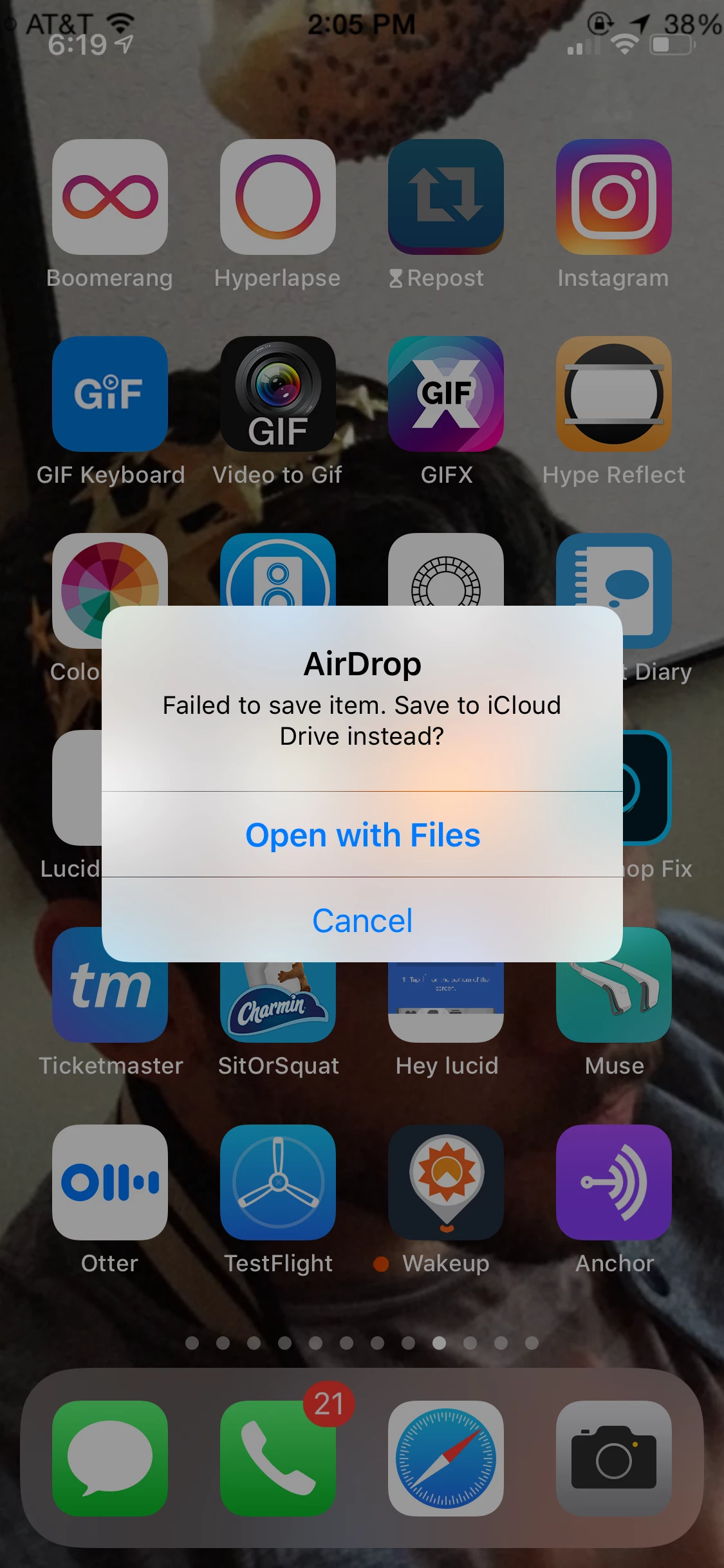
Can't Airdrop premiere Project exported as mp4: "Failed to save item. Save to iCloud Drive Instead?"

  • October 2, 2019
  • 30 replies
  • 72979 views

I'm exported a video from Premier Pro 19 as an mp4 file. When I try to Air Drop the mp4 to my iPhone, I get this message on my phone: "Failed to save item. Save to iCloud Drive Instead?" Why wouldn't I be able to AirDrop this to my photos in a normal manner? Is anyone able to airdrop their Premier Pro exported projects to their iOS device?
People have posted this question, but I found no clear answer:

Can't airdrop premeire pro 18 projects to iphone help

Premier Pro Video Failing airdrop


UPDATE:

I was able to airdrop it when I followed these sequence settings and export settings.

Correct answer Joseph376496454bnn

I have been trying to airdrop from an external HD and have been getting the failed error. I just dropped the file on my desktop and tried again, AND IT WORKED! not sure why. But maybe that can help someone else. 

30 replies

Sako-55
Participant
February 3, 2026

iPhones sometimes use MOV format for recorded videos. I like to convert my videos to MP4 for a more universal sharing experience. There are a lot of good MOV to MP4 conversion websites out there. I have been using https://cnvrt.app/mov-to-mp4 recently and haven’t had any issues so far.

Participant
August 5, 2025

MAKE SURE VIDEO IS VR IS TURNED OFF 

Participant
January 15, 2025

I WORKED IT OUT AFTER 2 HOURS OF TRYING (this might not work for everyone)

So i tried all the things in this comment section thing and none worked but all i had to do is change it from vbr 2 pass to vbr 1 pass and that fixed it and it went stright to the photos app when i airdropped it. hope this helps anyone else lmao.

Participant
June 28, 2024

Does anyone know where you Change the field order. Is it before you export it?

Legend
June 28, 2024

yes.    But changing the field order from interlaced to progressive in the export dialog will not give you the best possible quality...  Been a while since I've had to do this, so a little fuzzy on the best workflow, but post back if you have any questions...    and either someone else will pipe up or my brain will start working a little more efficiently.  Not sure how this would impact airdrop, bwdik...  

Joseph376496454bnnCorrect answer
Participant
May 26, 2024

I have been trying to airdrop from an external HD and have been getting the failed error. I just dropped the file on my desktop and tried again, AND IT WORKED! not sure why. But maybe that can help someone else. 

Participant
August 8, 2023

2023 here. Was CONSTANTLY running into the same issue and tried eveerything from lowering file sizes in the PP export window, to Media Encoder, and eveeryhting in between. Finally, I tried the quicktime hack. Open 4K video in Quicktime > File > Export as > 4K > Choose location and export as HEVC (Most important) 

It should AirDrop after that. Hopefully this helps! (Feels like everyone says that at the end KEKW)

Dan_Vs_Himself
Inspiring
June 30, 2023

I started having this problem again with the latest update as of June, 2023. I tried using the export settings above but it still didn't work. I re-encoded/exported it through the program, "Handbrake" and that seemed to fix the problem. 

Oliver Jacobsen
Participant
March 31, 2022

I've had the same issue for a while and just found the solution. I was already using a progressive field order, with no luck. Export your video in H.265. It worked like a charm. 

Participant
March 3, 2022

The progressive field did not work for me but this video fixed the issue!

https://www.youtube.com/watch?v=E7g2t2WIUFg

Sean Ferres
Participant
January 7, 2022

I WANT TO KISS YOUR SHINY BALD HEAD!! Was about to punch a hole in my macbook screen I was so frustrated but changed the field order to progressive in my sequence settings and export settings and am able to airdrop w no problems now. I owe you a beer good sir 🙂