

dashbarkhuss
Participant
October 2, 2019
Answered

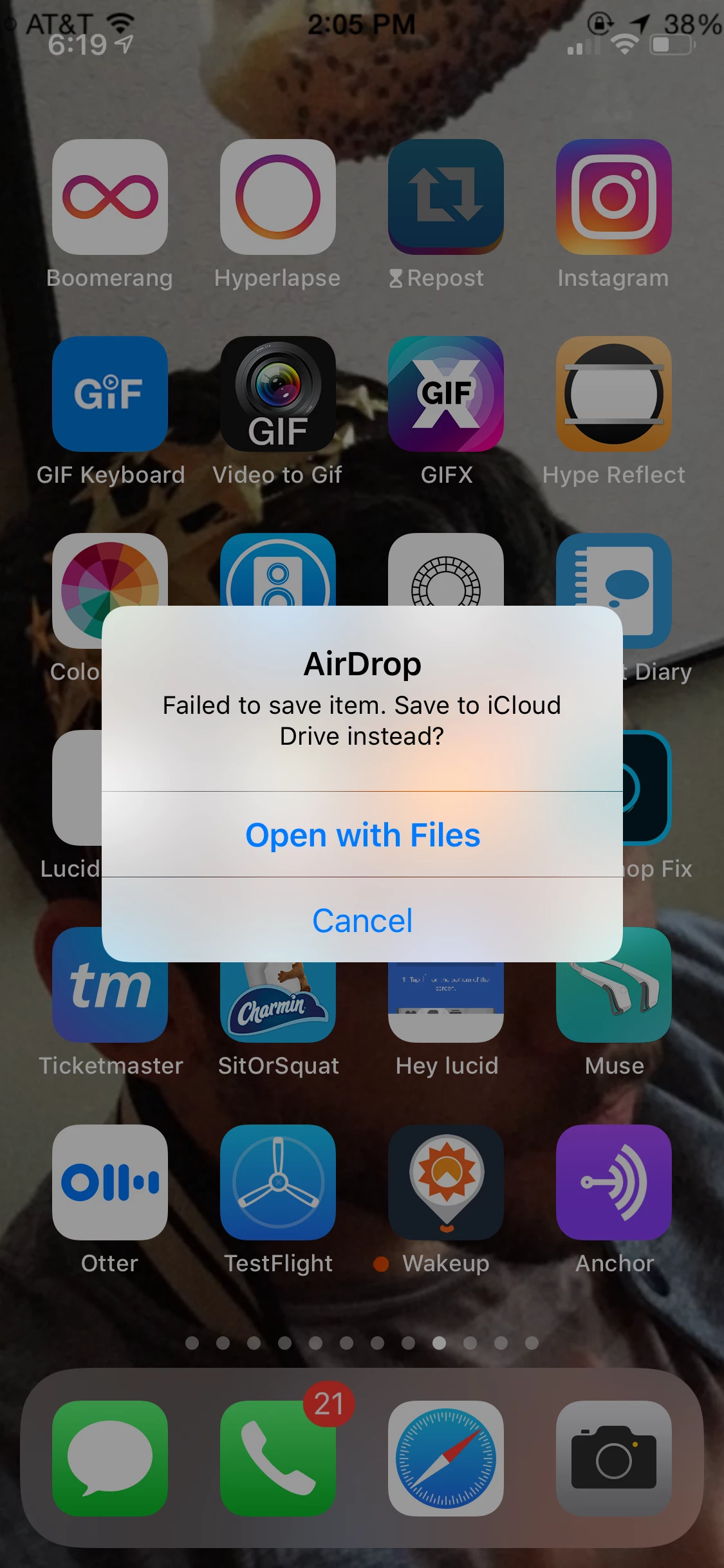
Can't Airdrop premiere Project exported as mp4: "Failed to save item. Save to iCloud Drive Instead?"

  • October 2, 2019
  • 30 replies
  • 72982 views

I'm exported a video from Premier Pro 19 as an mp4 file. When I try to Air Drop the mp4 to my iPhone, I get this message on my phone: "Failed to save item. Save to iCloud Drive Instead?" Why wouldn't I be able to AirDrop this to my photos in a normal manner? Is anyone able to airdrop their Premier Pro exported projects to their iOS device?
People have posted this question, but I found no clear answer:

Can't airdrop premeire pro 18 projects to iphone help

Premier Pro Video Failing airdrop


UPDATE:

I was able to airdrop it when I followed these sequence settings and export settings.

Correct answer Joseph376496454bnn

I have been trying to airdrop from an external HD and have been getting the failed error. I just dropped the file on my desktop and tried again, AND IT WORKED! not sure why. But maybe that can help someone else. 

30 replies

Participant
January 19, 2021

https://www.youtube.com/watch?v=E7g2t2WIUFg


this should help - it helped me! 

Participant
January 12, 2021

Okay, I think I've found a solution.

My problem: Same sequence settings across the board for 3 seperate timelines all 4K in H.264 (A [20.7MB], B [20.9MB], C [19.7MB]). After exporting the 3, I successfully airdropped A and C to my iPhone. C however ran into the same error. I attempted multiple different exports, online .mp4 converters, and even exporting through quicktime but nothing worked.

My Solution: 

Solution 1 - In quicktime I exported the file as a 1080p .mov file and it airdropped without issue. Obviously I don't think lowering the res is an adequate solution so I attempted further troubleshooting. Thus Solution 2.

Solution 2 (RECOMMENDED) - In the sequence settings of the timeline, change Display Format from 'Drop Frame Timecode' to 'Non-Drop Frame Timecode'. Additonally I enabled 'Maximum Bit Depth' and 'Maximum Render Quality'. Lastly during export I ensured it remained as H.264 and had 'Match Source - High bitrate' selected. Interested if this helps anyone.

Known Participant
January 12, 2021

Thanks for sharing! When you say "In the sequence settings of the timeline, change Display Format...", are you referring to a setting in Media Encoder, Premiere, or After Effects? 

Participant
January 28, 2021

I'm referring to sequence settings in Premiere Pro

Gadgetsjon
Participant
November 23, 2020

I tried with a longer video which had the exact same sequence and export settings and it airdropped and uploaded to IG fine. Seems random as to which files will and won't work.


To solve the issue I also had to open in Quick Time and export as .mov. Then it airdropped and uploaded as normal. It's an annoying extra step, but it works as a fix/workaround.

Legend
November 23, 2020

thanks for posting your workaround.  Not enough people do...

Participant
October 1, 2020

read this here from apple support explaining it. https://support.apple.com/en-us/HT207022 

you either need to select the H.265 format,  deselect the HEVC checkbox, or : "On some older devices, support for HEVC is affected by the resolution and frame rate (fps) of the video. Resolutions of 1080p or lower and frame rates of 60 fps or lower are more broadly compatible with older devices." 

Richard van den Boogaard
Community Expert
Community Expert
September 26, 2020

Have you tried multiple encoding presets with h.264 from PPro? Does it make any difference?

Known Participant
September 29, 2020

I have, although there's a caveat — a lot of the time, my workflow is to create and export a movie from Premiere (either using Premiere's export function, or Adobe Media Encoder's), and then bring it into After Effects for finishing touches, and then export that final product using Adobe Media Encoder. 
I haven't conclusively been able to determine that exporting from Premiere's export function (instead of Adobe Media Encoder) solves the issue. (And even if it did, I use After Effects so often it wouldn't matter, since I need to use Adobe Media Encoder to export after using After Effects). 

jamenr91839438
Participant
September 18, 2020

All you have to do is lower your file size, anything over 20mb usually has problems AirDropping. Could also be that your phone doesn't have a lot of storage. Reason it works after using a third party converter is because those converters compress the video size.

Known Participant
September 18, 2020

Sorry, I don't think any of those things are the issue, either. I airdrop large videos frequently, sometimes over 1 GB. That works fine. My phone's storage is also wide open. And to address your last point, when an export from AME fails to Airdrop, and I use another app to re-export it — I'm not making the file size smaller. I'm just re-exporting it as an MP4 again. I've compared the before and after file sizes and they're virtually identical. 

jamenr91839438
Participant
September 18, 2020

You're right. I found another solution today. When you open the video on Quicktime player, just click export in 4K or 1080p, you won't lose any quality and it'll airdrop perfectly fine as an .mov file.

Known Participant
September 14, 2020

This is absurd. Having to take an MP4 file and re-render it as an MP4 file with a third party converter in order to use AirDrop is ridiculous. Premiere Pro isn't a free program. For it to be incapable of this basic function is nonsense. Free third party apps can accomplish this.  It needs to get fixed.


Legend
September 14, 2020

sounds like this could also be caused by apple...  a company that is not known for playing nice with other companies.  They make sure everything works nice when you stay in the apple ecosphere.   

Known Participant
September 14, 2020

I understand how it could potentially be something on Apple's end, but I would really appreciate Adobe doing a thorough investigation to confirm it's nothing on their end. A lot of Adobe users are on Apple computers. Airdrop is a great help to workflow, and this used to work perfectly, 100% of the time. There's also the fact that if I take a file exported by an Adobe program with this issue, and then I re-export as an MP4 using a different program like Quicktime, it can then be airdropped. (But then at that point we're facing unncessary file degradation and time wasted exporting twice). That's why I suspect that something Adobe added to updates in the last year is clashing with Apple. I hope it can be made to work again! 

Known Participant
September 13, 2020

Just wanted to comment and say that this is still an issue in September 2020. What's going on, Adobe?

I run into this issue seemingly at random. It does not matter whether it's a project created in Premiere, After Effects, both, or whether I export the mp4 through Premiere or Adobe Media Encoder. Sometimes it can Airdrop to my phone, and sometimes I get the same error mentioned above. So frustrating!

Participant
October 12, 2020

I agree completely! This has been happening with my imac pro and iphone 11 randomly it is BEYOND FRUSTRATING!!! This never used to happen adobe its honestly making me consider using premeire 

Participant
March 10, 2021

Same exact setup. imac pro to either of my iphones. ANY file from premeire and its COMOLETELY RANDOM. i have to wait days to post things sometimes because i literally cant get the file to my phone. not via dropbox or email either. it makes me want to break this computer LOL

Participant
April 13, 2020

try

file - export - media 

adjust the settings how you want 

and then press queque instead of export. 

media encoder will open. select (click once) your video and then press the green play arrow in the top right. 

once its done it will say done and you can click output file name in blue to open your video

and from there you should be able to air drop it. 

lmk if it works for you like it has for me!

Known Participant
September 26, 2020

Nope, that doesnt work. Thx for posting this anyway. However, this is such an annoying problem.

Known Participant
November 5, 2019

I have this problem as well and it's very frustrating. If I take the MP4 file created in Premier Pro run it through an online MP4 file converter without changing any settings from the original, it will AirDrop.  This is a pain and we really need a solution


Known Participant
November 5, 2019

I'll add that I am creating video for Insta Stories