
Participant
March 11, 2023
Question

Can't delete essential graphics templates

  • March 11, 2023
  • 4 replies
  • 560 views

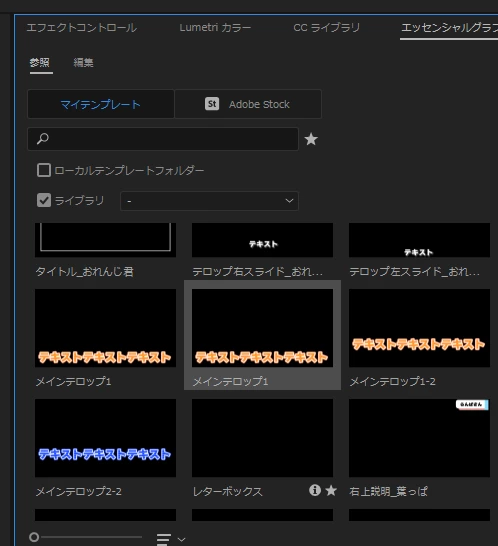
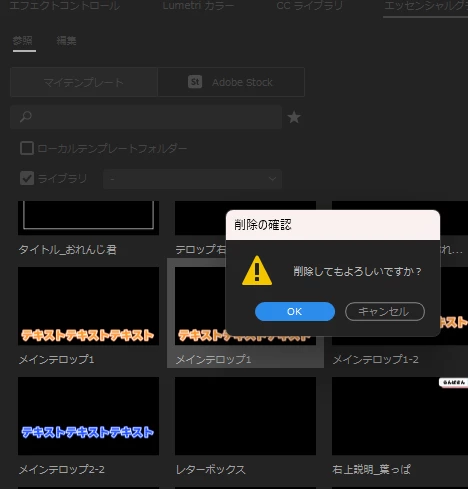
I'm trying to delete some duplicate essential graphics created myself, but can't.

I guess this is a bug, since after the confirmation of deletion, nothing happens even after I click on OK. Could anyone tell me where I can find the data stored? Maybe I open the data location and delete it.
 

This topic has been closed for replies.

4 replies

Kevin J. Monahan Jr.
Community Manager
Community Manager
May 8, 2024

Hello @videoEditor_UserX,

Thanks for the message. It’s been a long time since you filed this bug, and I apologize for the lack of a response. Are you still having this issue? If so, the team will need more information from you to reproduce the bug. Can you provide the information required here? How do I write a bug report?


I'll move your post to the Discussions board while we await your information.


Thanks,


Kevin

Kevin Monahan - Sr. Community and Engagement Strategist – Adobe Pro Video and Audio
R Neil Haugen
Legend
March 11, 2023

I'd second Ann's comment. And as it doesn't 'refresh' many things until the program is closed and re-opened, you might try deleting, then closing and reopening.


Neil

Everyone's mileage always varies ...
Ann Bens
Community Expert
Community Expert
March 11, 2023

Try from your library.

Participant
March 11, 2023

I'm using 23.2. The latest one.