Participating Frequently
March 19, 2021
Answered

Canon C300 MK II - .MXF Files Blue in v 15.0

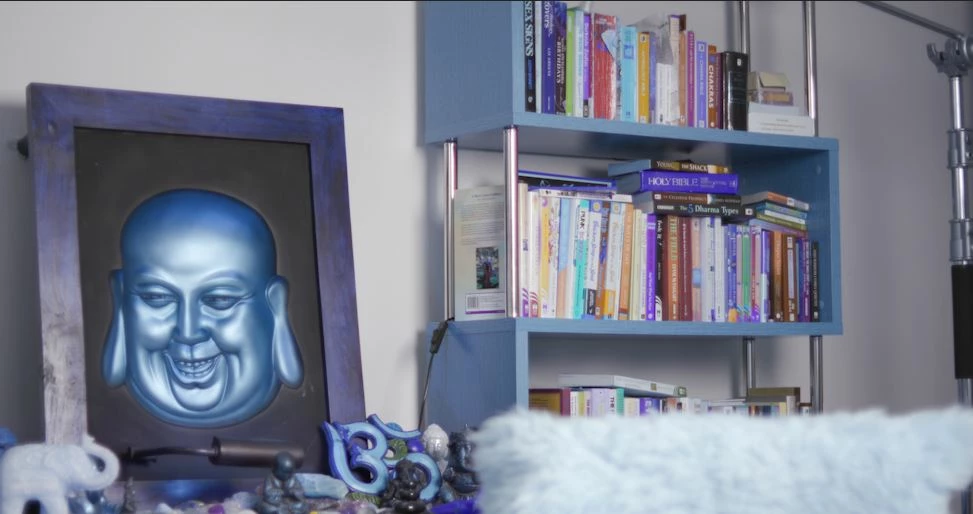
I've just updated to v 15.0, all of my .MXF files from my C300 MK II are blue, see below:
 

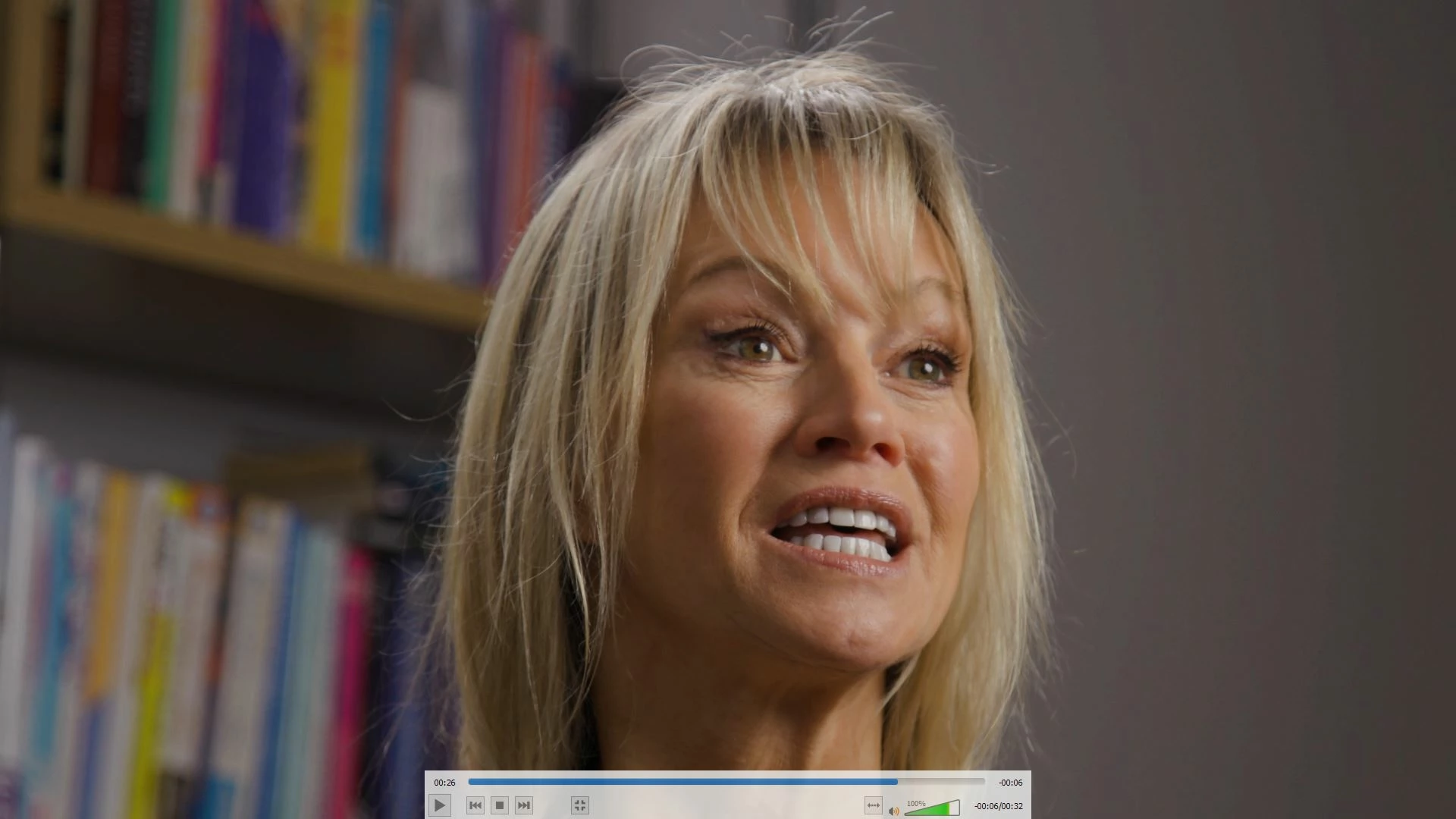
I'm also seeing significant banding on the previous versions v 14.9, where this does not show in final cut:
Any help would be appreciated.

This topic is closed to new replies. Start a new post to keep the conversation going.
Sumeet_Kumar_ChoubeyCorrect answer
Adobe Employee
May 13, 2021

Hi everyone,


This issue has been fixed in the latest version of Premiere Pro (v15.2). Please download the latest version of Premiere Pro from the Creative Cloud Desktop app. Hope it helps.


Thanks,
Sumeet

18 replies

Participant
February 3, 2022

I am getting this issue when I use dynmaic link from Preimere Pro to AE.

My colors are fine in PP but when I go over to track the shot in AE the shot completely changes colors. It's really frustrating.

Translate
Sumeet_Kumar_ChoubeyCorrect answer
Adobe Employee
May 13, 2021

Hi everyone,


This issue has been fixed in the latest version of Premiere Pro (v15.2). Please download the latest version of Premiere Pro from the Creative Cloud Desktop app. Hope it helps.


Thanks,
Sumeet

Translate
mediaw95224639
Participant
April 7, 2021

I am having the same issue.  Not all of my .mxf files are corrupted this way.  So far, I have only found the issue on one project.  It is happening on both MAC and Windows 10 platforms with Premiere 15.  I can preview these files with VLC and quicklooks on windows, but can not play them with VLC media player on Windows. 


Example: MXF import from Premiere

Example:  Quicklooks preview of same file in VLC


Translate
Adobe Employee
April 16, 2021

Hi All,


We are working on the fix and it will be available in next release. Also, you can try our latest Premiere beta builds where this issue is fixed.  Thanks for your patience.


 Regards

Neha Chaudhary

Translate
Editor Jim
Inspiring
April 17, 2021

Great. Thanks for the update.

Translate
Adobe Employee
March 23, 2021

Hi Vidguy103,


We are investigating this issue. You may try the steps mentioned in this article and check if it helps.


Thanks,
Sumeet

Translate
Vidguy103Author
Participating Frequently
March 30, 2021

Thanks for this, unfortunately, it's not a satisfactory workaround for my workflow. I can't go ahead and add Channel mixer to all my footage it's unrealistic and a pain with proxies.


 Has there been any update on a fix for this? 

Translate
Adobe Employee
April 5, 2021

Hi Vidguy103,


Thanks for providing the file. We could reproduce the issue on Mac and looking into the issue. We are working on the fix and will let you once it is available in update. Thanks for your patience.


 Regards

Neha Chaudhary

Translate
Adobe Employee
March 22, 2021

Hi Vidguy103,


Can you please provide me a sample file so that we reproduce this issue inhouse.


Thanks and Regards

Neha Chaudhary

Translate
Vidguy103Author
Participating Frequently
March 22, 2021

Hey,


I've just sent you a DropBox link as a private message. 


Thanks. 

Translate
Editor Jim
Inspiring
March 19, 2021

I've posted about the same issue. I had to revert back to 14.9. I haven't heard back from Adobe yet but at least I know now it's not just me.

Translate
Vidguy103Author
Participating Frequently
March 22, 2021

Glad to hear I'm not alone, same I've just had radio silence. I'm surprised more people are not having this issue! 

Translate