Participant
November 13, 2023
Answered

Changing language settings i Premiere Pro 2024

  • November 13, 2023
  • 6 replies
  • 6426 views

Hi

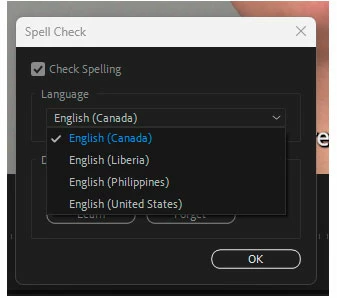
I can't seem to change the spell check language in my Premiere Pro 2024.

When I installed Premiere Pro I choose danish language, but the system language is still english?

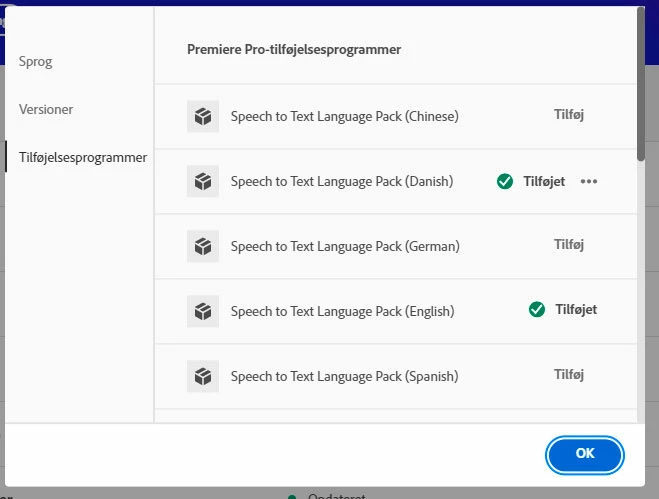
I have added the danish speech to text language pack in Adobe CC.

But in the spell check setting drop down menu, the are no danish language to choose?


Strangely it seems very complecated to manage language settings in Premiere Pro 2024.

In my other Adobe apps its no problem.


This topic has been closed for replies.
Correct answer Stan Jones

> Windows location is correct set to Denmark.


In Windows settings, go to Language Settings, not location. See what you have installed and the priority. There are Windows language packs, not to be confused with the Premiere Pro language packs. I believe the spelling is picked up from the system, i.e. Windows, options.


Stan


6 replies

Stan Jones
Community Expert
Community Expert
November 17, 2023

Excellent!


Stan


Participant
November 17, 2023

Yesssss

I removed the Danish language pack from Windows and reinstalled it.

Now Premiere Pro 2023 spell check language includes Danish 🙂

Stan Jones
Community Expert
Stan JonesCommunity ExpertCorrect answer
Community Expert
November 17, 2023

> Windows location is correct set to Denmark.


In Windows settings, go to Language Settings, not location. See what you have installed and the priority. There are Windows language packs, not to be confused with the Premiere Pro language packs. I believe the spelling is picked up from the system, i.e. Windows, options.


Stan


Participant
November 17, 2023

Hi Kevin
I have already installed the Danish language pack in Creative Cloud-apps, and it did not do the job 🙂
I have also ensured that Windows location is correct set to Denmark.

Stan Jones
Community Expert
Community Expert
November 16, 2023

Those language packs are just for transcription/speech-to-text. See this post from @Alexander_DVA:

https://community.adobe.com/t5/premiere-pro-discussions/how-change-spell-check-lanhuage-in-premiere-pro/m-p/12905409#M408067


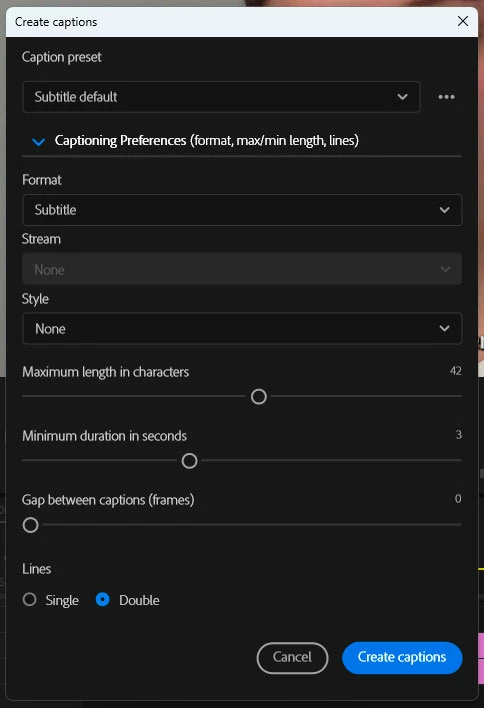
The create captions dialogue only relates to captions and uses the language of the transcription. Language selection is done in the create transcription dialogue or the transcription settings.


Stan


Kevin-Monahan
Community Manager
Community Manager
November 16, 2023

Hi @Allan28401791s7vg,

That seems odd. I don't think you should have to install the language packs any more, by the way. It should just work. Perhaps the product team can look into this weird behavior.


I have this: https://helpx.adobe.com/creative-cloud/help/change-install-language.html, though not sure if it helps. Give it a look.


Thanks,

Kevin

Kevin Monahan - Sr. Community & Engagement Strategist – Pro Video and Audio