
Choppy playback in AP 23.1
Hi There.
I don't do many video projects. The last one I did was several month ago and it was on some 22.6.3 version. In that version I had no problems with editing and playing back the 4K clips in the 4K timeline. I had no problems scubbing through the timeline. There was not choppiness or delay. I recently upgraded AP to the latest version 23.1 and it's a different story in the latest build. Even when using proxies the playback is choppy. When scrubbing in the time line the video playback delayed.
Here are my system specs
OS Name Microsoft Windows 11 Education
Version 10.0.22621 Build 22621
OS Manufacturer Microsoft Corporation
System Type x64-based PC
Processor Intel(R) Core(TM) i9-9900K CPU @ 3.60GHz, 3600 Mhz, 8 Core(s), 16 Logical Processor(s)
BIOS Version/Date American Megatrends Inc. 2801, 1/13/2021
SMBIOS Version 3.0
Embedded Controller Version 255.255
BIOS Mode UEFI
BaseBoard Manufacturer ASUSTeK COMPUTER INC.
BaseBoard Product PRIME Z370-A
Installed Physical Memory (RAM) 64.0 GB
Total Physical Memory 63.9 GB
Available Physical Memory 57.0 GB
Total Virtual Memory 73.4 GB
Available Virtual Memory 62.1 GB
Page File Space 9.50 GB
Video: GeForce 1070TI
Name NVIDIA GeForce GTX 1070 Ti
Driver Version 31.0.15.1740
I tried several different solutions.
- I have read that latest NVIDIA drivers past 517.40 are not very good. I downgraded to the 517.40, but the issue still exist.
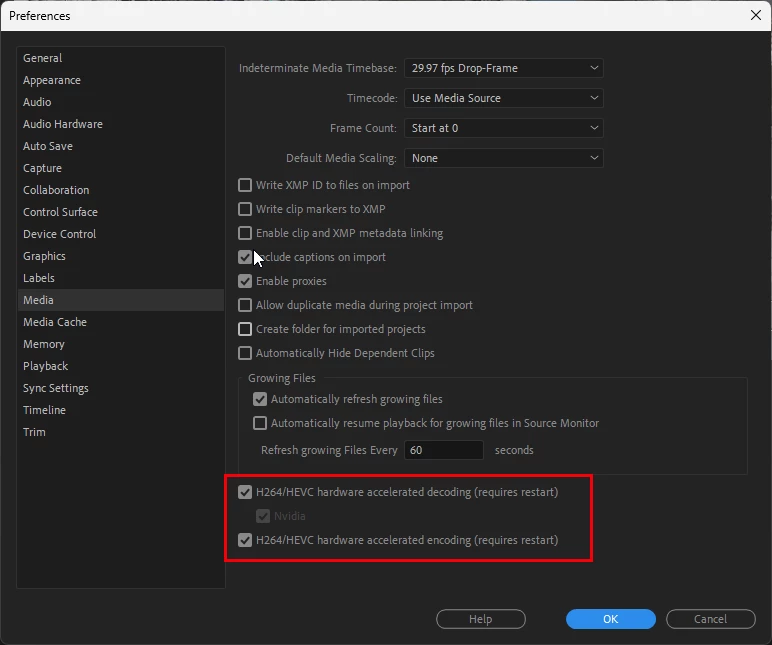
2. I tried disable the following check boxes in this dialog, but the issue still existed.
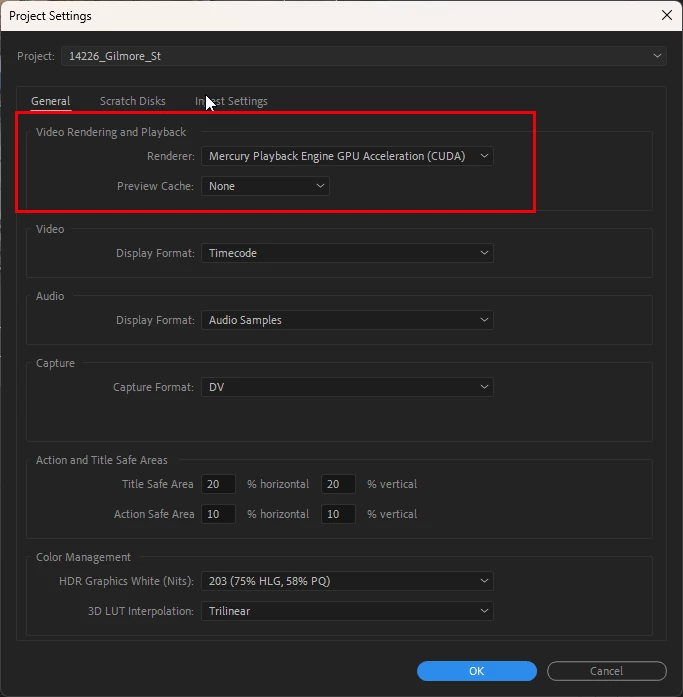
The only solution I have found that kind of works if I change the Video and Rendering playback in the Projet settings to Mercury Playback Software only.
As I said earlier, I did not experience the same issues in AP 22.6.3. I attached two video files. That actually shows the issues in AP 23.1 and no issue in AP 22.6.3. Infact in AP 22.6.3 I did not have to make any changes to the setting at all and did not need to use proxies.


 AdChoices