Known Participant
February 2, 2024
Question

Colours of HDR exports from Premiere Pro and After Effects never match

  • February 2, 2024
  • 21 replies
  • 1873 views

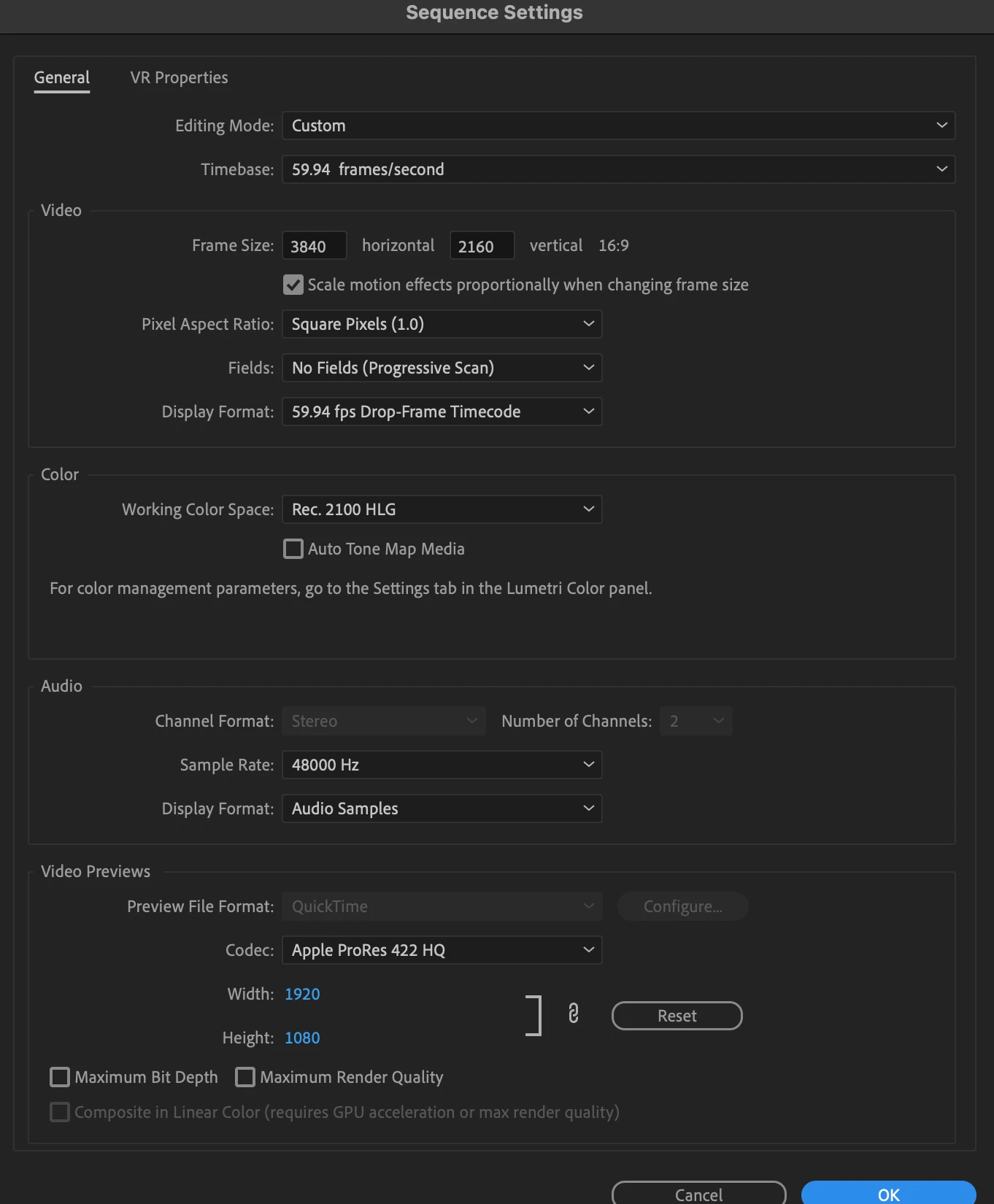
I use an Intel Mac running the latest versions of the Adobe software and have HDR footage from an iPhone 15 Pro or DJI Pocket 3 which I edit in Premiere Pro as Rec. 2100 HLG, I export as HEVC (H.265) and all is fine.


However, I want to add effects to parts of the videos and need to track the camera using After Effects. I have tried both dynamic linking and also exporting a clip from Premiere Pro and importing into After Effects and then exporting.


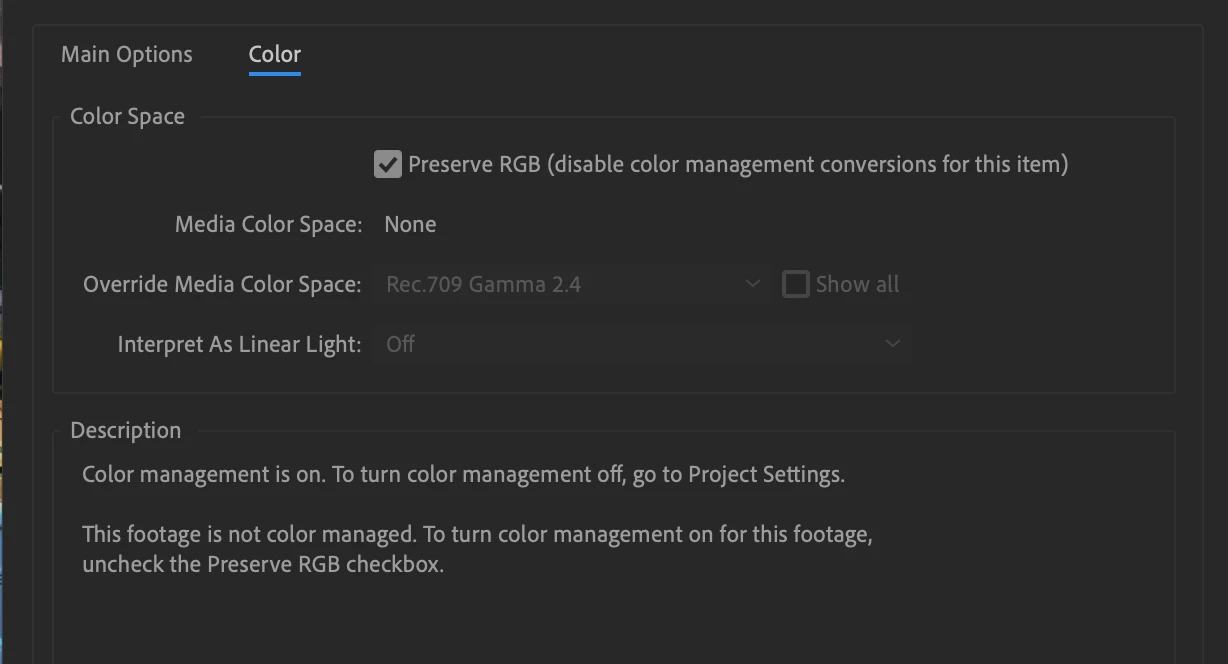
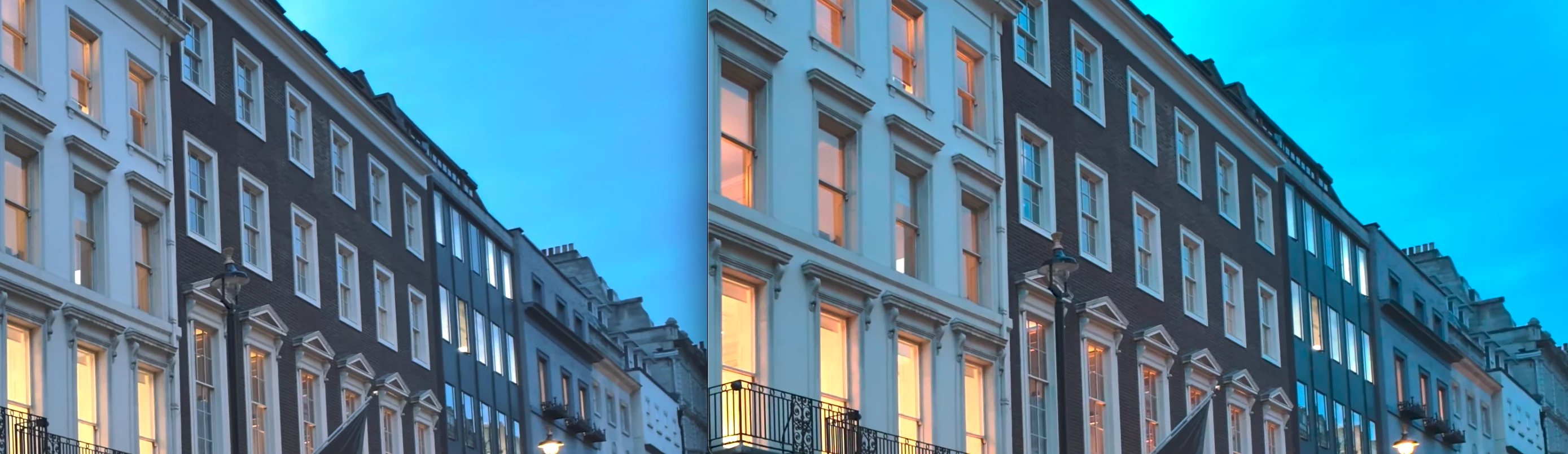
I use the preserve RGB in interpret footage (and have tried all other options I could think of including overriding media colour space), but the footage from After Effects never matches that from Premiere Pro when exported (or in the timeline), the footage looks more saturated (even without applying any effects).


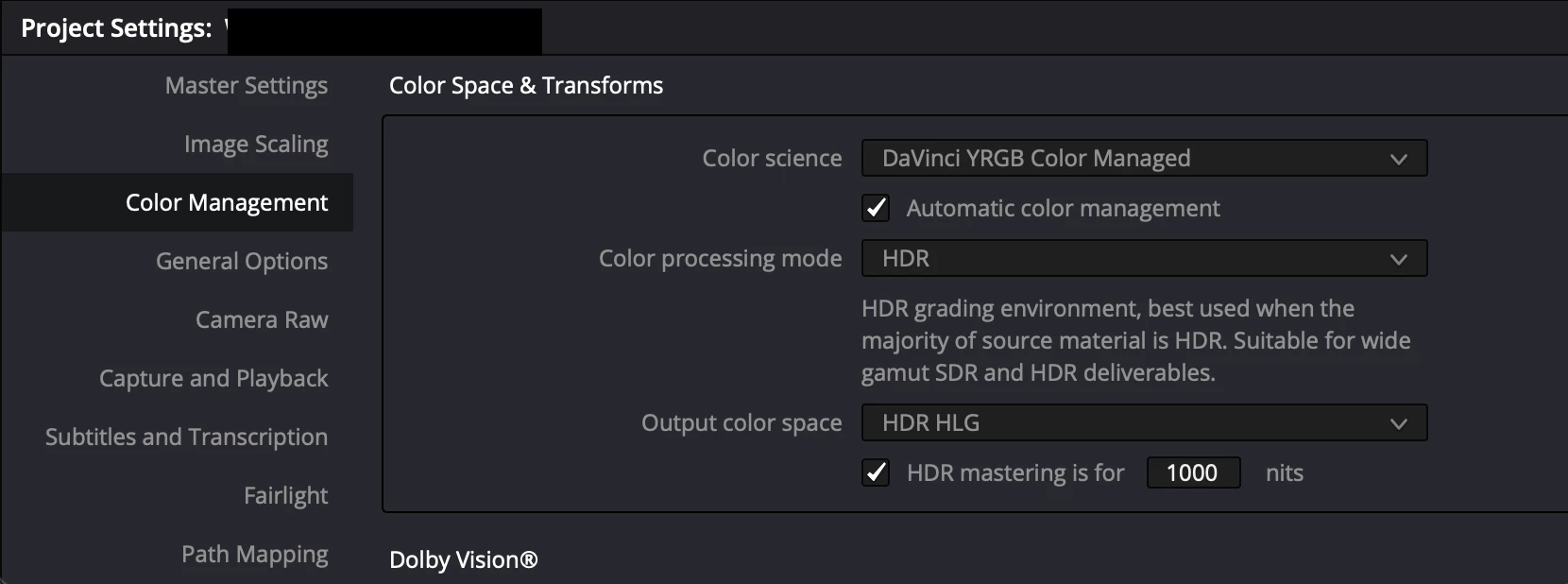
Just to add, this works fine when the footage is Rec. 709. I can also export Rec. 2100 HLG footage from Premiere Pro and import into DaVinci Resolve and then export from there and the exported footage still matches that from Premiere Pro. 


Am I doing something wrong or is this purely an Adobe issue that they are choosing not to fix? It's been a few years now that this has been the case and posts have been made on here about it but nothing seems to have changed.


Premiere Pro:
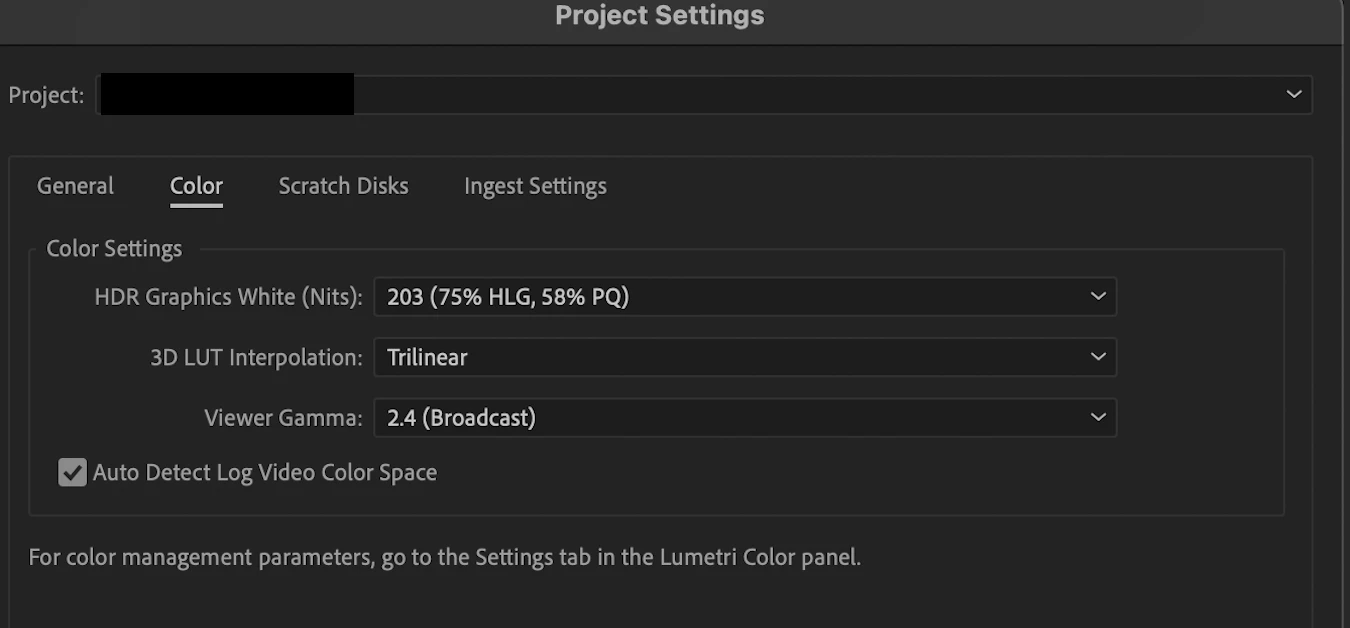
 

After Effects:
 

DaVinci Resolve:
 

Premiere Pro (left) vs After Effects (right)
This topic has been closed for replies.

21 replies

R Neil Haugen
Legend
February 14, 2024

Most welcome. It's a fascinating and ever-changing "industry".


Noted Hollywood colorist Marc Weilage has pointed out he has "changed jobs" (more realistically, employer) many times this century, nearly all without changing rooms or seats. He's worked for about every major movie post firm in LA ... as they bought the company he worked for, then were bought out by another company a year or three later. 


I don't think he actually moved to change companies he worked for since mayber 2003 or so. 

Everyone's mileage always varies ...
flappingtrout
Participating Frequently
February 14, 2024

Neil, thanks for the insightful replies. I'm making efforts to transition from novice/intermediate to professional as I've decided to make a career change into video editing/motion graphics, so every bit of indepth knowledge helps. Will keep this for reference. Thanks again.

R Neil Haugen
Legend
February 13, 2024

I think we're all "looking forward" to Premiere's HDR future.


The past four years have been rather painful at times. Starting from no HDR, to the first semi-sort of HDR using "over-range SDR" values, to kinda actually sorta doiung HLG or PQ if you knew where to hunt & peck to find the control settings, to finally getting a full CM panel ... but in the Lumetri panel ... ! ... yea, it's been a "thrill".


I work for/with/teach pro colorists, some of whom were Early Adopters of DolbyVision, so much so that Dolby hired them to create the in-house DolbyVision tutorials for Resolve broadcast workflows. I've been around the entire ACES rollout in Resolve of course also.


My first glimpse of my own stuff on a real HDR Grade 1 monitor was 2019 NAB, I gave a presentation on Premiere's CM in the Flanders-FSI/MixingLight booth, sandwiched between Alexis Van Hurkman's presentation, and a Dolby staffer on the future of DolbyVision. (Not that that was intimidating ... sheesh ... but Hurkman liked my presentation ... )


All presenter's computer presentation was displayed on Flander's first full HDR reference monitor ... and just ... wow ... that image was glorious.


Yea, it's really frustrating that we don't have more than basic HLG and PQ support in Premiere. Most people don't even realize that you can actually export to 'static' HDR10, when you start with a PQ export preset, and hunt down through the settings to find the option to add static HDR10 metadata to the file.


But that's it in total. HLG, PQ, and static HDR10. That's ... all.


We can't do "dynamic" HDR10+, nor of course, DolbyVision.


We can't even completely guarantee integration with the OCIO/ACES capabilities of AfterEffects, another Adobe app, which for practical purposes shares at least most of it's color staffers with Premiere.


And the public beta still doesn't have any OCIO/ACES options in Premiere. So ... we're probably looking to next fall's major release ... and hoping.

Everyone's mileage always varies ...
R Neil Haugen
Legend
February 13, 2024

I watched through that mostly hilarious YouTuber's presentation. Which as it's for a previous version of Pr, is ... with the major changes made to 24.x ... nearly uselessly out of date.


So ... entertaining to watch? Yea, mostly.


Informative? I wouldn't suggest anyone watch that to learn anything "real". Because past all the now "way out of date" things, even then ... there's not so much actual or accurate information, in several areas. Though he does have a few totally valid comments.


First impression ... yea, the documentation is a problem. Uunfortunately, not uncommon with Adobe apps, their documentation doesn't give answers for quite a few reasonable questions. The two approaches that Adobe and BlackMagic do are of course opposite ... Adobe doesn't give that much actual data, and BlackMagic gives thousands of pages of manual ... without indexes, and using very BM-created terminology for things. You're buried in looking across thousands of pages, and needing to know the specific BM nomenclature, or read through about everything.


So either way, getting the information you need now ... can be frustrating. I'd prefer BMs approach of course, as at least ... it's all there ... somewhere ... if you've got the time and patience. But it's not without issues.


Second ... his puzzlement because they don't do things like Resolve does is understandable. Resolve is as "unique" an environment as Premiere. Neither does about anything in the same way. But that doesn't mean one is The Right Way an the other wrong, either way, in any workflow. They're ... different approaches.


Third ... his comments and frustrations about the Scopes and the scales displayed on them is mostly valid. Although he seems to totally miss a pretty obvious thing, when he says the HDR scopes "crush" the shadows/blacks area ... as the HDR scopes are not a linear display.


As for some reason they show clear to 10,000 nits ... nothing is going to be happening above realistically 800-1,000 nits over the next several years, right? So a ton of the Scope is wasted space. And they mush the signal down in the scopes box to keep the full 10,000 nit scale showing. In my view, and yes, I've argued that here and in person, that's ... just wasted space making our work harder to handle.


The best use of Scopes for HDR (within Premiere as it exists now), as said by numerous staffers and in comments by them on this forum, is to use the 10-bit scale for basic grading. You can pretty quickly get a handle on where things "fit", for working purposes. The reset to HDR scale mode for a final pass scrubbing through to see where your top or whatever you're looking for lies in nit values.


Ideal? Um, no. And yea, again, I've argued for changes. But it can work.


Fourth, his comments about how Premiere works with the monitor in Display Color Management use are completely ... uninformed. Which again, should be expected, as unless you read through both the standard "help" documentation and read every post by Francis or Fergus (or me) on this forum, how would you know?


The app checks the ICC profile for essentially the header data ... just to find what space the monitor is set for. Then changes the signal chain processing to the Program monitor within Premiere to match the general nature of that ICC profile's header color space setting.


It does not read nor interpret the actual profile data of that ICC file. So if something is going on in the signal processing of that ICC profile Premiere doesn't expect, given the basic nature of the CM listed in the profile header ... well, yea, there would be an issue.


Fifth ... some of his issues are specific to his setup. Like ... the banding in the Program monitor he was getting, when set to PQ and DCM set to on in a PQ sequence ... I've also calibrated all four of my monitors, and the one I use in Transmit mode for "reference" always gets a proper profile pass to check the calibration (using Lightspace/Colourspace w patches from Resolve) ... and I can't replicate that.


I've never had banding either on the Reference monitor set to HDR, or the Program monitor, no matter which of my monitors I park it on for testing. So, I'm curious about how that is happening on his system. Would be an interesting thing to troubleshoot if I could replicate.


If it was only on his T-O screen through the Decklink card, my guess would be somewhere in the setup or BM processing. But he seems to get that through his GPU also, maybe? No clue about that.


But I do know that a couple other users have posted about that. So yes, it can occur. But I've no clue what specific gear and/or settings is the culprit.

Everyone's mileage always varies ...
flappingtrout
Participating Frequently
February 13, 2024

I wonder if this is related to what I just warched in this video: Premiere's HDR Workflow is Broken - Video Tech Explained 


It's interesting to see what is achievable in well graded HDR. Real 4K HDR 60fps: LG Jazz HDR UHD 
To think that was 7 years ago.


Looking forward PP's HDR future.

PG73Author
Known Participant
February 4, 2024

Thanks, I've sent a message with a link to the clip. 

eric escobar
Community Manager
Community Manager
February 4, 2024

Hello PG73, thanks for updating me with your hardware specs. And I wanted to clarify, OCIO is a way to get consistent color between post-production applications, however it is currently not supported by Premiere Pro. So the workflow I shared with you is not recommended. That said, I have personally used the OCIO engine and achieved color consistency when working with HDR files on HDR capable displays but that is not a consistent path for all projects. So my suggestion to use OCIO may not be the right one for you.

If you are able to share the clip in your screengrab, I'd be interested in reproducing the color shift on my end and see if I can come up with a solution to keep you moving.


Best, 

Eric


PG73Author
Known Participant
February 4, 2024

That's correct, the footage is not ProRes Log, just regular HDR. I have a 2019 MacBook Pro 16-inch (Intel). I use a Rec 2100 HLG timeline in Premiere, and Dynamic Link to After Effects also, but the colours just won't match. Using the Adobe colour engine the footage still looks HDR, as soon as I use the OCIO color engine, the footage doesn't look HDR (flat, less bright).


I find it very strange that I just had to change a few settings in Resolve to get exports to exactly match that of Premiere but can't with Ae. 


DR settings:

eric escobar
Community Manager
Community Manager
February 4, 2024

What kind of computer display are you on?

I put my iPhone HDR footage (not ProRes Log, right?) on a Rec 2100 HLG timeline in Premiere, and Dynamic Link that to After Effects with the settings I shared, the color values are identical.

I'm on a MacBook Pro M1 Max, and it's a true HDR display, so I set my display color space to HLG 2100 in the OCIO engine control. When I compare my pixel color values using the Digital Color Meter they match. 

Can you share with me your hardware details?

PG73Author
Known Participant
February 4, 2024

Thanks for your help @R Neil Haugen it's appreciated.