수아이78634194
Participant
April 19, 2018
Question

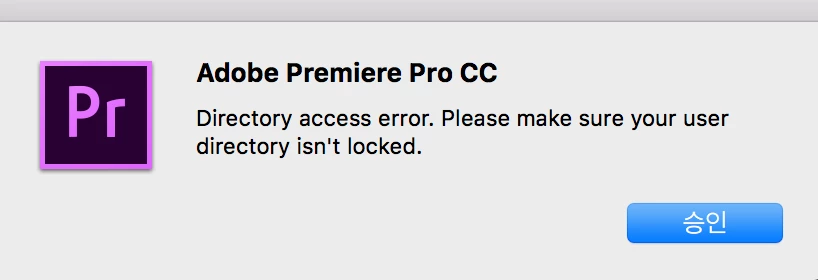
"directory access error. please make sure your user directory isn't locked" again

  • April 19, 2018
  • 2 replies
  • 3920 views

I searched that error

adobe say "For example, go to Documents  and open the Adobe folder. Try to add a file to the Adobe folder and Premiere Pro folder. If you get a warning that you don't currently have permission to access this folder, then you need to change the permissions so that you have rights to modify these folders."

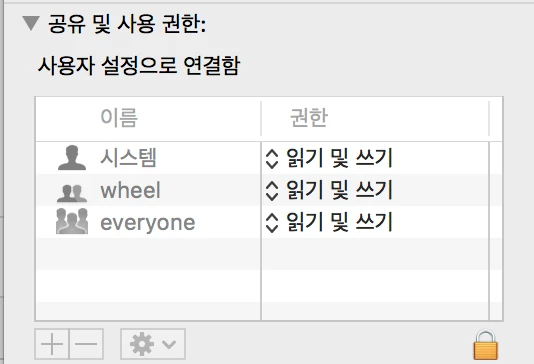
I change the permission to access but program repeat the error.

Mac version -10.13.4

adobe version- adobe primere pro cc (I updated to the lasted version)
I changed permission read to read and write.

please help

This topic has been closed for replies.

2 replies

Kevin-Monahan
Community Manager
Community Manager
May 23, 2018
Kevin Monahan - Sr. Community & Engagement Strategist – Pro Video and Audio
Participant
April 3, 2019

Check to see if your documents folder is an alias that is broken. I deleted mine and that fixed it.

Vinay Dwivedi
Adobe Employee
Adobe Employee
April 19, 2018

Hi,

Have you tried restarting the machine after changing the permissions?

Also, try to create a new Admin user account and check if Premiere Pro works in there.

macOS Sierra: Set up users, guests, and groups on your Mac

//Vinay