


Exported 360 VR video contains Bulge and quality loss
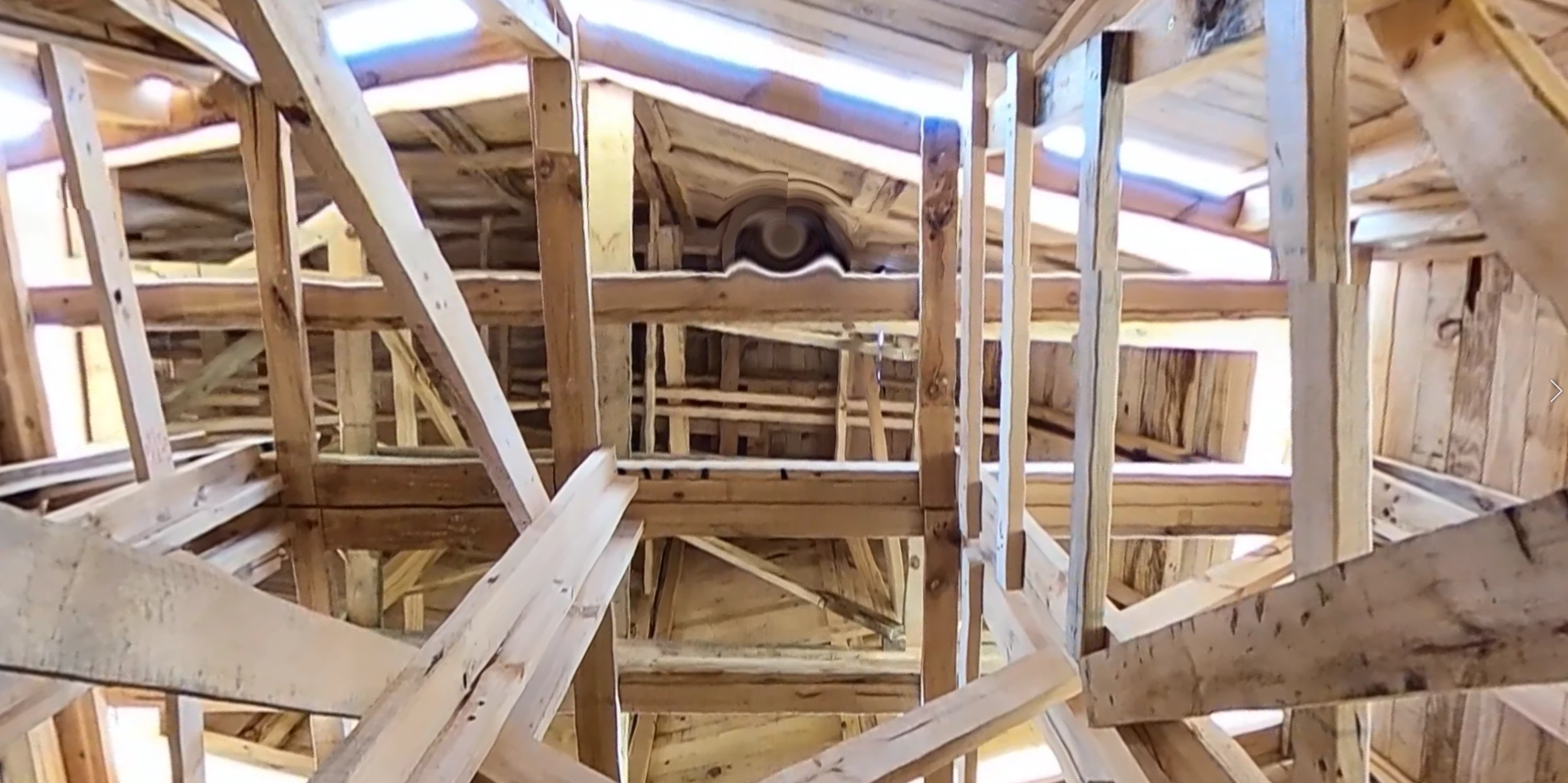
Hello, so I've just finished editing my first 360 video for VR in Premiere. The sequence matches the resolution of the original files and so far contains no effects or overlays. However; when I export, the video's resolution has reduced dramatically (despite making adjustments to the bitrate) and the top and bottom sections of the 360 video contain buldges.
Adobe Premiere Pro 2021 Export:
GoPro Player Export:
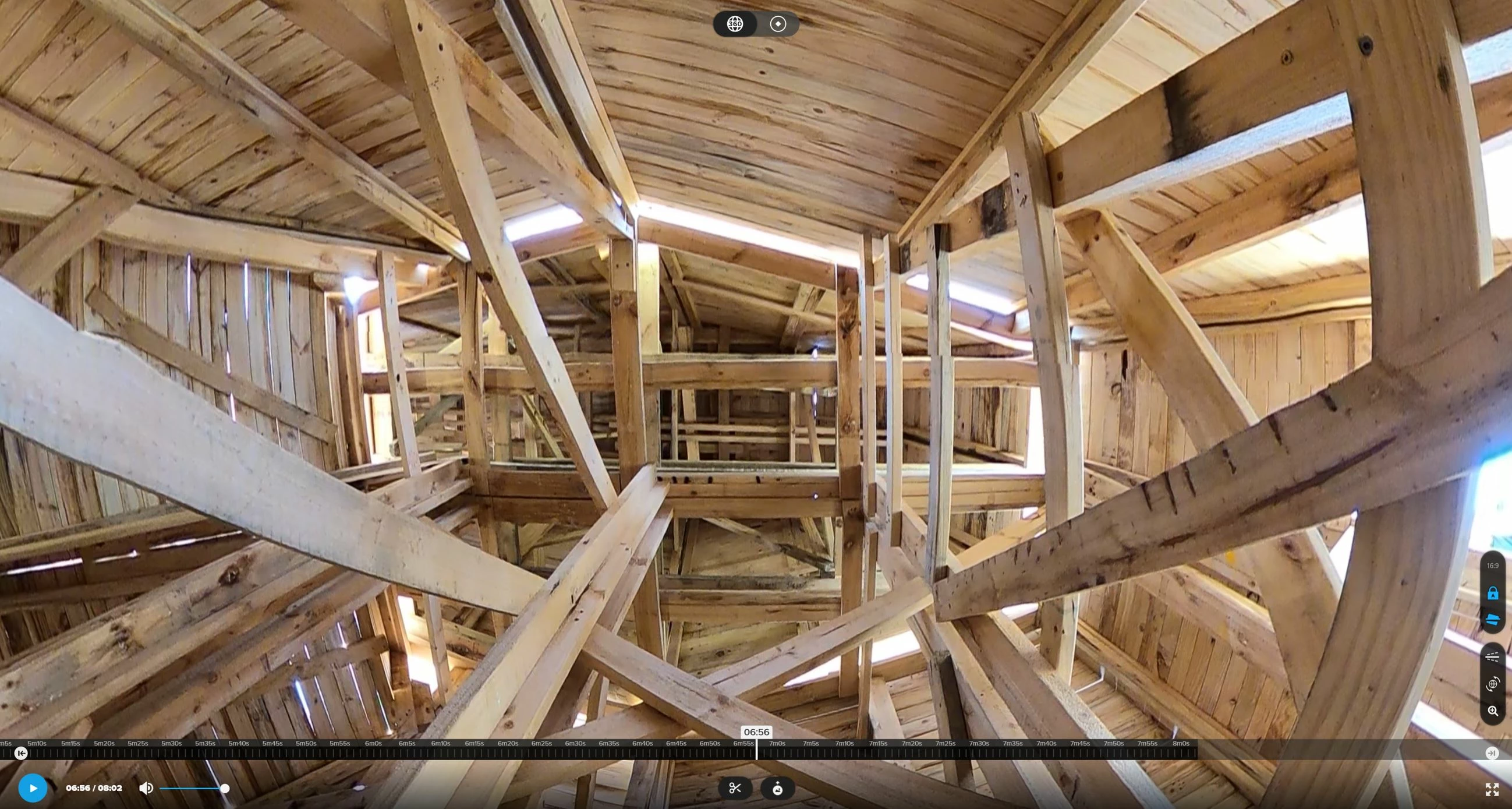
I'm using a GoPro Max (which doesnt require stitching) and you can see in the examples above how the bulge doesnt exist in the raw .360 files. I also understand that the loss of quality in the first image must be a result of some automatic cropping premiere performs on the video edit, which I don't know how to uncrop.
My hope is to export this video in the same quality and resolution as what was captured from the camera. So any suggestions or things I may have missed or tips is very much appreciated.
Cheers!
 AdChoices