


Exporting 5.1 Mix + Two Stereo Tracks in One QT
I have to deliver a QT of a trailer to a streaming service. They are requesting the following specs for audio: 8 Tracks (L, R, C, Lfe, Ls, Rs, Stereo-Left, Stereo-Right) / Loudness -23db
I'm currently testing my audio workflow (basing it off of this thread) but have some questions about the result.
1. I've set up a template sequence for the edit (black video for placeholder). The trailer will only be using a single song, which the client has provided as a stereo file, which I have edited to fit the time.
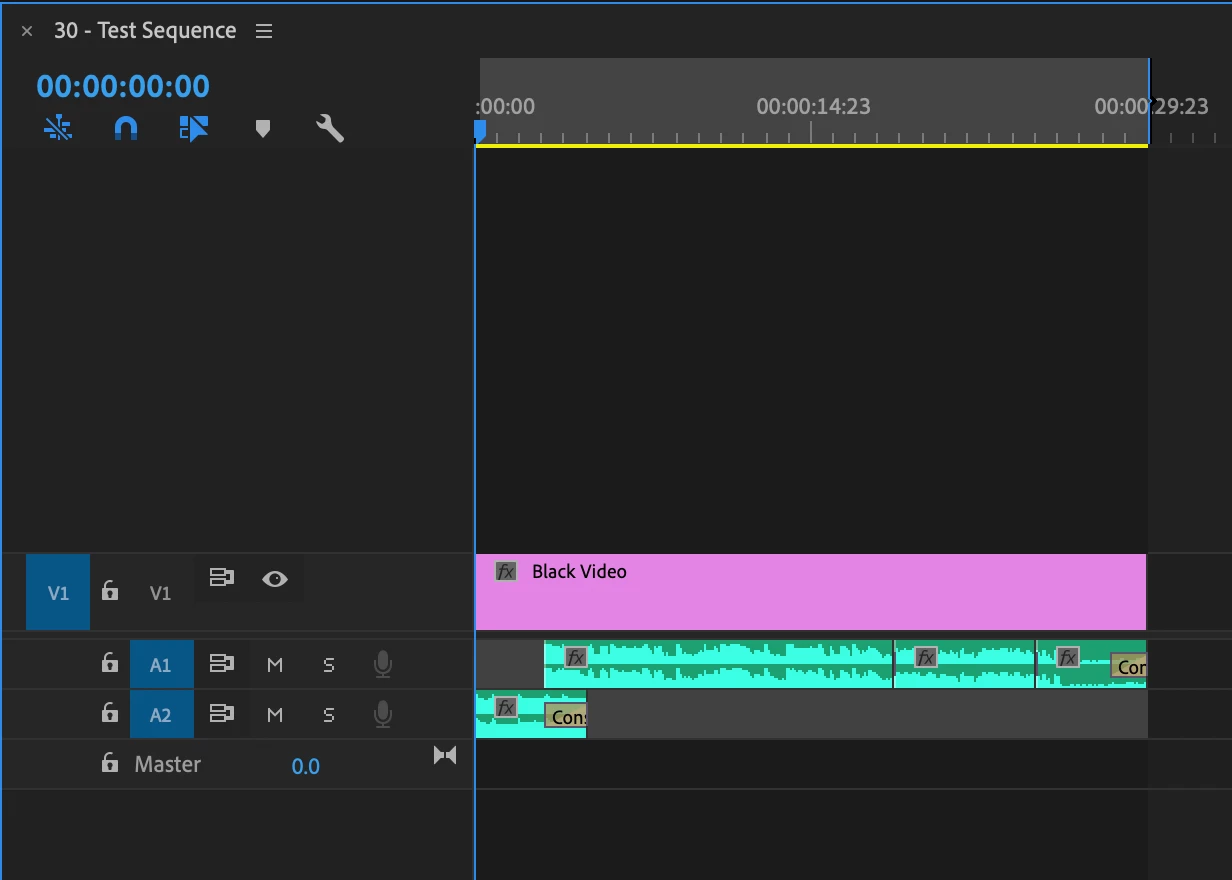
2. Then, I've nested my edit sequence, brought it into the template export sequence that I downloaded from the original thread, and have duplicated the audio track to fill each of the 8 tracks. (Is this correct, or will this negatively affect the audio quality because it's the same audio on top of itself 8 times?)
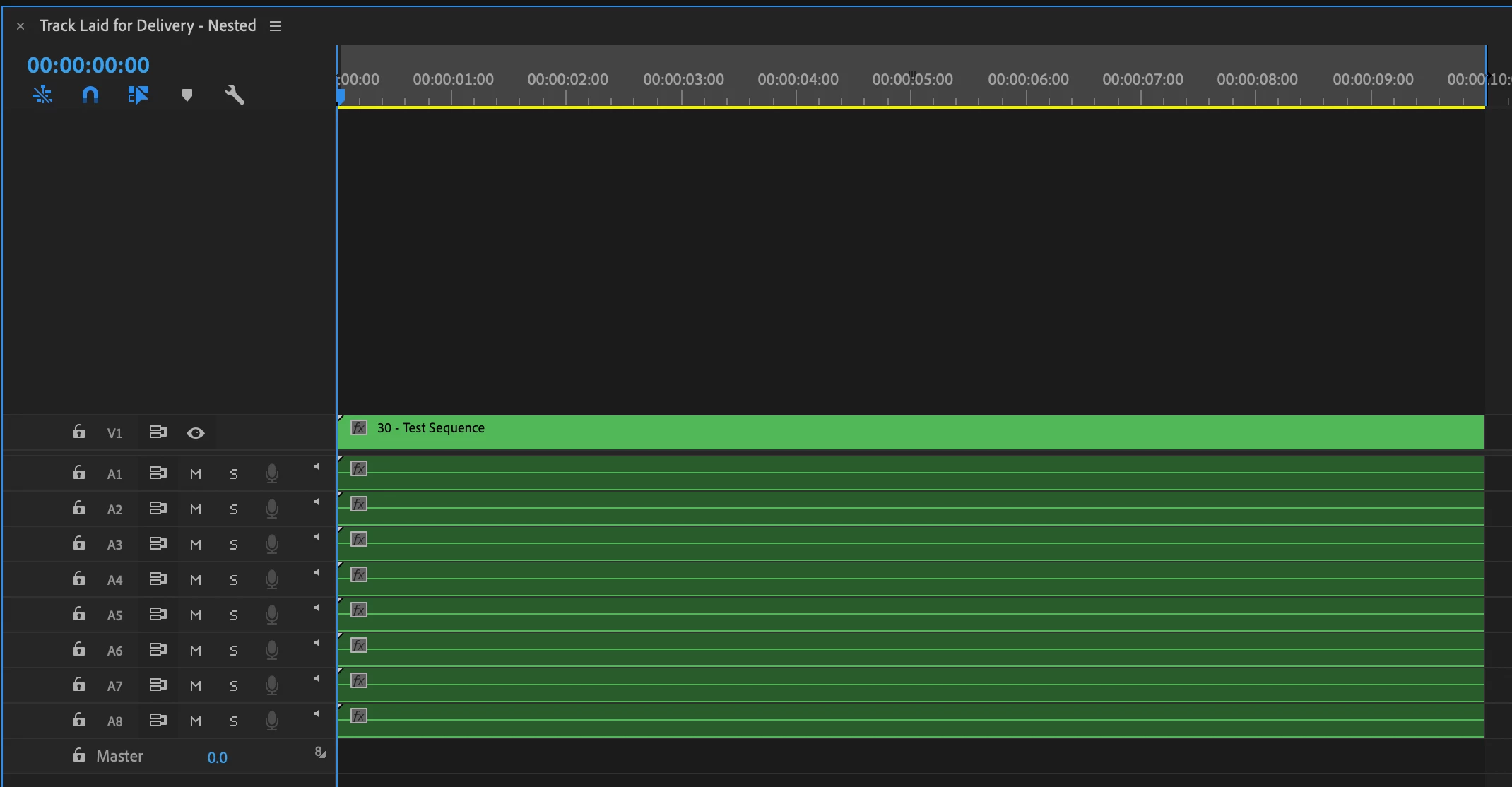
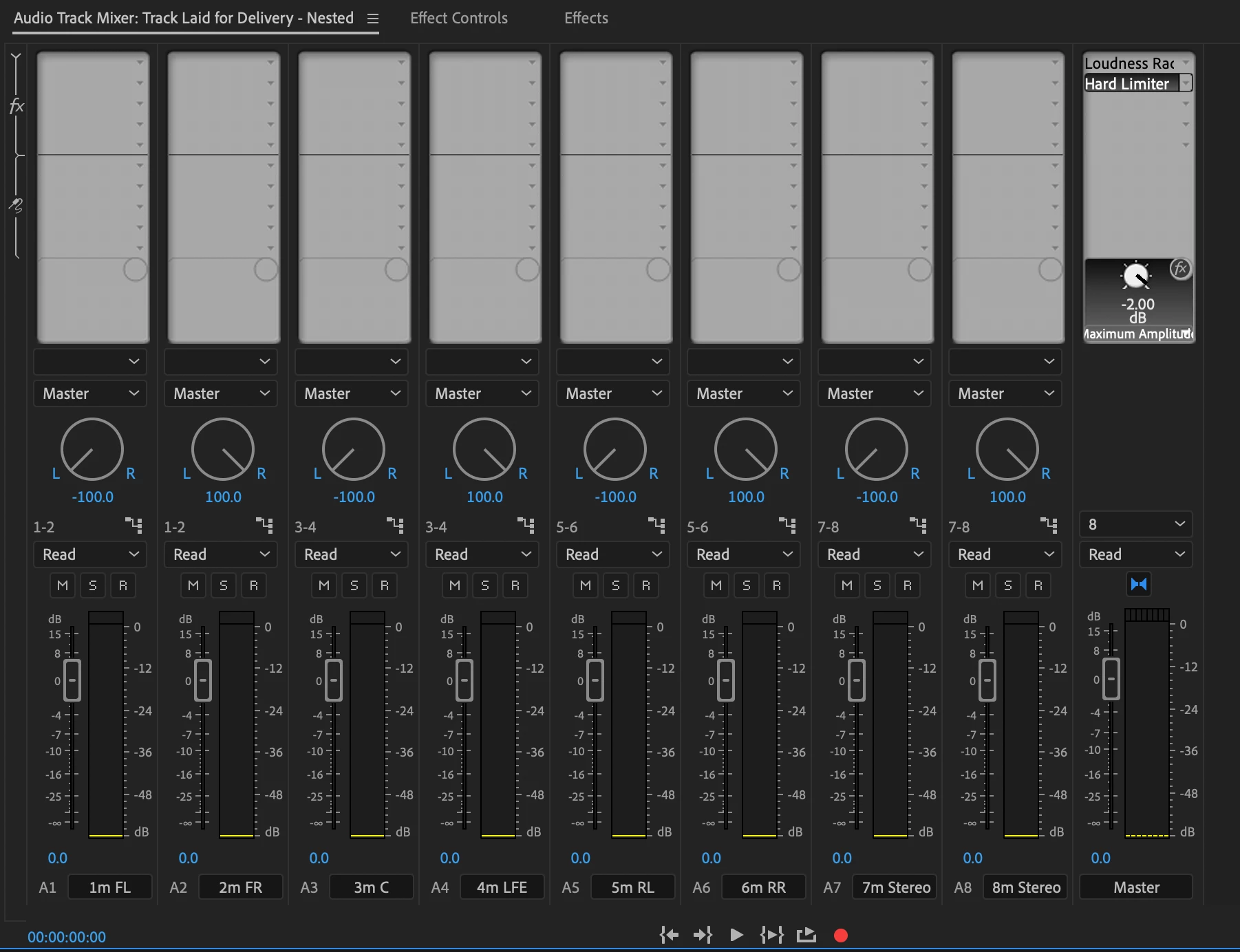
This is how the audio tracks are mapped in the new export sequence. (I've added the required Loudness Rader and a Hard Limiter to the master track).
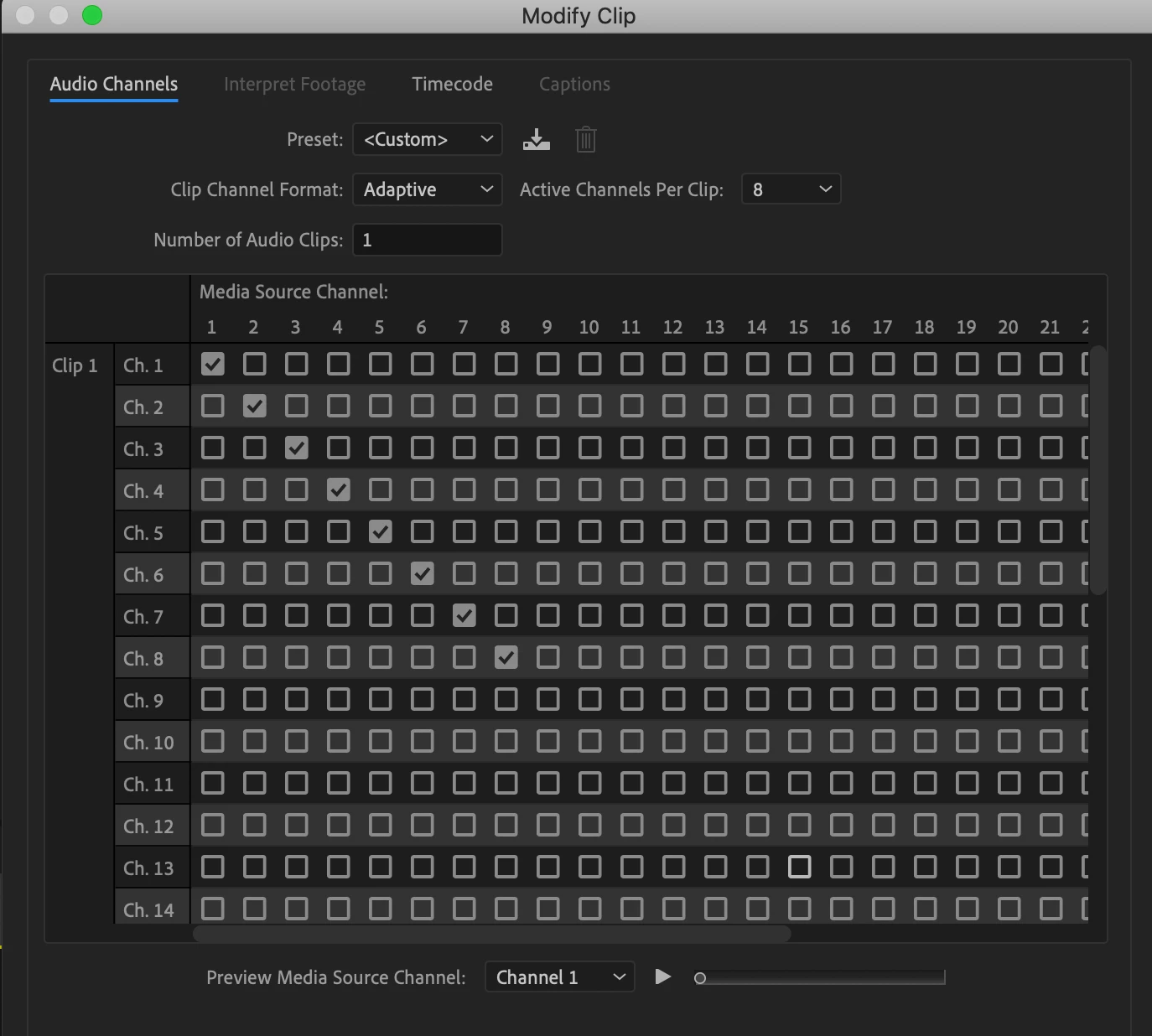
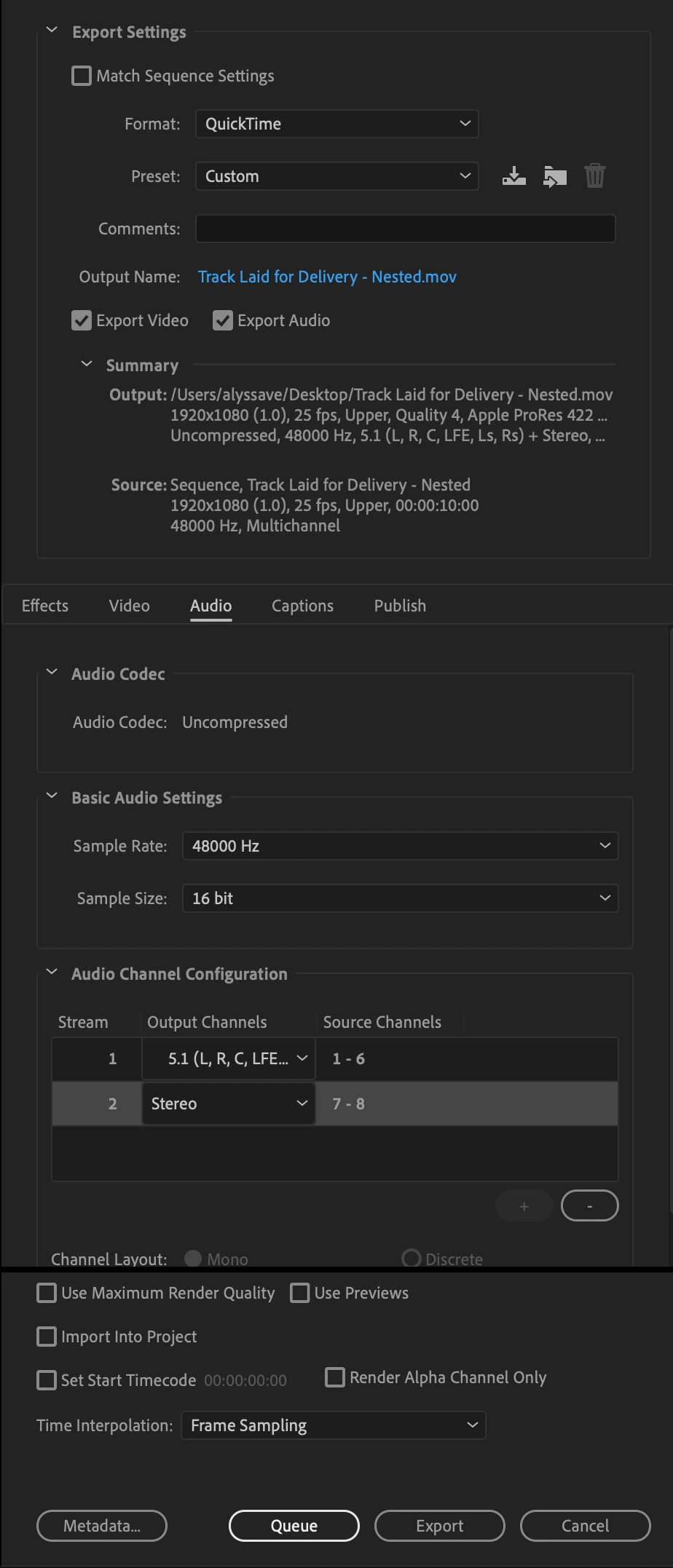
3. Then, I'm using the following export settings (also downloaded from the previous thread)
When I bring the resulting .mov back into Premiere, this is the resulting sequence / and how it appears in the audio track mixer panel.
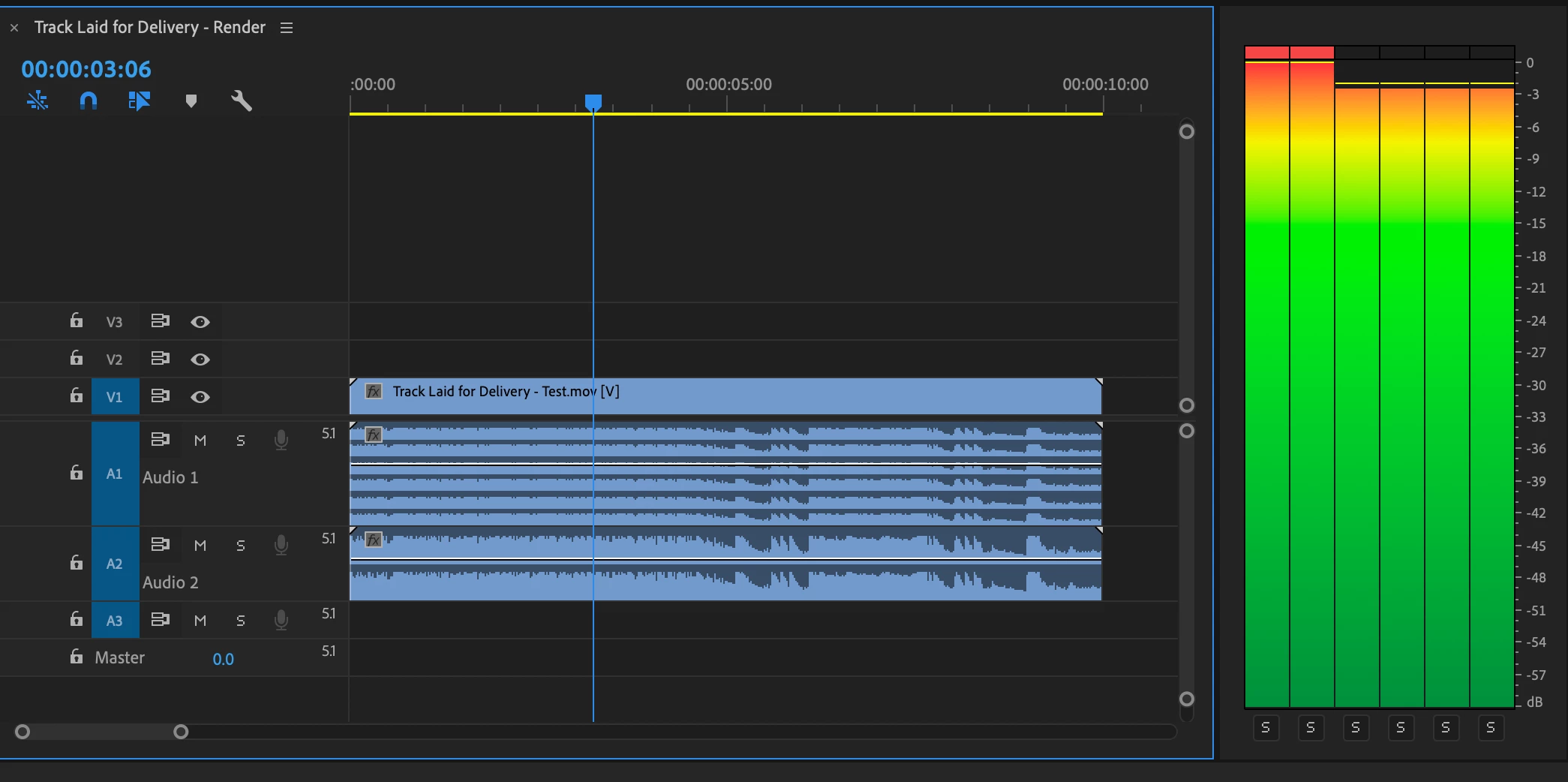
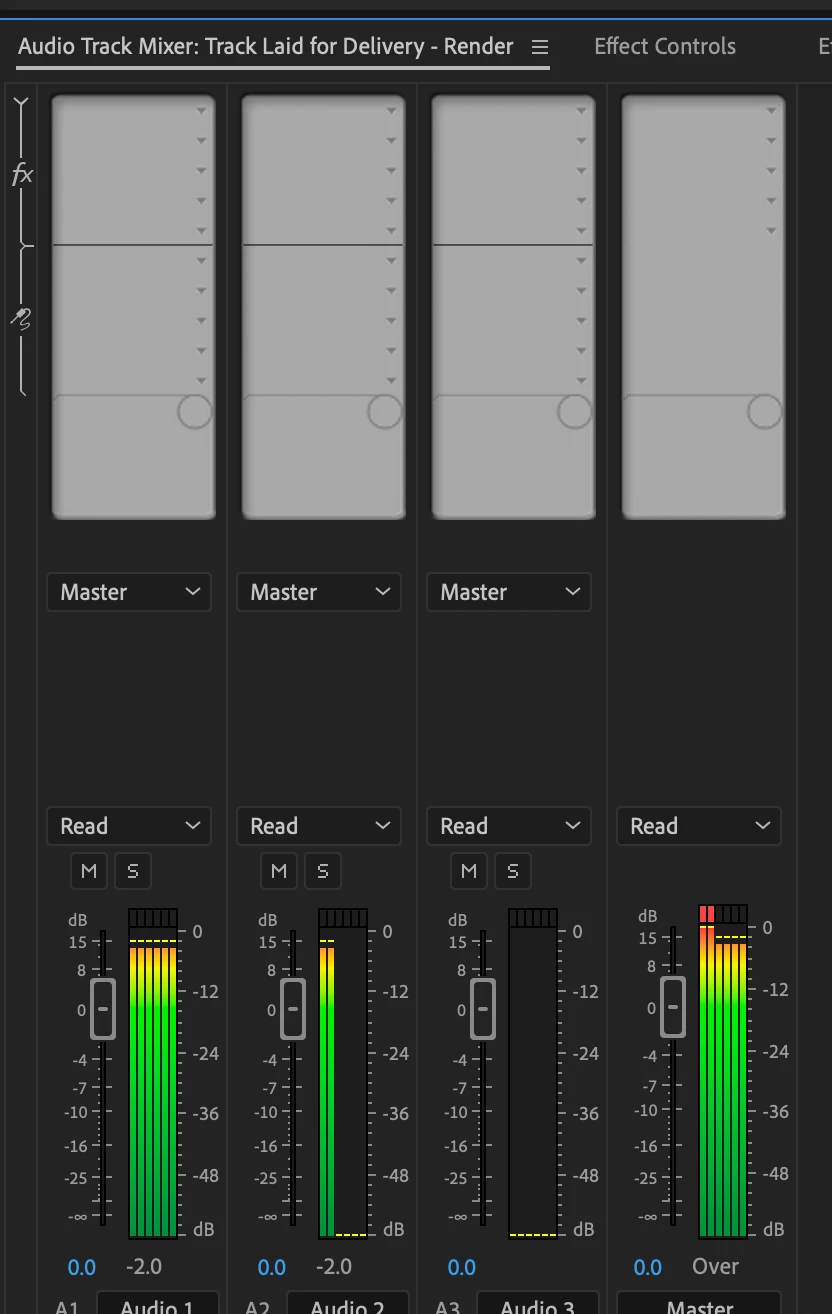
I'm confused by a few things here. The peaking indicates that the loudness radar / hard limiter did not affect the stereo tracks in the master (but it does appear to be working when looking at Audio 2 in the Track Mixer). And, finally, curious why the stereo tracks appear as the first two bars in the audio levels panel when they are supposed to be tracks 7/8.
I'm major audio noob, and a highly visual learner so screenshots are BEYOND appreciated in your responses if possible - thanks in advance!!!
 AdChoices