



FAQ: How to solve crash while using Export Settings in Premiere Pro v. 14.2?
Update: This issue has been fixed in Premiere Pro v14.3. Please download the latest update from the Creative Cloud Desktop app.
We are investigating an issue where Premiere Pro v14.2 might crash or get in a non-responsive state while using the Export Settings window. This issue has been observed on systems using NVIDIA GPU not supporting NVENC. If you are using such GPUs and experiencing a crash or freeze while using the H.264/H.265 format, please follow these steps to fix it.
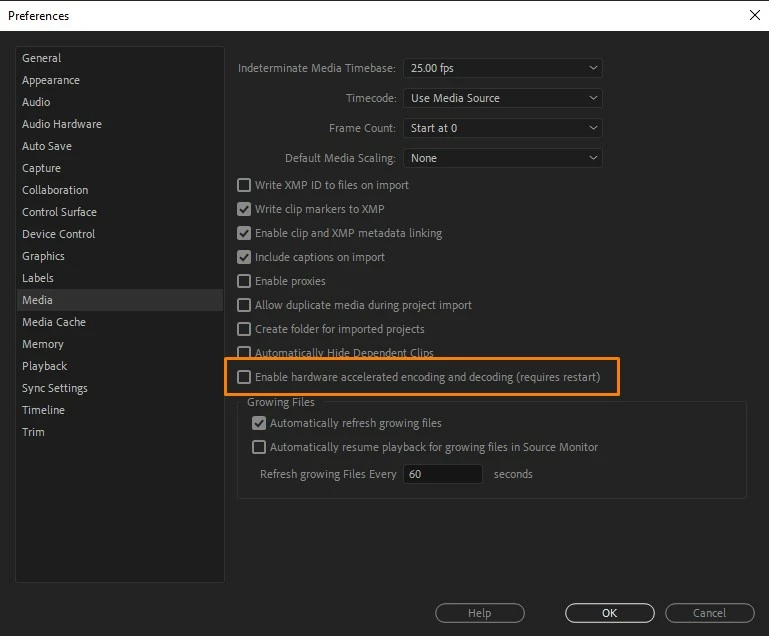
Navigate to Premiere Pro Preferences > Media and uncheck Enable hardware accelerated encoding and decoding. Restart Premiere Pro and try to export.
Hope it helps. If you are experiencing a crash while exporting with any other format/codec, please create a new community discussion and we will get that issue checked.
Thanks,
Sumeet

 AdChoices