


frame rotation errors on clip import and exported MP4 viewing
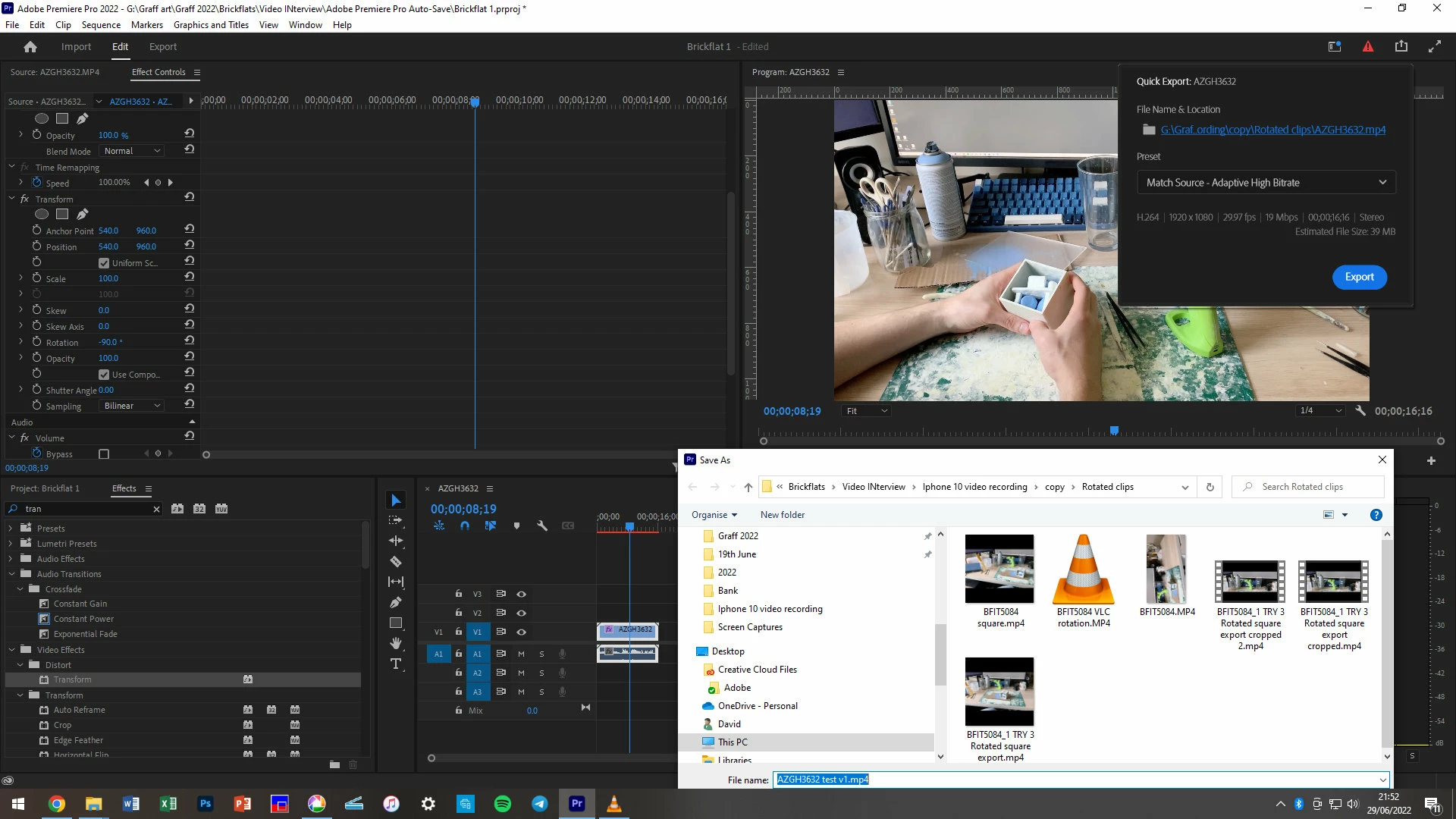
I have a large number of clips all recorded widescreen HD 1920 1080 on my iPhone, filming with the phone in landscape orientation. PremierPro is reading some in widescreen as expected, some it reads in rotated 90 degrees to portrait 1080 1920, no trimming. All the clips show as Frame width 1920, frame height 1080 when checking properties in Win Exp.
If I just put one clip that Premier Pro read correctly as widescreen 1920 x 1080 into the timeline then export that as an mp4, the export window says will set the properties as Widescreen, 1920 x 1080. If I view the output video in VLC it will be in portrait but viewed in Windows Media Player it will be widescreen.
If I just put one clip that Premier Pro read incorrectly as portrait into the timeline then export that as an mp4, Premier pro says as above it will set the properties as Widescreen, 1920 x 1080, then If I view the exported video in VLC it will be in Widescreen but viewed in Windows Media Player it will be portrait.
If I start a sequence with a clip it correctly imported as widescreen, thereby (I think) setting the Sequence Settings, if I try to add a clip read incorrectly as portrait only add the audio will drop to the timeline, not the video.
For full disclosure, 2things which I thiik ought not affect matters: filmed on iPhone using am OSMO DJI gimbal; secondly launching Premier Pro I get “Intel HD Graphics 630 Unsupported Video Driver” I have updated the drivers, I launch via the “continue with known issues button”.
Your insights and help will be so appreciated.
 AdChoices