10 replies

jamieclarke
Community Manager
Community Manager
October 28, 2024

Can you email me the email address you used at jamiec@adobe.com

Thank you.

jamieclarke
Community Manager
Community Manager
December 9, 2024

Hi @anders__3344  - Posting to the community that your issue has been resolved with updating your GPU driver to  553.35.

Participant
October 28, 2024

done that several times, 

jamieclarke
Community Manager
Community Manager
October 28, 2024

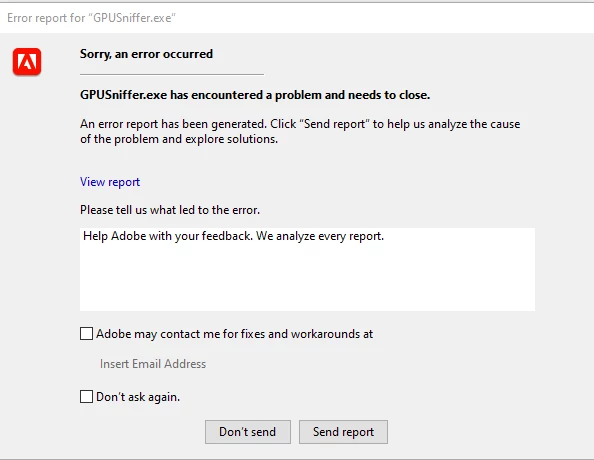
Hi @anders__3344 - When the dialog box opens please select the option "Adobe may contact me for fixes and workarounds at" and then enter your email address.  As soon as you do that we can take a look on our end and see what is causing you to crash.

Participant
October 28, 2024

Hi, thank´s for the reply!

Well that´s one way, but also like to know what the problem is.

Can´t render with GPU

MyerPj
Community Expert
Community Expert
October 27, 2024

If you just want to remove the message from showing each time you start PP, you should be able to turn off the message.

I can't try it here, but I leave it off anyway, since I know I have the hardware.


Participant
October 27, 2024

CPU: 12th Gen Intel(R) Core(TM) i7-12800H 2.40 GHz

RAM: 64,0 GB (63,6 GB usable)

System: 64-bit operating system, x64-based processor

Windows 10 Enterprise, 22H2

On startup the errormessage appers, the program starts normaly, no conflicts. when trying to render both the Intel and the Nvida GPU hits the max, then drops to standstill. to be able to render my movies i have to disable rendering with the PGU

Kevin-Monahan
Community Manager
Community Manager
October 25, 2024

Hi,

Please provide the developers with more information. See, How do I write a bug report?


Thanks,
Kevin

Kevin Monahan - Sr. Community & Engagement Strategist – Pro Video and Audio
MyerPj
Community Expert
Community Expert
October 25, 2024

@RjL190365 

I'd like to see what RjL has to say...

Participant
October 25, 2024

Same problem

Community Expert
October 25, 2024