
Participating Frequently
May 20, 2020
Question

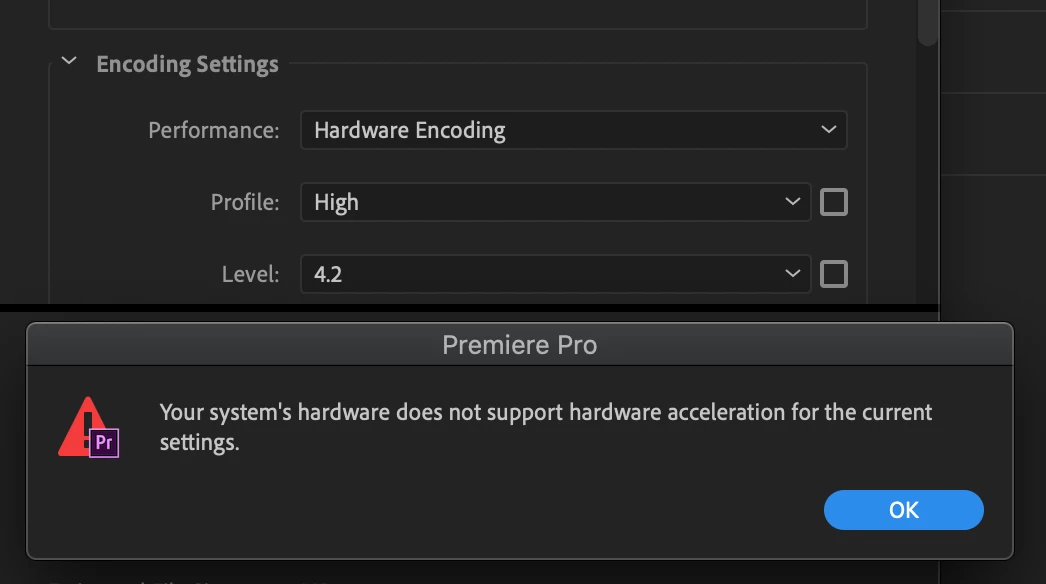
Hardware Encoding for exports (new feature in 14.2) not working on iMac Pro

  • May 20, 2020
  • 2 replies
  • 805 views

I cannot use hardware encoding, the new feature in the latest PP 2020 14.2 version for exports.

Whenever I try to select hardware encoding at CBR or VBR 2 pass the following error message appears: "Your system's hardware does not support hardware acceleration for the current settings."

It only works for VBR 1 pass but I understand that also worked on older PP versions.

I use iMac Pro with Radeon Pro Vega 64 16 GB graphic card which is on the list of supported cards. 
This topic has been closed for replies.

2 replies

Legend
May 22, 2020

Sorry, that is the limitation of all hardware encoders on consumer CPUs and GPUs at this time. None of them support 2-pass VBR encoding at all at this time. Only CBR or 1-pass VBR. Only software encoders support 2-pass VBR.

Participant
May 19, 2021
quote

Sorry, that is the limitation of all hardware encoders on consumer CPUs and GPUs at this time. None of them support 2-pass VBR encoding at all at this time. Only CBR or 1-pass VBR. Only software encoders support 2-pass VBR.


By @RjL190365


as they stated above it doesn't work with CBR either. I am having the same issue.

Community Manager
May 22, 2020

Hi florianhaider88,


We're sorry about the inconvenience. Hardware Encoding doesn't support VBR, 2 pass. Please change the Bitrate Encoding to VBR, 1 pass. You may also refer to this link to know more about Hardware Encoding in Premiere Pro v14.2

Hope you find it useful.


Thanks,

Sumeet