
christopherB10720062
Participant
July 10, 2015
Answered

Heads up on Premiere with El Capitan

  • July 10, 2015
  • 22 replies
  • 47651 views

I know it's probably a dumb thing to do, but I'm a rather technical dude -- and I do have my system backed up. But anyway, I installed Mac OS 10.11 El Capitan Public Beta 1 on my MacBook Pro.

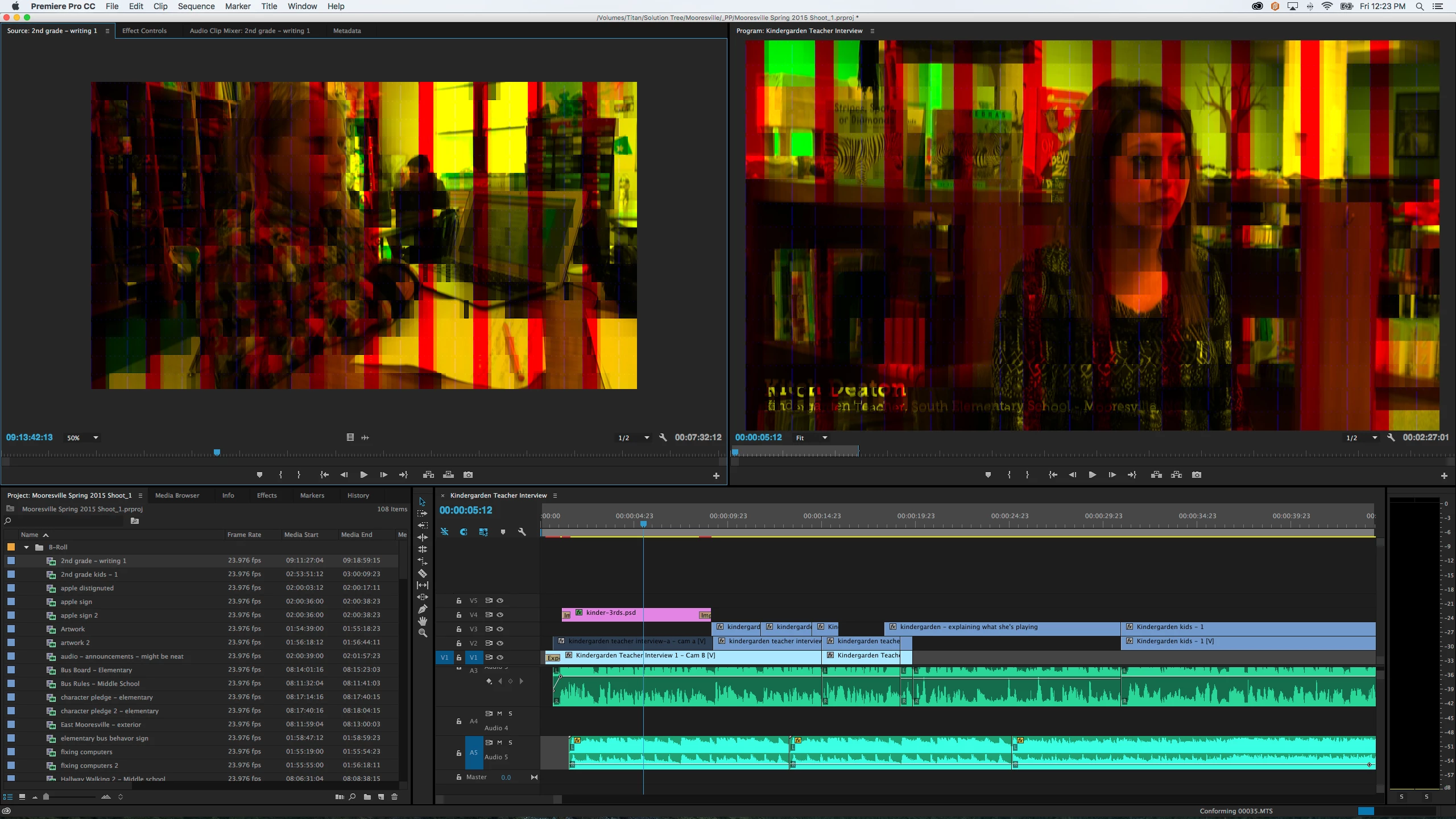
Everything seems to be working fine, except for Premiere. When video is STOPPED it has horrible video glitching. Now, when the video is playing, it looks just fine... and it also renders out OK. It's just when it's sitting on the timeline.

I wanted to give everyone a heads up in case they're thinking about installing the beta. Remember, you have been warned.

Any way - here's a screen shot of what it looks like. Maybe someone knows a fix?
    This topic has been closed for replies.
    Correct answer Kevin J. Monahan Jr.

    The solution for this issue is to update to OS X 10.11.1

    Thanks,
    Kevin

    22 replies

    christopherB10720062
    Participant
    July 10, 2015

    I'll maybe try to update the cuda driver -- but I'm afraid to install drivers on a beta OS.

    christopherB10720062
    Participant
    July 10, 2015

    Looks like few people already posted a temp fix.

    File -> Project Settings -> General

    Change the rendering/playback to Mercury Engine Software... it seems to fix it. That will be less of a pain vs. restoring back to Mavericks.

    jstrawn
    Legend
    July 10, 2015

    Did you try updating your GPU driver? And/or re-installing your existing driver?

    ... and then switching back to GPU mode?

    christopherB10720062
    Participant
    July 10, 2015

    I have not, but on the other hand - you really can't update the GPU drivers on a Mac independently...unless you do CUDA. Which I might give a shot later on tonight.

    Right now I have too much work to chew through. Maybe I'll play with that tonight.