


June 8, 2020
Question

Help - objects misaligned in export but fine in project

  • June 8, 2020
  • 1 reply
  • 478 views

Simple problem, just as the title says, but I don't know where to start with it.


This is the Program panel in the project:
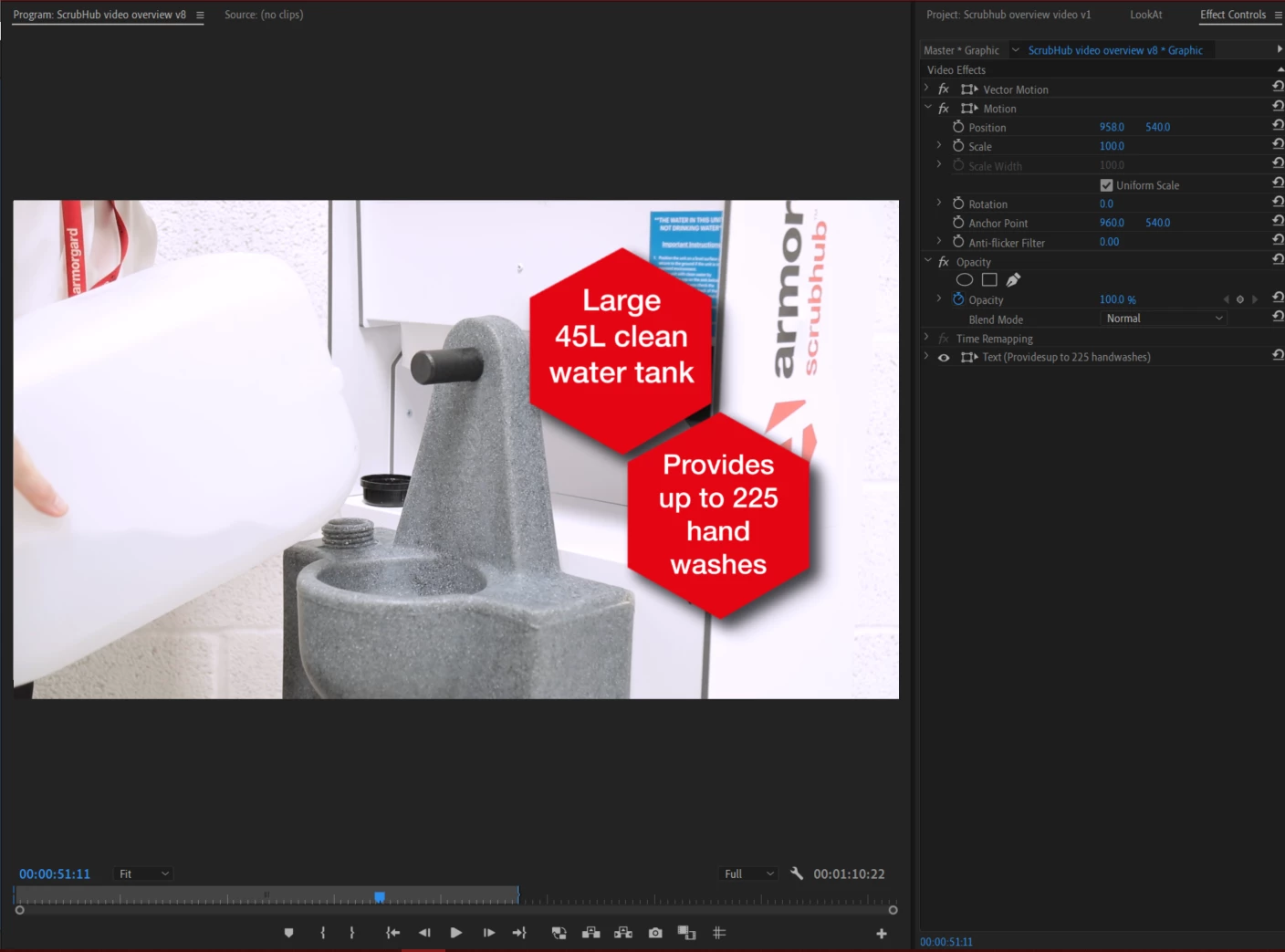


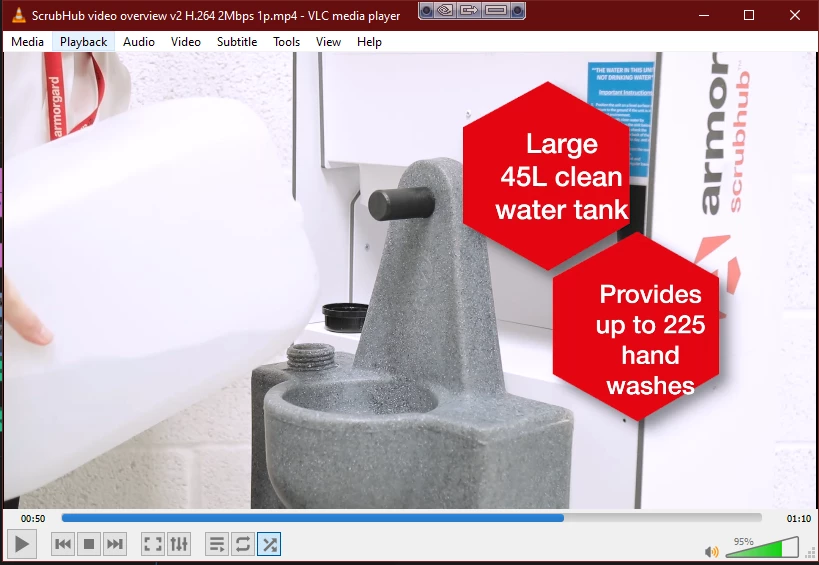
And this is the exported video.  The hexagons have jumped out of place.  This has happened in 2 exports so far.  It's only happening to these hexagon objects.  They are created in Illustrator and imported into Premiere via CC libraries. 


This topic has been closed for replies.

1 reply

Legend
June 8, 2020

This is happening to your H.264 export huh?


If you select all clips a part of that graphic and Render and Replace, and use something like ProRes as the mezzanine codec, does the replaced render still look OK? If so, you then should be able to make your H.264 export and everything should remain in tact.


You could alternatively export your entire sequence in ProRes, and if that comes out ok just generate your H.264 version from that in Media Encoder.