Known Participant
May 6, 2017
Answered

how can I keep text file in specific place please ?

  • May 6, 2017
  • 2 replies
  • 586 views

According to video below , How can I keep text file that I have produced it in a specific place  for using many time with many videos? like logo when I use it many time.

https://youtu.be/L2Evce0e6C0

Message was edited by: sarmad al-hafidh
    This topic has been closed for replies.
    Correct answer Meg The Dog

    Here is one way, export your title you create in Premier Pro as a .png graphic you can import into your project(s) as needed:

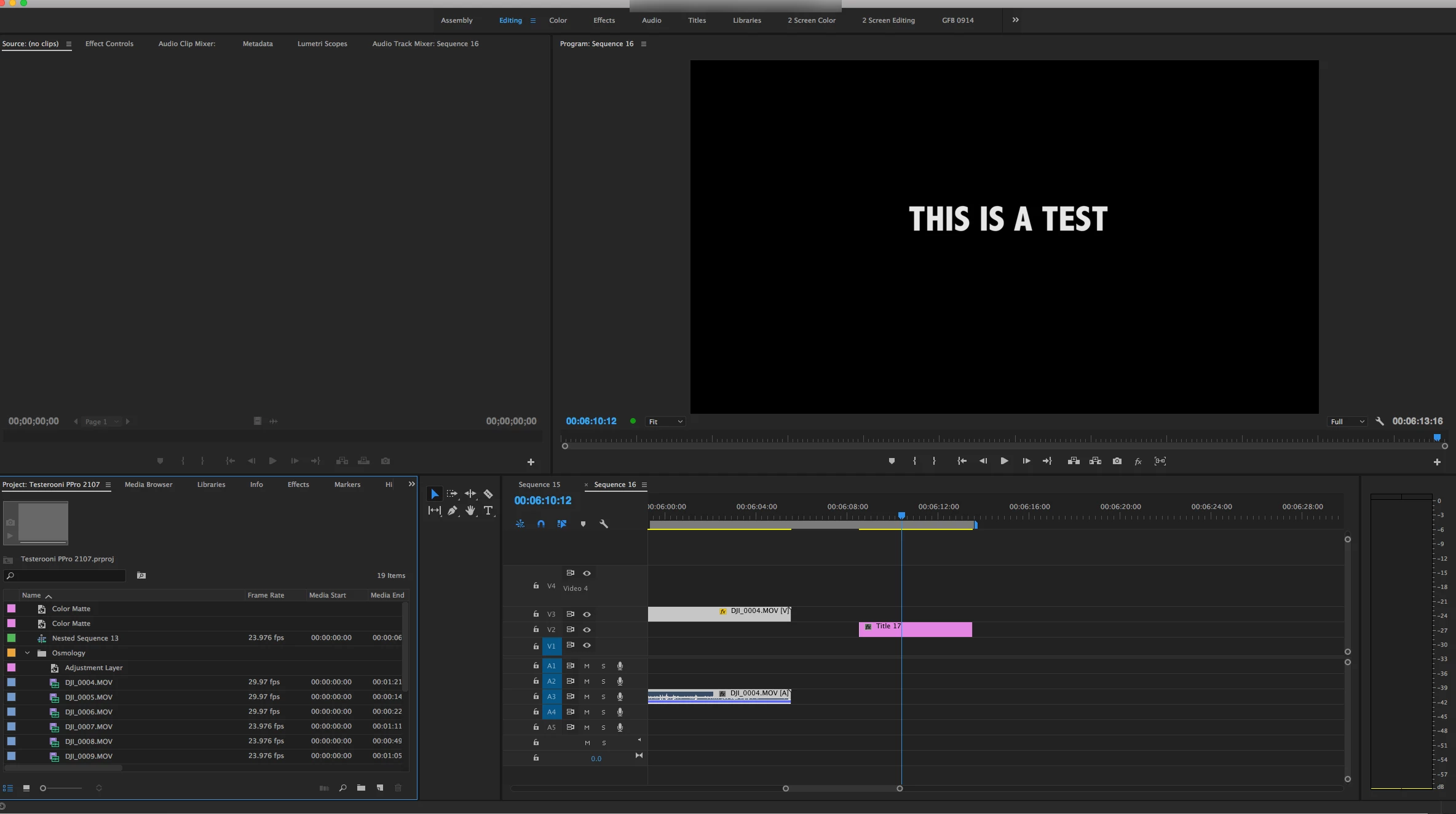
    Move your title so that it is not over anything:

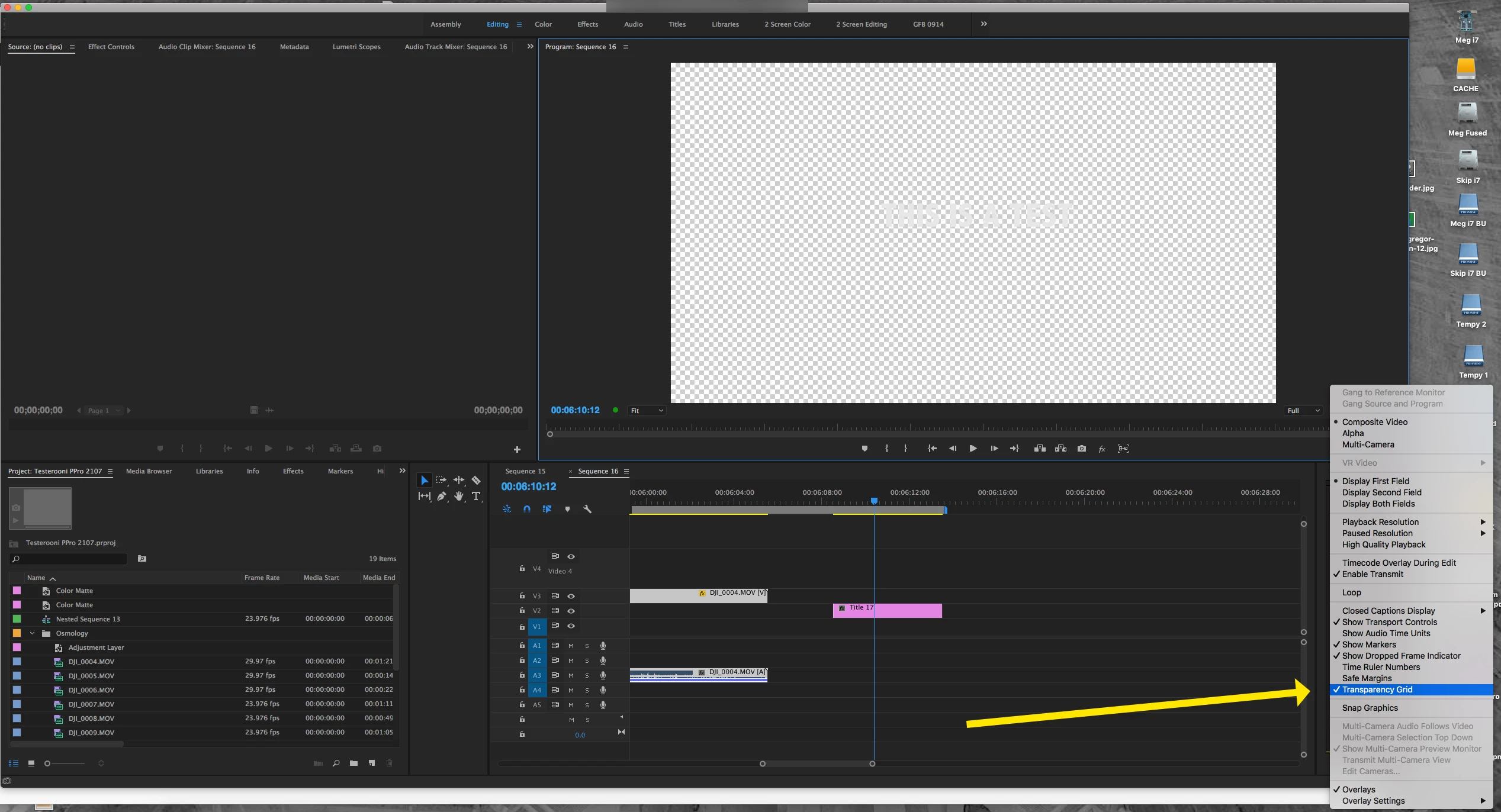
    Switch the sequence background to transparency:

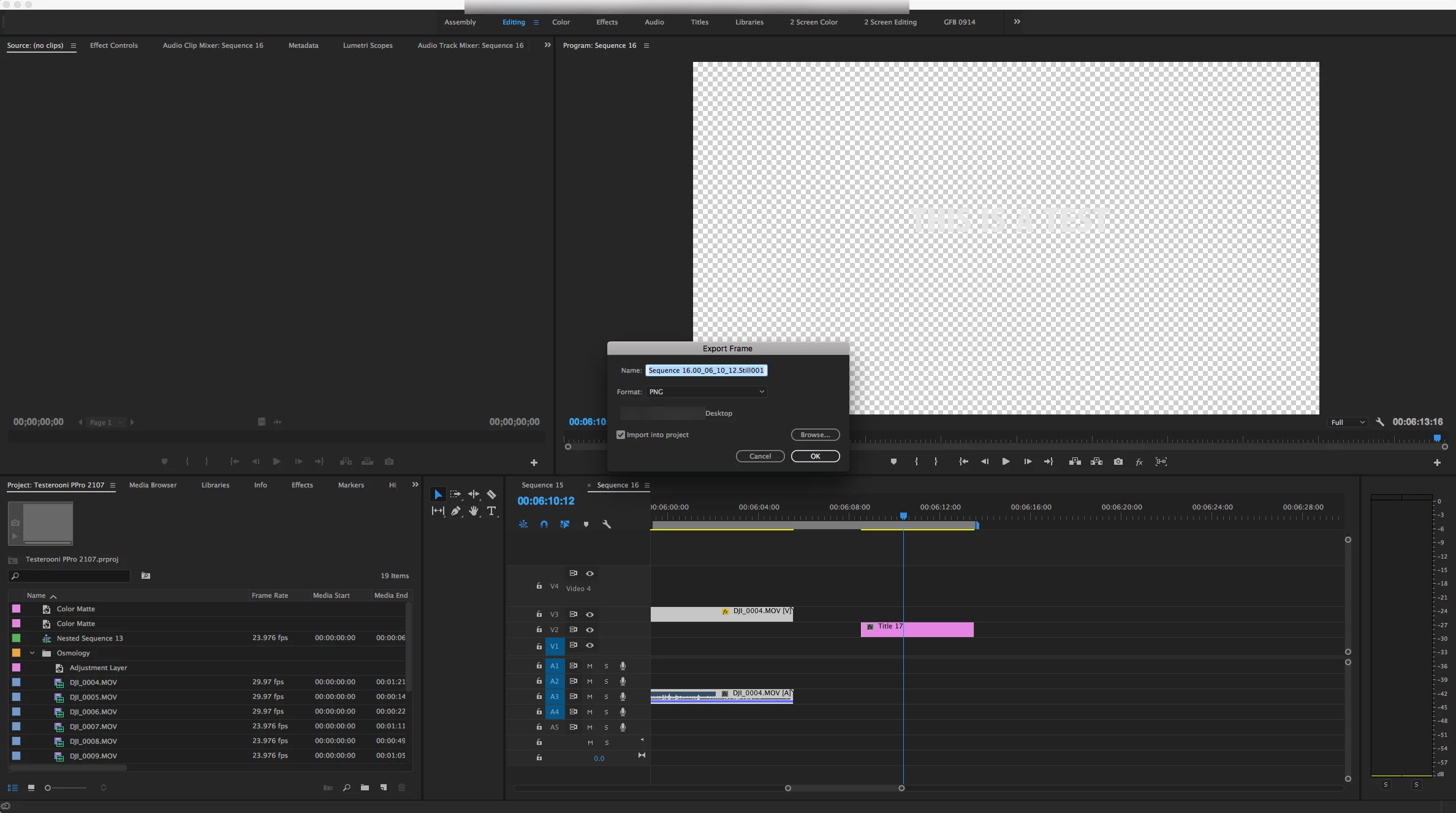
    Either click on the frame export button in the program monitor or type the shortcut Shift + E to export the title:

    Name it and choose a format like .png that supports transparency and click OK. Now you can import that graphic when you need it.

    MtD

    2 replies

    Roei Tzoref
    Legend
    May 6, 2017

    or you can use the new title tool in Premiere 2017.1. just use the type tool to create one, set it up the way you want. when you are done choose graphic->export as motion graphic template. and now it is in your essential graphics panel for quick use. Create title graphics |

    Meg The DogCorrect answer
    Inspiring
    May 6, 2017

    Here is one way, export your title you create in Premier Pro as a .png graphic you can import into your project(s) as needed:

    Move your title so that it is not over anything:

    Switch the sequence background to transparency:

    Either click on the frame export button in the program monitor or type the shortcut Shift + E to export the title:

    Name it and choose a format like .png that supports transparency and click OK. Now you can import that graphic when you need it.

    MtD

    sarmad1Author
    Known Participant
    May 6, 2017

    thank you very much you Miss.Meg , ​you are correct , but very little change the same instruction but you must press ( ctrl + shift + E ) according to my version and the attached image below , I am very thank you for your answer , I do never find the answer without you