
Participant
October 23, 2024
Answered

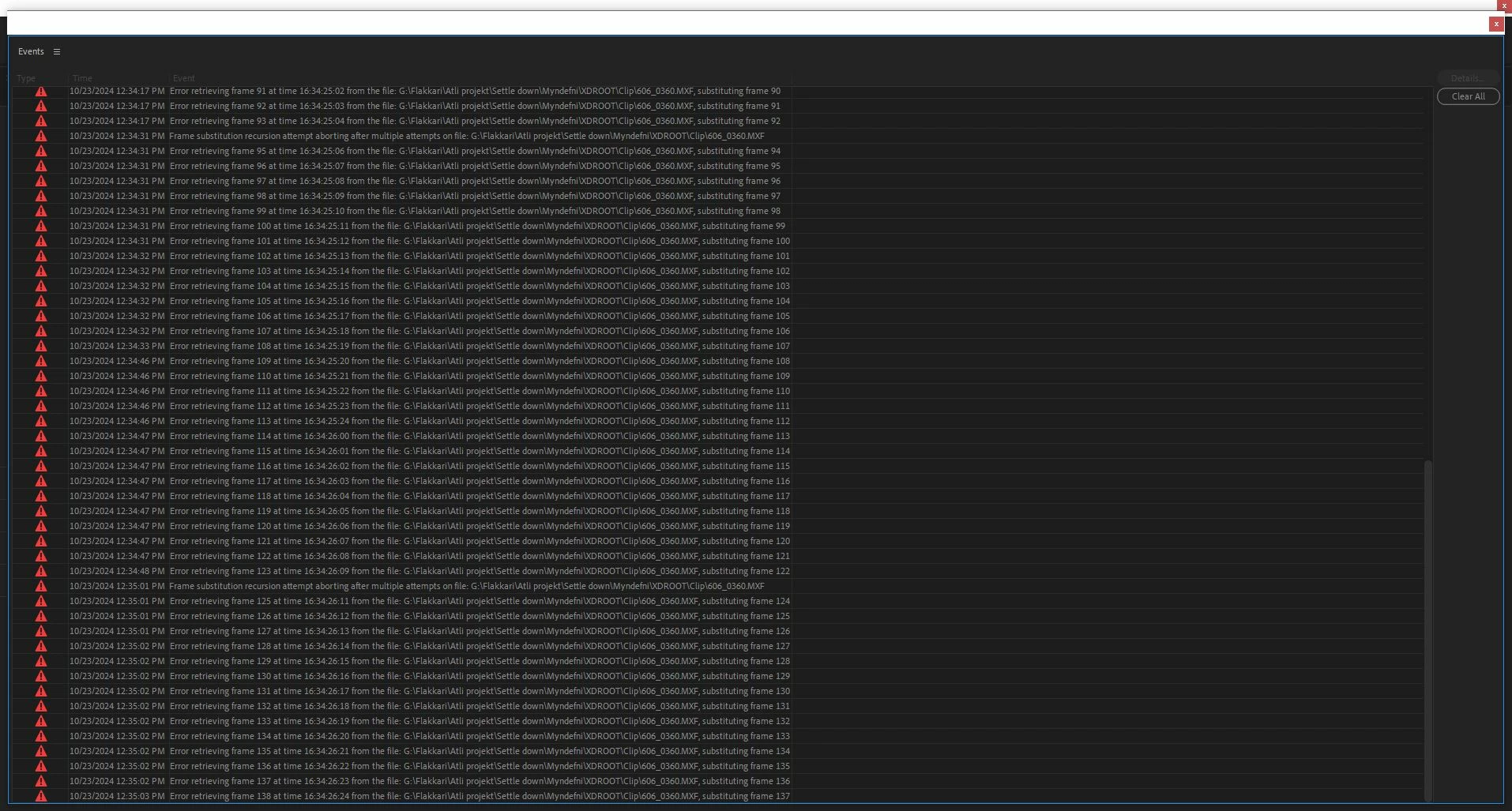
Im getting these error messages

  • October 23, 2024
  • 8 replies
  • 786 views

Im getting these error messages and I dont know what they realy mean. Is the problem with my Pc or harddrive or in premiere?
in proxy mode everything is fine but when I try to export the video is just blank and I get this message over and over again.
This topic has been closed for replies.
Correct answer Ólafur5CFA

yea so I moved all the files to a local drive and I have not gotten the error code. is it just this hardrive ?

beacuse I have another one with same stats that dose not have the same problems

8 replies

jamieclarke
Community Manager
Community Manager
October 28, 2024

Hi @Ólafur5CFA - We are glad that you have found a solution.  I'm not sure what type of hard drive you are using, but it sounds like it might be failing.

Ólafur5CFAAuthorCorrect answer
Participant
October 28, 2024

yea so I moved all the files to a local drive and I have not gotten the error code. is it just this hardrive ?

beacuse I have another one with same stats that dose not have the same problems

jamieclarke
Community Manager
Community Manager
October 24, 2024

It looks like there is a problem with one of your files (606_0360.mxf).  If you copy this files to your internal hard drive and relink, do you still get the errors in version 25?

Participant
October 24, 2024
  • Operating system - Windows 10 home
    • CPU-AMD Ryzen 5 5600x 6-core,3701Mhz

    • GPU-Nvidia Asus GeForce GTX 1070

    • GPU driver Geforce Experience version:566.03
    • RAM-32gb 3200MHz

    • Hard Drive-LaCie Rugged 4TB USB C 3.1

  • Video format: Filmed on a Sony Fx9 in CineEi, 5k XAVC-L 3840x2160P
  • Workflow details: I just inport the video files MXF. make proxys for all the files via Adobe Media encoder and then pick the shots i like and ad them to my Sequence. I edit in proxy mode and then there are no problems. When I start to export not in proxy mode this error code appears and when export is done there big black gaps in the video. 
  • Expected result - just to know what I need to do and if there is any hardwear that is the problem.
jamieclarke
Community Manager
Community Manager
October 24, 2024

Hi @Ólafur5CFA - We still need more information, please see instructions How do I write a bug report?


Otherwise, it looks like there is a problem with two of your files.  If you copy those files to your internal hard drive and relink them do you still get the errors in version 25?

Participant
October 24, 2024

Im on V25.0 but still this is a problem

Claire H.
Community Manager
Community Manager
October 23, 2024

Updating status. 

jamieclarke
Community Manager
Community Manager
October 23, 2024

Hi @Ólafur5CFA - Can you provide some more information, please see How do I write a bug report?


We have made some big performance improvements in version 25 with MXF files.  Please update and let us know if that helps.