
Participant
March 9, 2023
Question

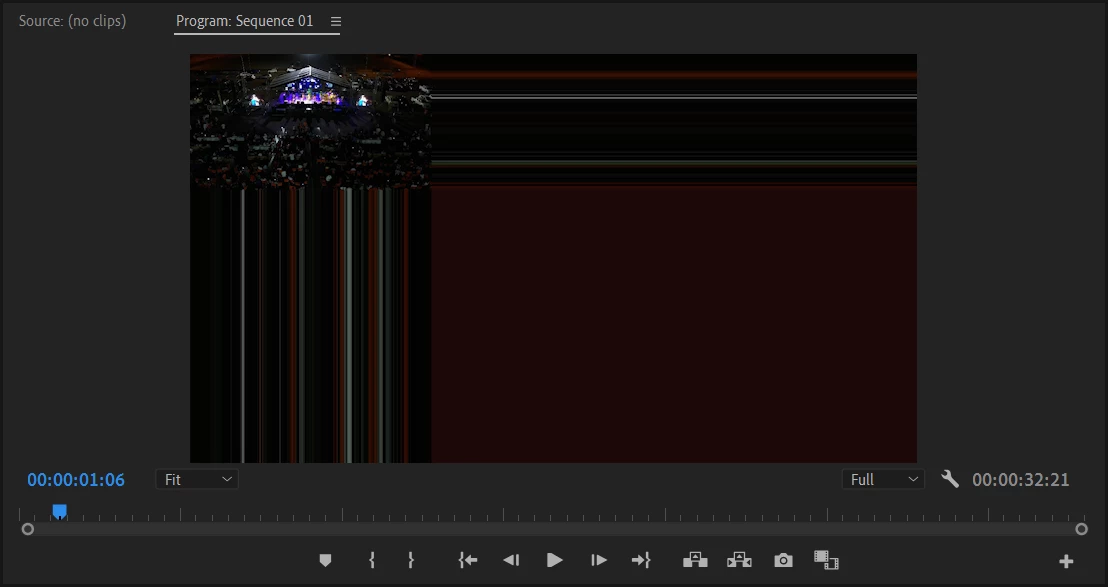
Imported footage stretched lines glitch

  • March 9, 2023
  • 2 replies
  • 209 views

Hey everyone, 

I recorded some footage with my mavic 2 and was trying to edit them inside premiere pro along with other videos shot with my camera. When imported, the drone footage would appear in smaller size with elongated lines throughout the screen. At first, I thought that I might just need to change the sequence settings and adapt them to the drone shots only, but even after that nothing. Did anyone ever encounter this problem? Been looking for answers everywhere and could not find any. Thanks in advance!


This topic has been closed for replies.

2 replies

Kevin J. Monahan Jr.
Legend
May 3, 2024

Hello @Maria-b,

Thanks for the message. It’s been a long time since you filed this bug, and I apologize for the lack of a response. Are you still having this issue? If so, the team will need more information from you to reproduce the bug. Can you provide the information required here? How do I write a bug report?


I'll move your post to the Discussions board while we await your information.


Thanks,


Kevin

Kevin Monahan - Sr. Community and Engagement Strategist – Adobe Pro Video and Audio
Ann Bens
Community Expert
Community Expert
March 9, 2023