Inspiring
March 29, 2019
Question

Low Level Warning Nightmares

  • March 29, 2019
  • 12 replies
  • 3764 views

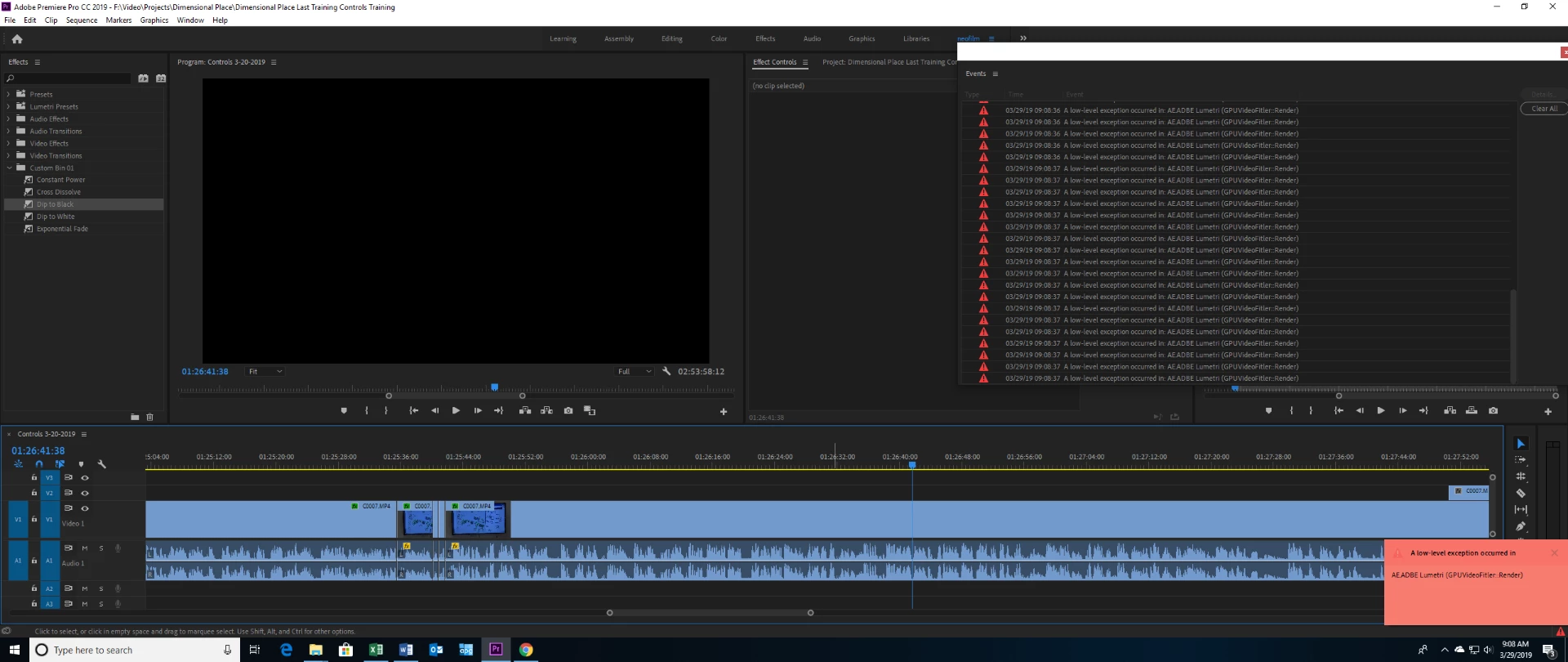
This happened yesterday with the same project. After about an hour of editing with no issues I suddenly get multiple warnings stating "A low-level exception occurred in: AE.ADBE Lumetri (GPUVideoFilter::Render)". Then my preview monitor turns black and I can’t see anything on my screen. Similar warnings happened on my other computer earlier this week with a completely different project.

This really messes my workflow up. Closing and restarting the project seems to resolve it. But it shouldn’t be happening in the first place. My video card is a massive, $1,400 video card, 2080 ti on a new PC. I never had this problem on my old computer/video card until earlier this week when it also started having low level warnings. So, these warnings are happening on two completely different machines.

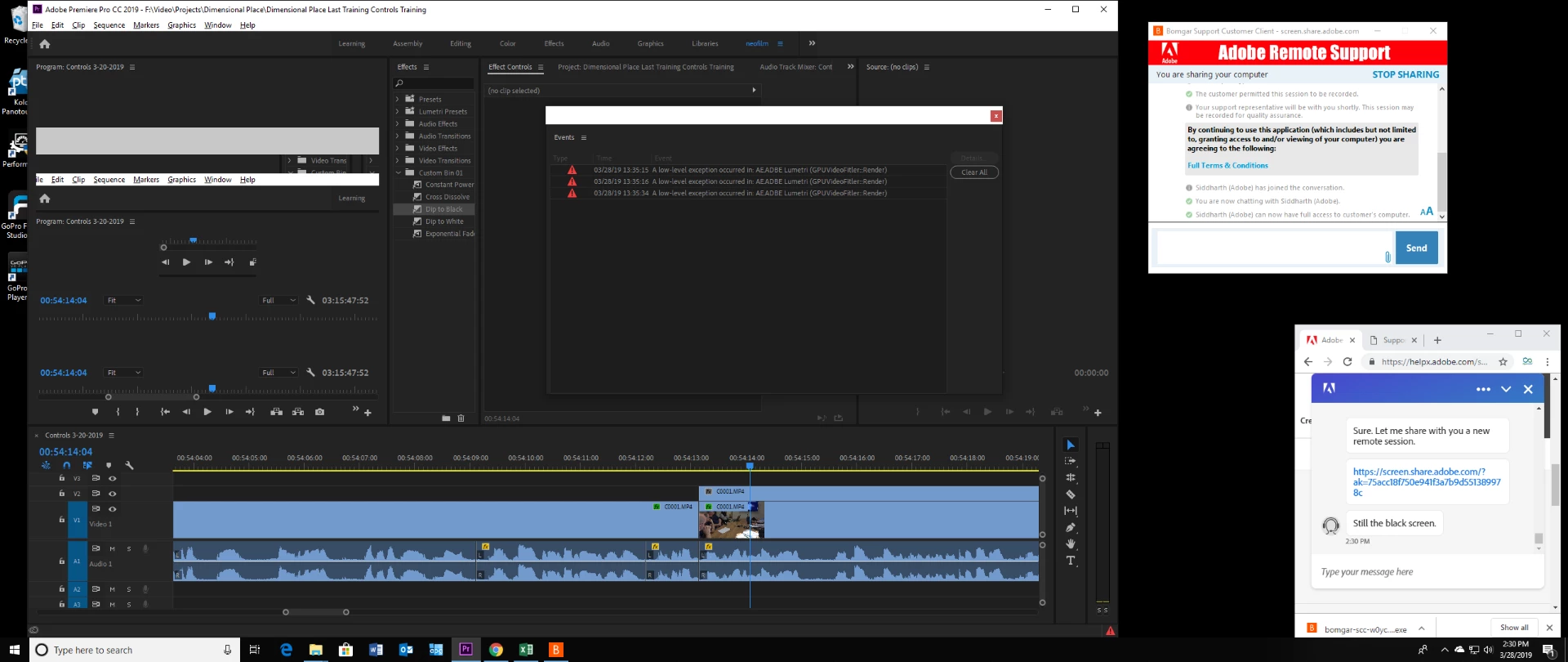
Yesterday I tried to resolve this through adobe help center chat and spent an hour trying to get someone on chat. The chat support was never able to help me resolve it because they would either end the conversation prematurely until finally I got someone that tried to log onto my computer but they were not able to see my computer for some reason.

Do I need to do something to improve the performance or better setup my 2080 ti? This was never a problem before this week with my ten year old computer. Now suddenly it's a problem with both my ten year old computer and my new, awesome computer...

Here's a screen shot showing the warnings and how the preview pane for my timeline goes black. The only thing I can do is restart premiere to resolve this and get back to editing:
Here's a screen shot of the same thing happening yesterday. The preview pane went black also but then it started showing a repeat of premiere in some weird way. As you can see I was trying to get adobe chat support to help. But, I gave up after an hour of waiting for them transferring me to the wrong person three times and then finally getting someone that claims they're the right person they were not able to connect and see my computer for some reason.
    This topic has been closed for replies.

    12 replies

    NeofilmAuthor
    Inspiring
    April 6, 2019

    crazy new problem. After closing the project because it's locked up I reopen and start editing. As usual for a while everything is solid fine. Then there's suddenly crackling going on in the audio, but only in premiere, not in any other audio (e.g. youtube). Closed and reopened and fine again, just thought I'd share...

    NeofilmAuthor
    Inspiring
    April 5, 2019

    Ok, today I've been editing pretty steady hard without error for about two and a half hours and then bam an error that started as one and then boom a long list. What is with this??????? It let me save at least but editing completely had to stop:

    Here's the black preview monitor of death:

    NeofilmAuthor
    Inspiring
    April 3, 2019

    So, late last night I got nvidia support on chat. They suggested I install the "Creators Ready Driver" instead. They have a specific driver for creators! Damn, that would have been nice to know.

    I don't know if this will fix the problem until I get heavy back into editing. I will have a lot of editing to do starting tomorrow and the next day after some shooting.

    Even still, even if it's using the creator driver instead of the gamer driver it still doesn't seem like this should be happening! This computer build is enormously different than my 10 year old, i7 build that DID NOT DO THIS!

    NeofilmAuthor
    Inspiring
    April 3, 2019

    I ran a user benchmark. The SSD OCZ 43% one is an older SSD drive that I use for video cache. could that be part of the problem? Or maybe the ram,

    UserBenchmarks: Game 168%, Desk 181%, Work 175%

    CPU: Intel Core i9-9900K - 122.5%

    GPU: Nvidia RTX 2080 Ti - 213.2%

    SSD: Samsung 950 NVMe PCIe M.2 512GB - 259.3%

    SSD: Samsung 970 Pro NVMe PCIe M.2 1TB - 393%

    SSD: OCZ SOLID3 480GB - 43.4%

    SSD: OCZ AGILITY2 240GB - 65.8%

    SSD: Samsung 860 QVO 2TB - 127%

    USB: SanDisk Ultra USB 3.0 123GB - 31.3%

    RAM: G.SKILL F4 DDR4 3600 C19 4x16GB - 111.8%

    MBD: Gigabyte Z390 AORUS MASTER

    These were my results:

    PC StatusOverall this PC is performing above expectations (71st percentile). This means that out of 100 PCs with exactly the same components, 29 performed better. The overall PC percentile is the average of each of its individual components.
    ProcessorWith an outstanding single core score, this CPU is the cat's whiskers: It demolishes everyday tasks such as web browsing, office apps and audio/video playback. Additionally this processor can handle intensive workstation, and even full-fledged server workloads. Finally, with a gaming score of 122%, this CPUs suitability for 3D gaming is outstanding.
    Graphics213% is a record breaking 3D score, it's almost off the scale. This GPU can handle all 3D games at very high resolutions and ultra detail levels.
    Boot Drive259% is an exceptional SSD score. This drive is suitable for heavy workstation use, it will facilitate fast boots, responsive applications and allow for fast transfers of multi-gigabyte files.
    Memory64GB is enough RAM to run any version of Windows and it's far more than any current game requires. 64GB will also allow for large file and system caches, virtual machine hosting, software development, video editing and batch multimedia processing.
    OS VersionWindows 10 is the most recent version of Windows, and the best to date in our opinion.
    NeofilmAuthor
    Inspiring
    April 3, 2019

    And what about the NVIDIA settings, should any of that be adjusted?

    NeofilmAuthor
    Inspiring
    April 3, 2019

    Do you guys think I should install mother board drivers and/or do anything to or in the bios?

    NeofilmAuthor
    Inspiring
    April 3, 2019

    Yikes, what about this? I mean, it's not unusual for event viewer to have events, but the timing of this one makes me think it could help figure out what's going on? this is way over my head, lol. I just want to edit!!!

    The application-specific permission settings do not grant Local Activation permission for the COM Server application with CLSID

    {2593F8B9-4EAF-457C-B68A-50F6B8EA6B54}

    and APPID

    {15C20B67-12E7-4BB6-92BB-7AFF07997402}

    to the user DESKTOP-LGVMJ43\neofilm SID (S-1-5-21-1986550047-96453220-3773755580-1001) from address LocalHost (Using LRPC) running in the application container Unavailable SID (Unavailable). This security permission can be modified using the Component Services administrative tool.

    NeofilmAuthor
    Inspiring
    April 3, 2019

    This is the version I'm using referenced in geforce experience:

    NeofilmAuthor
    Inspiring
    April 3, 2019

    Ok, for the record, here's the status:

    1. New computer with default drivers using 2080 Ti video card on Gigabyte Aorus Master mobo, 64 GB RAM, i9 9900K CPU, SSD and warnings and lock ups.
    2. Installed nvidia drivers and warnings and lockup still occurred plus a two crashes, one of which caused me to lose an some work.
    3. I rolled back the drivers by first completely removing the video drivers and then installed a version before the newest version. This time an entirely new project and just over an hour of editing straight (much like all the other times) the preview turns black.

    Usually I can tell when it's about to happen. It seems like it happens when I'm ripple editing. I edit fast, scrubbing, ripple editing, cutting, sometimes effects, etc... In one and two above there was several instances where the project locked up about an hour into it but with warnings. I may have been ripple editing but with color correction (lumetri, which I think caused the warnings). This last time when it locked up it didn't get warnings on a sequence with color correction.

    Locked up with the black screen I went to the only other sequence, one I just finished editing in the same project, which has lumetri and I get the preview has a yellow screen. When I move the time line indicator to a clip with lumetri the warnings come up:

    So, the warnings and lumetri don't appear to be as problem, just a symptom of something else.

    Kevin J. Monahan Jr.
    Legend
    April 1, 2019

    Fix this yet, Neofilm?

    Let us know!
    Kevin

    Kevin Monahan - Sr. Community and Engagement Strategist – Adobe Pro Video and Audio
    NeofilmAuthor
    Inspiring
    April 3, 2019

    No, I didn't fix it apparently after trying several things. I edited today for an hour straight and then 30 minutes without any problems. But, just now I edited hard for over an hour and bam it locked up. When Premiere locks up I have to close out and open it back up in order to start editing again.

    This project wasn't even at all challenging. It's just HD video, one track for crying out loud! My ten year old 1 generation i7 didn't do this. sure, I have the preview in full resolution, but one track of HD (h.264 granted) should be easy! I was editing along nicely and then gridlock.