


Participant
March 11, 2022
Question

Mac OS - Cant move the Premiere window to a different monitor

  • March 11, 2022
  • 2 replies
  • 384 views

Hi, most mac programs I can move from one monitor to another with the minimize, maximize, close buttons, but with Premiere I am unable to move it. Like the program moved up beyond the task bar and its stuck there. I tried different things but I cant find a way to drag the program to move it to the other monitor. Please help. I can move the right, left, and bottom margin, but not the top. Below is a screenshot of what I can see. I cant go higher.
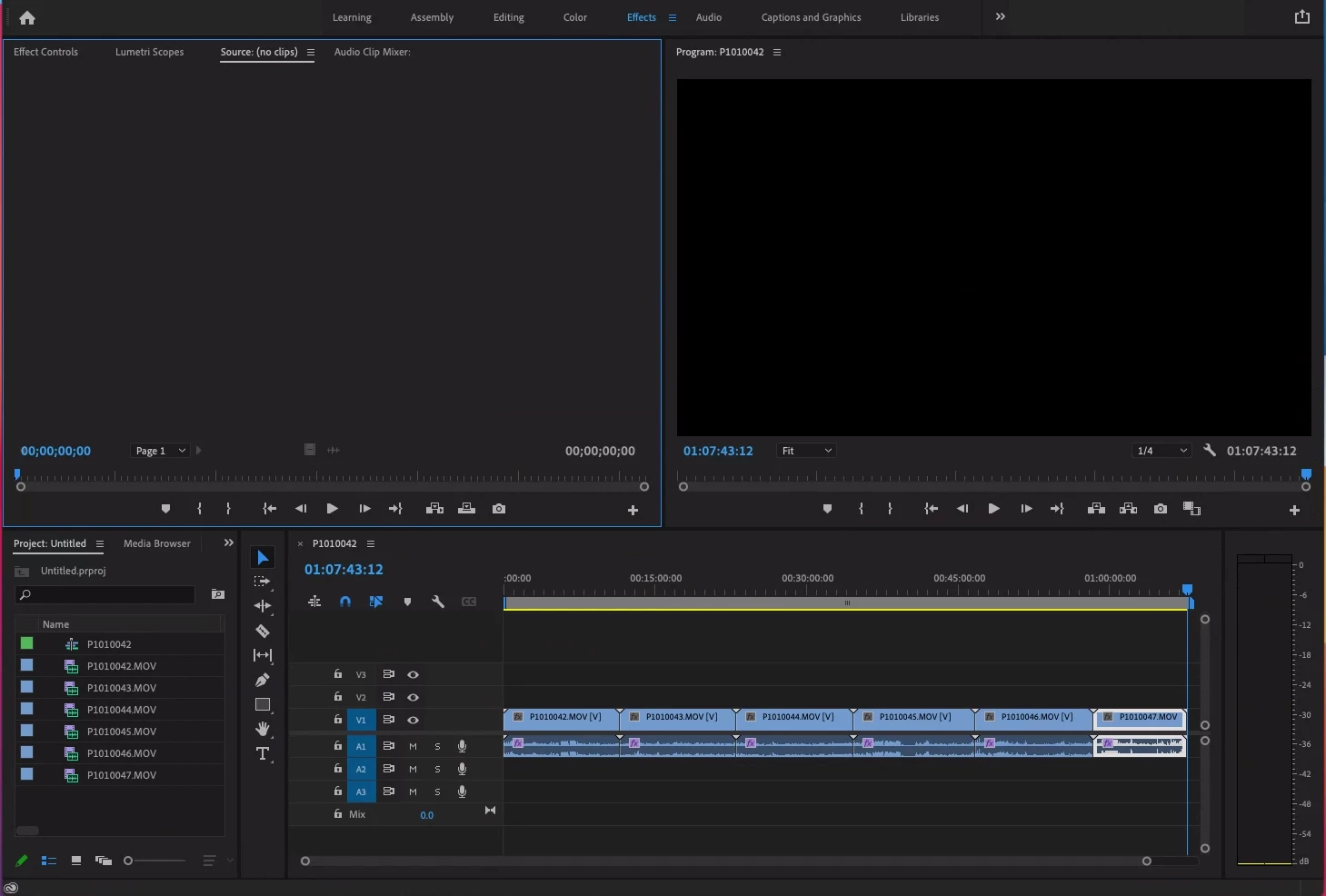
 

This topic has been closed for replies.

2 replies

Ann Bens
Community Expert
Community Expert
March 12, 2022

Try ctrl+\ to reveal top bar.

SintjagosAuthor
Participant
March 17, 2022

Thanks Ann! Will try this next time. I resize the screen display settings and was able to see it that way, but will try ctrl+\ next time. That is a lot easier! 

Community Expert
March 12, 2022

Are you saying you can't see the green/yellow/red buttons on the program window (as in your screenshot)?

-------------------------------------------------------------------------JVK | Editor/Designer/Software Instructor. Pr, Ae, Ch, Ps, Ai, Id
SintjagosAuthor
Participant
March 17, 2022

Yes, I couldn't see the green/yellow/red and couldn't resize the window. Change the monitor display settings to a different size and that allowed me to see it.