
Mask Point Movement Issue – Handles Interfere with Point Selection
I've experienced this one for about a year and never got around to making a bug report.
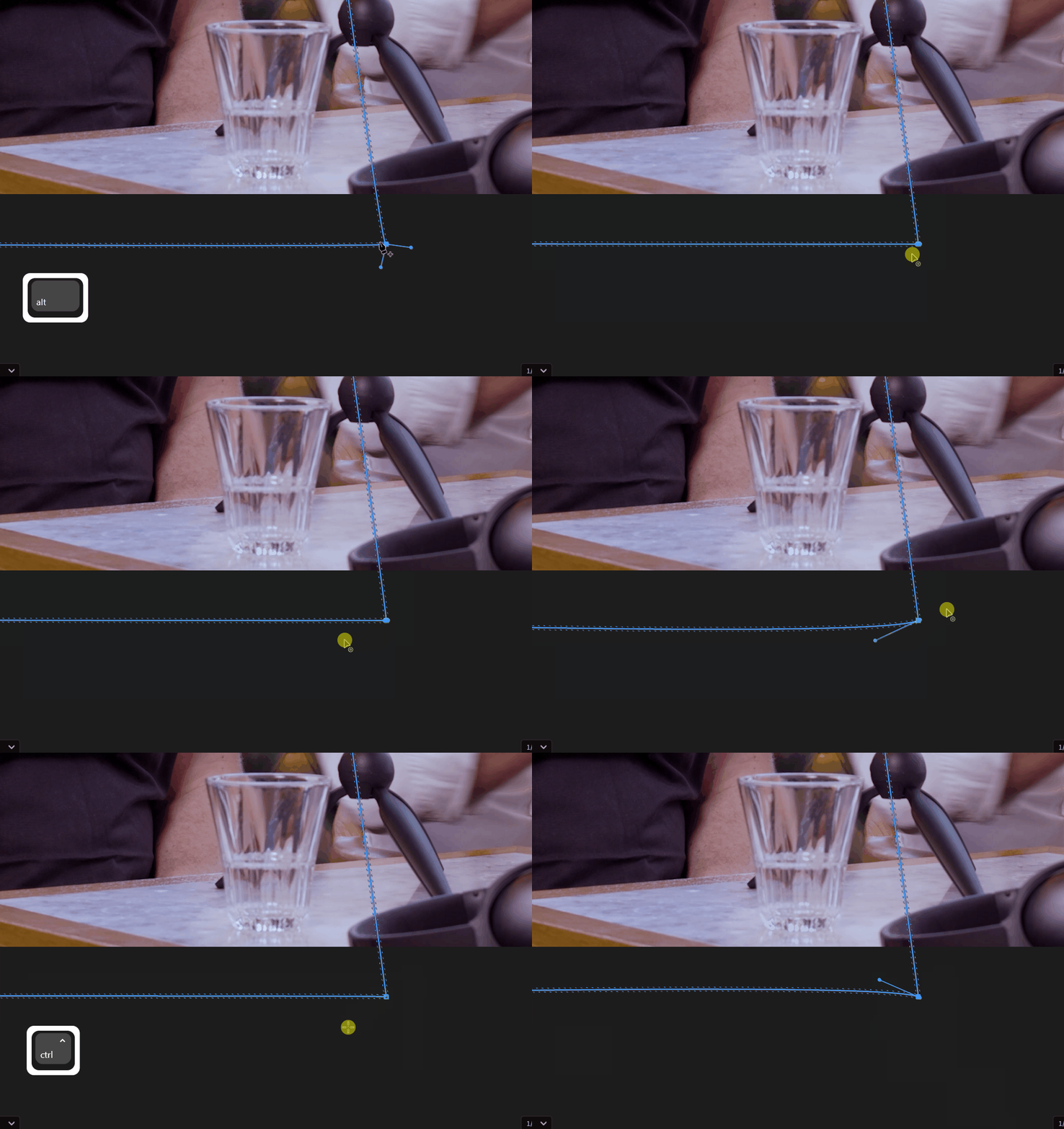
System:
Adobe Premiere Pro v25.2.1 (Build 2)
ASUS ROG Flow X13 GV301RE
Windows 11 Home, Ryzen 9 6900HS, 16 GB RAM
NVIDIA RTX 3050 Ti Laptop GPU
Issue:
When editing a mask created with the Pen tool, I'm having trouble selecting and moving individual anchor points (the main points on the mask). Every time I try to click and drag one of these points, Premiere Pro prioritizes selecting the bezier handles instead, which results in the curve changing instead of the point moving. I want to keep straight edges between points — no curves — and just move the point itself.
Alt-clicking does toggle between curved and straight paths visually (with or without the little arrowhead), but even when the path appears to be straight, the bezier handles are still present and still clickable. They get in the way, making it almost impossible to reliably click and drag just the point itself.
Is there a way to lock or fully disable these bezier handles so they no longer interfere with point selection? I just want to move a point without adjusting the surrounding curve.
It seems to me this is typically only an issue with the first point created on a mask but I could be wrong.


 AdChoices