
Participant
Feb 24, 2022 10:52 PM UTC
Question

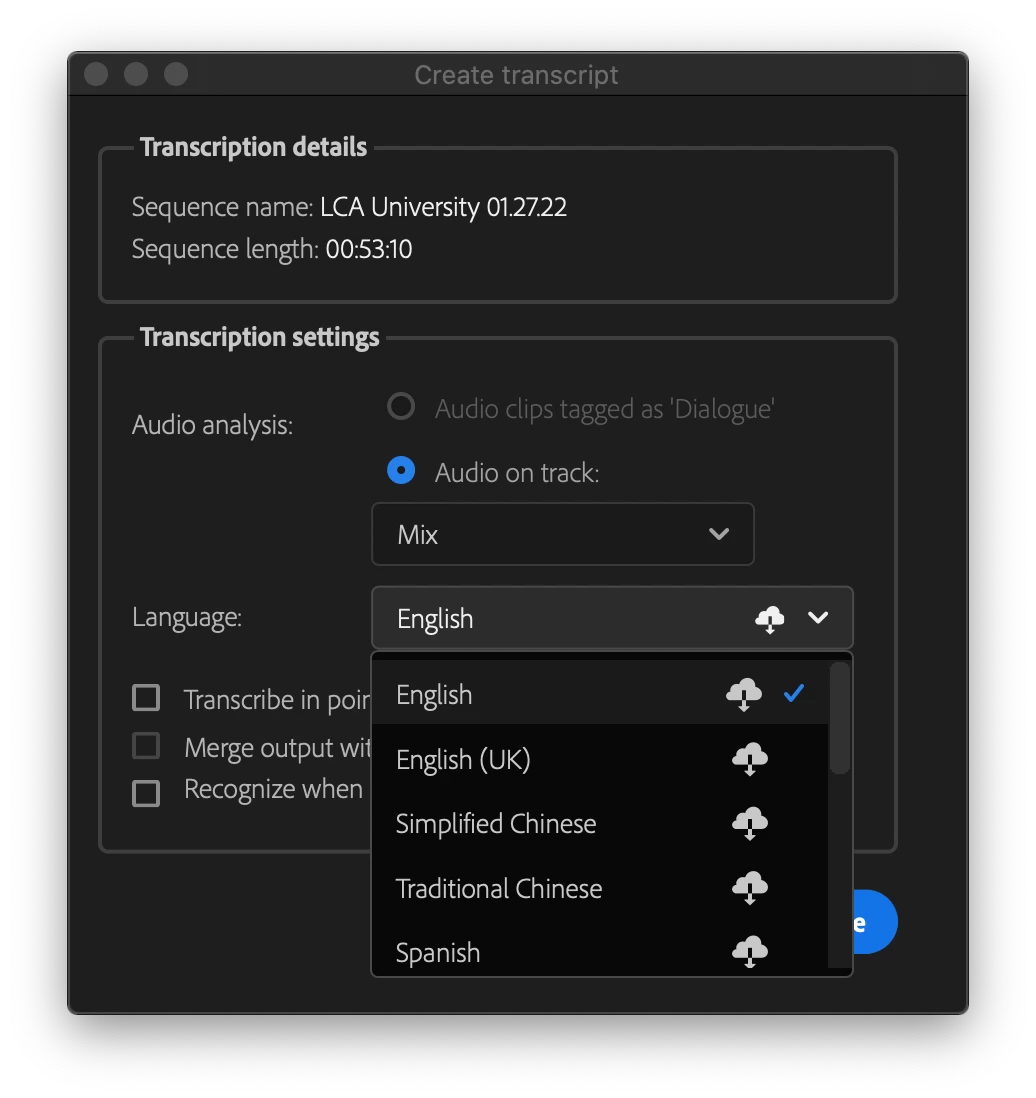
Missing language Pack for transcription

Suddenly, I cannot create transcripts. All of the language packs are missing, and don't seem to download when I try so select the download from Cloud icon. I've reinstalled numereous times only to have the same issue. Is there a location online where I can download them? Does anyone know where the language packs are located?


Thanks in advance, 

Jeff
This topic is closed to new replies. Start a new post to keep the conversation going.

25 replies

Participant
Feb 8, 2023 10:36 AM UTC

Hi, i've got another problem (the delete media cache didn't work) when I try to transcript there s no languages options in the box


(i try to transcript in French) and I've go the speak-to-text French option validated :

any idea to solve this ? : /

Translate
gerardbsc
Inspiring
Feb 8, 2023 11:41 AM UTC

Did you tried to go Back to 22.6 if you are in V23 of Premiere?

Translate
Participant
Feb 8, 2023 1:23 PM UTC

Yes, it worked with 22.6 ! Thanks 🙂

Translate
Participant
Dec 6, 2022 7:54 PM UTC

Hey, for people experiencing this issue.

Attempt to go to Edit >> Preference >> Media Cache and delete the media cache and select the second option (all media cache) and check if it helps and please save the current project if you are working .

The support helped me with this, and it worked 🙂

Translate
Kevin J. Monahan Jr.
Legend
Dec 6, 2022 11:36 PM UTC

Thanks for letting us know, Arsa. To get that second option in the Media Cache Preferences' "Delete Media Cache Files" dialog box, choose File > Close All Projects before going to Preferences. 

Translate
Kevin Monahan - Sr. Community and Engagement Strategist – Adobe Pro Video and Audio
Participant
Jul 12, 2024 2:57 PM UTC

There is no "Edit >> Preference >> Media Cache" . Version 24.5.0 (Build 57)

Translate
Participant
Aug 9, 2022 7:46 PM UTC

same here

Translate
Kevin J. Monahan Jr.
Legend
Aug 9, 2022 10:36 PM UTC

Hi, xavpil,

Sorry about that. Did you try the steps in Alexander's post? https://community.adobe.com/t5/premiere-pro-discussions/inicializando-el-motor-de-transcripci%C3%B3n-local/m-p/12756310?profile.language=en#M395633


Try them and report back.


Thanks,
Kevin

Translate
Kevin Monahan - Sr. Community and Engagement Strategist – Adobe Pro Video and Audio
Participant
Aug 11, 2022 8:01 PM UTC

The steps in Alexander's post aren't working.  Seems to be a widespread issue.  Please advise. 

Translate
Stan Jones
Community Expert
Community Expert
Feb 25, 2022 1:08 AM UTC

Follow Alexander's info in this link to see what you cloud desktop says. And try to download from there.

https://community.adobe.com/t5/premiere-pro-discussions/inicializando-el-motor-de-transcripci%C3%B3n-local/m-p/12756310#M395633


Stan


Translate
Participating Frequently
Jan 26, 2023 4:06 PM UTC
quote

Follow Alexander's info in this link to see what you cloud desktop says. And try to download from there.

https://community.adobe.com/t5/premiere-pro-dj-frankfurt/inicializando-el-motor-de-transcripci%C3%B3n-local/m-p/12756310#M395633 


Stan


By @Stan Jones

But solutions seems not to works. I tried but don't know wat the issue , i think it due to windows 11.

Translate
gerardbsc
Inspiring
Jan 26, 2023 4:20 PM UTC

Did you tried the "empty cache" solution at the bottom of the page?

Translate
