
Participant
February 6, 2023
Question

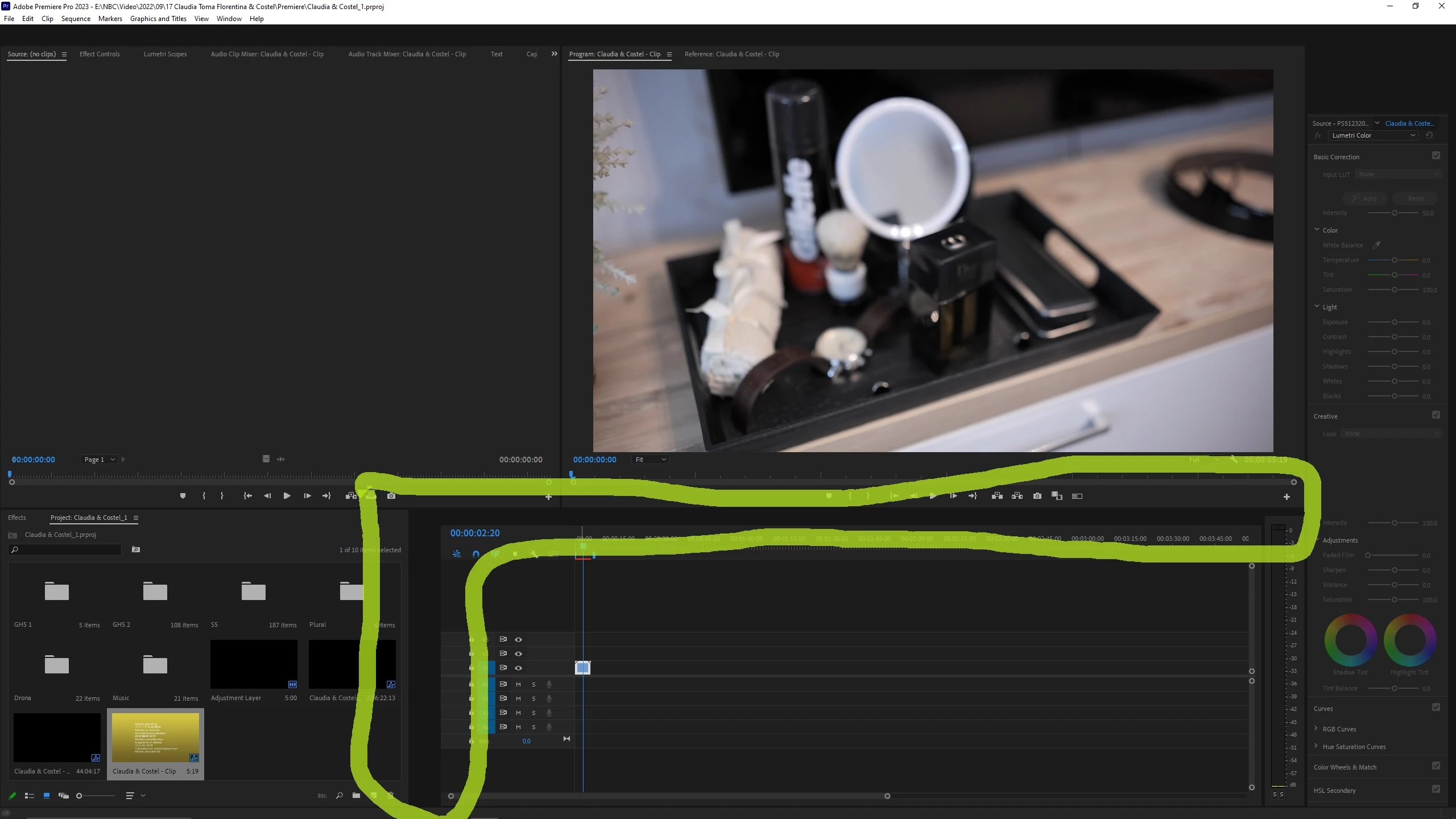
Missing panels and buttons

  • February 6, 2023
  • 3 replies
  • 233 views

Hello Friends,
For a few days I have been experiencing a strange problem, some buttons or even timeline panels are practically missing when I open Premiere, also the cursor in the timeline can remain blocked and only the one in the video image viewing window can move. Somehow they start appearing if I drag video files into the timeline, but I didn't have this problem until a few days ago. Does anyone have any ideas?

PC: i9 10850k, 32 Gb Ram, GPU 3060ti
Thanks,

Adrian
 

This topic has been closed for replies.

3 replies

Kevin J. Monahan Jr.
Community Manager
Community Manager
April 4, 2024

Hello @default0gkk1hzqbrxq,

Thanks for the message. It’s been a long time since you filed this bug, and I apologize for the lack of a response. Are you still having this issue? If so, the team will need more information from you to reproduce the bug. Can you provide the information required here? How do I write a bug report?


I'll move your post to the Discussions board while we await your information.


Thanks,


Kevin

Kevin Monahan - Sr. Community and Engagement Strategist – Adobe Pro Video and Audio
Participant
February 6, 2023

Thank you. I will try.

Ann Bens
Community Expert
Community Expert
February 6, 2023

Buttons is a known issue.

As for the panels: reset workspace or reset preferences.