Participating Frequently
Nov 15, 2017 5:00 PM UTC
Answered

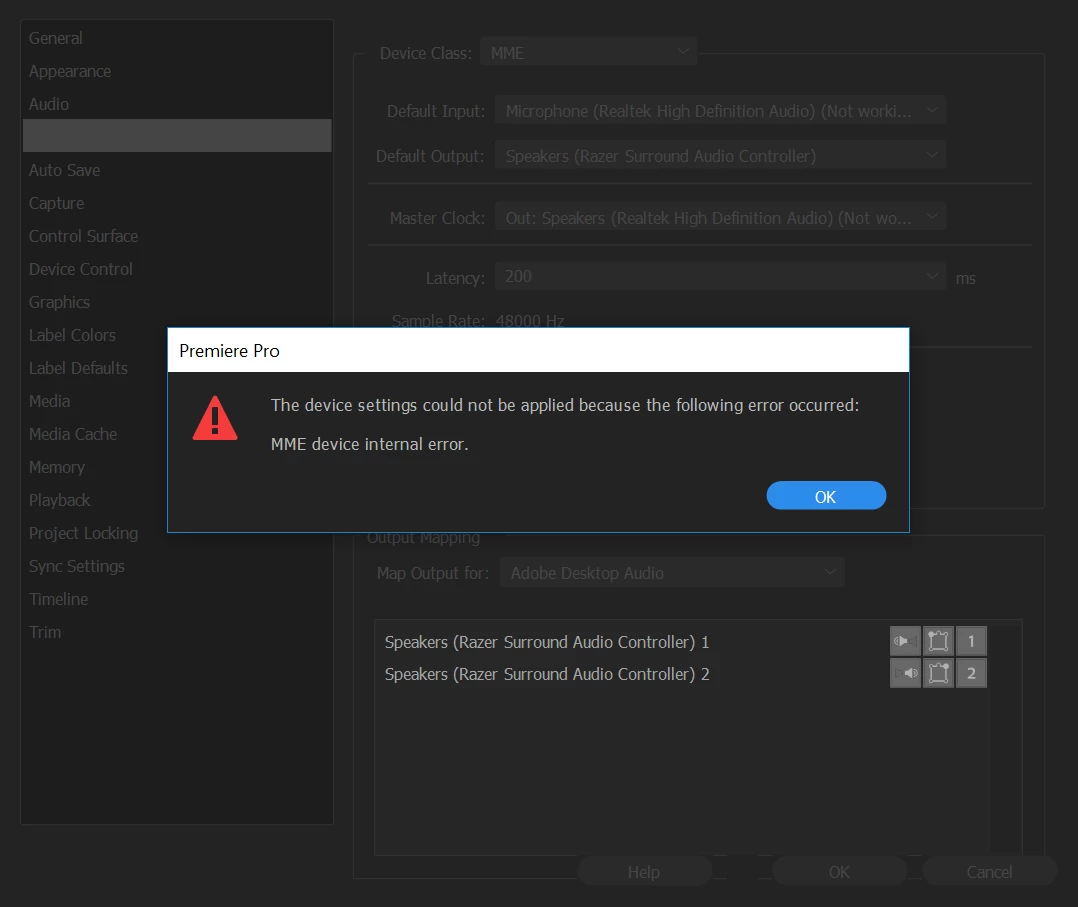
"MME device internal error"

Hello

I was going about my own business and editing a video when a dialog box saying "MME device internal error" popped up. My audio was no longer playing during video previews, and when I went to the Audio Devices tab in Preferences to try to change the output device, I received the same error message.
If anyone could tell me the fix ASAP, it would be much appreciated.

Thank you!

Ann Bens
Ann BensCorrect answer
Community Expert
Nov 15, 2017 7:21 PM UTC

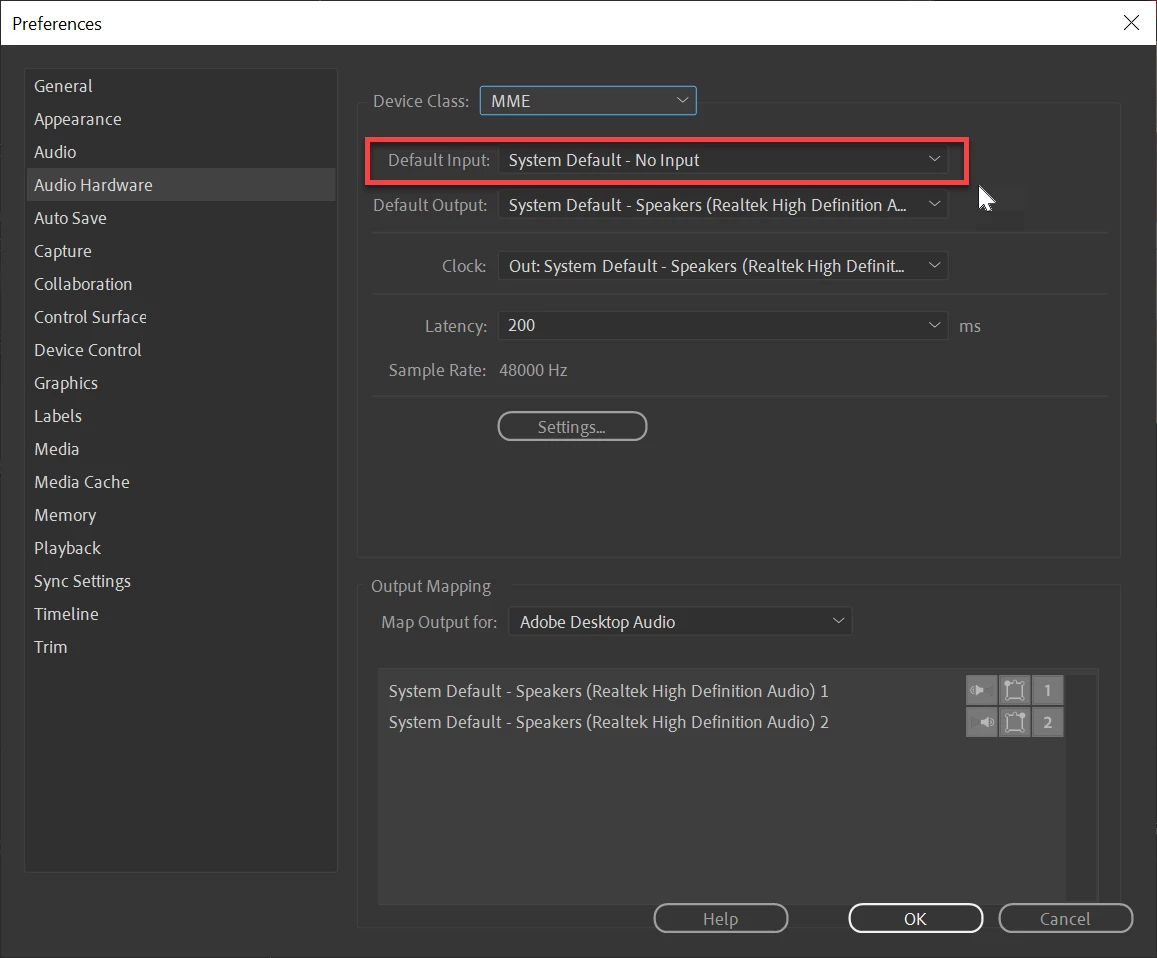
Set input to none: that might do the trick.

Edit: screenshot added.


85 replies

Participant
Nov 2, 2026 2:14 PM UTC

Thanks!


Translate
Participant
Jun 18, 2025 7:09 PM UTC

You are a LEGEND

Translate
Participant
May 3, 2025 2:23 PM UTC

Open access to the microphone and everything will work.
Privacy and security - microphone. In the system settings section.

Translate
Participant
Jun 13, 2024 6:40 PM UTC

Still happening in 2024. I hate this company with a passion. 

Translate
Participant
Dec 2, 2023 5:48 AM UTC

INSTANT FIX

Translate
Participant
Apr 15, 2023 6:35 AM UTC

you won't believe it.

I restarted my computer and everything was fine.

Translate
shooternz
Legend
May 3, 2022 9:02 PM UTC

I have been reading the various solutions and fixes to the MME Internal Device issue. ( which I am currently experiencing)


My question....

Does this issue also create  an irritating loud audible "bing bong" sound thru the speakers.

It sounds like a notification sound.


It is not coming from an online source.


SOLVED.

1. Turned off INPUT in Hardware Device Options

2. Bing Bong sound is System Sounds for Connect / Disconnect ie plugs in the sound card.  I set Systems Sound for these to NONE

Translate
Participant
Oct 19, 2020 7:52 PM UTC
Thank
Translate
Participant
May 17, 2020 3:16 AM UTC

The error does appear but when i click on it nothing happens and I don't know where to put none

Translate
MatthewTropp
Participant
Mar 14, 2020 6:50 PM UTC

This worked for me... Thank You!

Translate