
Participant
September 14, 2026

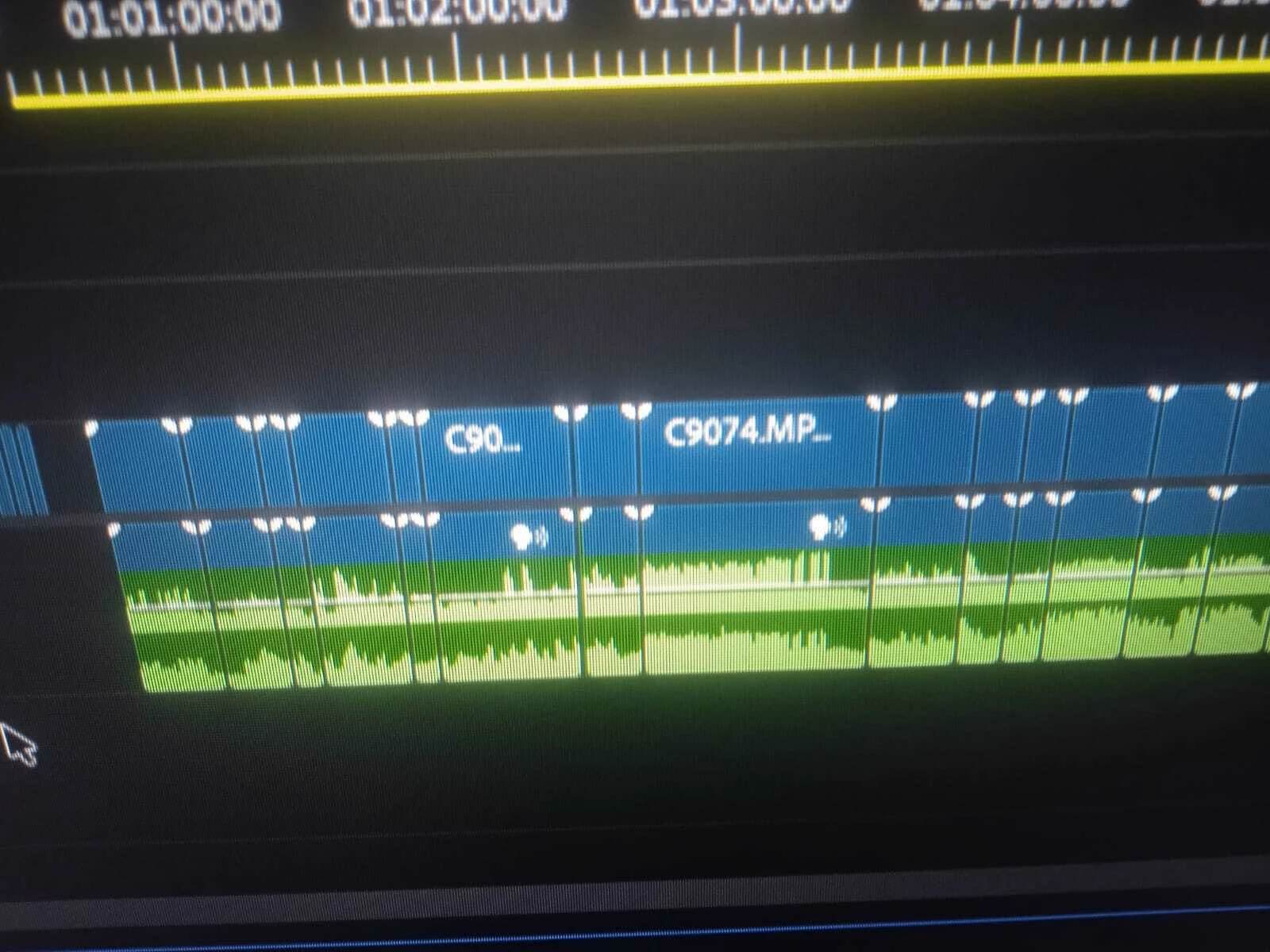
My audio timeline in Premiere Pro has suddenly changed to two different colors. The timeline is working normally, but I want to know why the audio timeline is showing two colors and how I can restore it to the normal single color.

  • September 14, 2026
  • 2 replies
  • 29 views
This screenshot shows my Premiere Pro audio timeline with two different colors. The timeline is working normally, but I want to know why the colors have changed and how to restore the normal color.


    2 replies

    KatieToo
    Community Manager
    Community Manager
    September 14, 2026

    Hi ​@skillful_society7a01 

    Thanks for stopping by the Premiere forums and giving us those details and helpful screenshot about your audio color labels. As Berat points out, that option could very well be what happened. If not, we’d like to ask for a few more details such as are you on Mac (and what macOS) or PC (whether Windows 11/10, plus what driver version & build), what version & build of Premiere are you using, how’s your media stored (NAS/External) with our bug report details.

    Does it affect all projects or only some? What about new, empty projects?

    Do you recall which Premiere version this was last working in, and what might have changed? Any plugins, update to computer or drivers, etc. when the problem first began.

    Hope to help!
    Katie

    BeratGL
    Known Participant
    September 14, 2026

    There is a strong chance you disabled this option.

    Click the 3 horizontal lines next to your sequence name and re-enable it if it’s disabled. Tell me if it works!