


Question
Not able to add a "working" VST PlugIn in Track Mixer
Hey. I have some Trouble with a VST Plug In in CC2017 and CC2018.
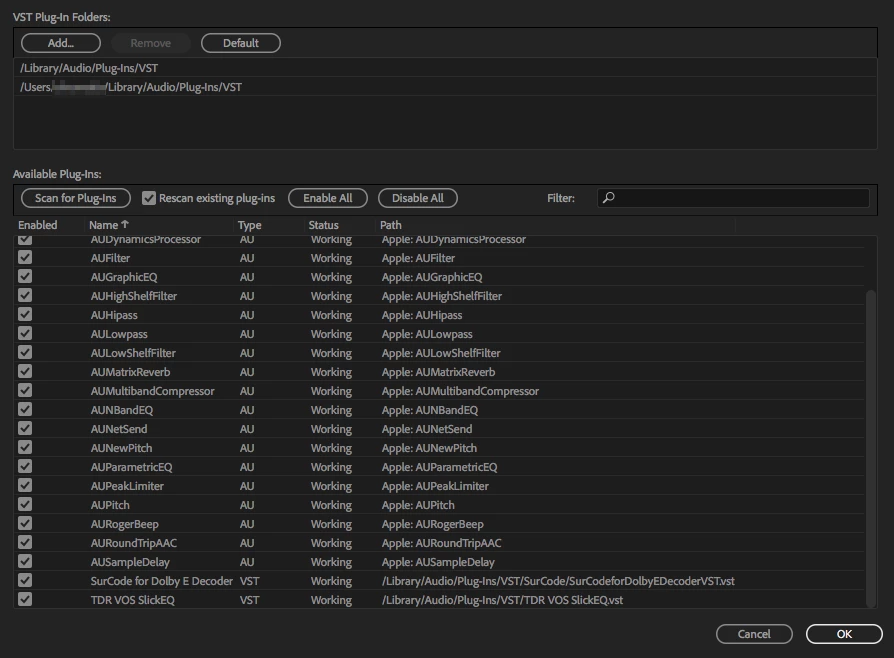
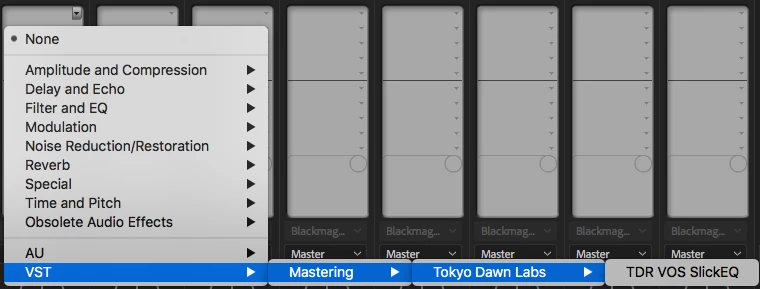
The Adobe PlugIn manager shows the PlugIn as Working. But I am not able to add it via Track Mixer, there is only one VTS Plugin shown. Any Idea? I got it working on one of my Workstations, but I dont know what I did. I moved the File from the Subfolder (/Library/Audio/Plug-Ins/VST/SurCode) to /Library/Audio/Plug-Ins/VST/ and it was working. But maybe I had just luck, because that did not work on my second Workstation.
The PlugIn works fine in Audition by the Way, but I need Video Output, so thats not a Solution. PlugIn seems to be 64Bit.
SurCode for Dolby E Decoder - TLS Corp
It's a commercial PlugIn, but there is a Demo available. Maybe someone could check this please.
 AdChoices