


Question
Pr 2020 CC: How to move or shift a video? (Solved)
Hi all.
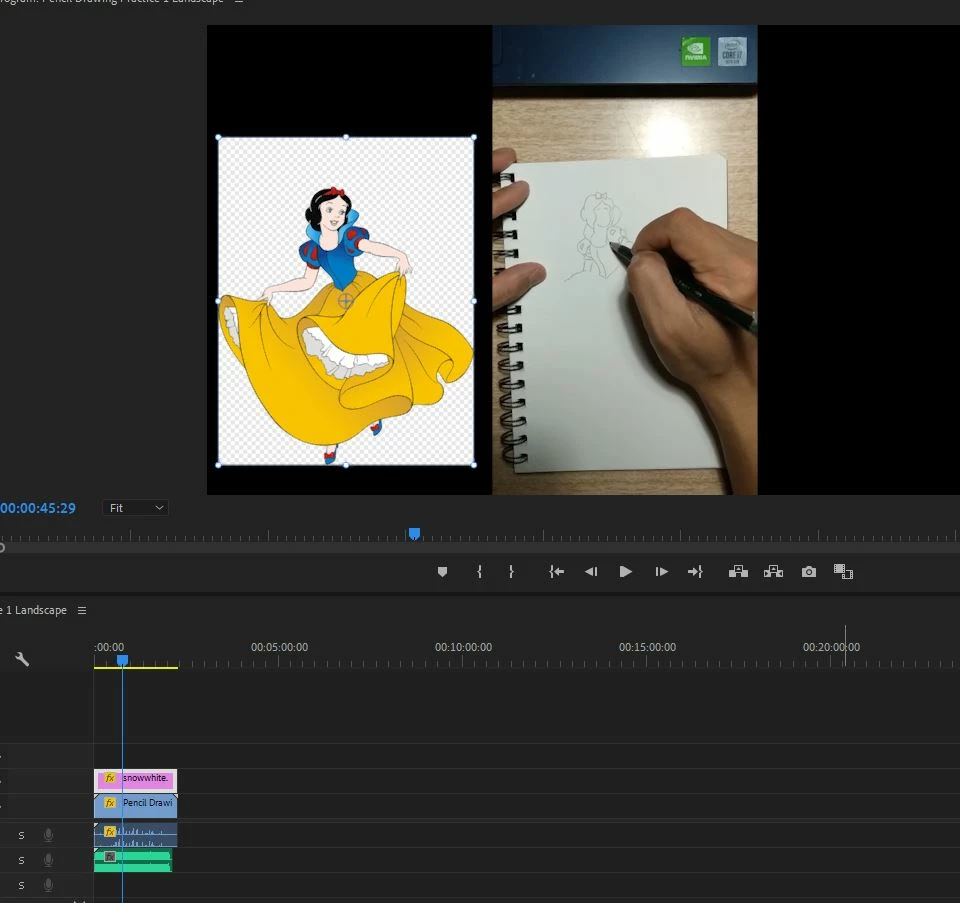
I would like to move the video of me drawing to the right so that I can make the picture on the left larger in size, and also to reduce the ugly black space on the right. I actually had my phone in portrait orientation, but it recorded the video in landscape, hence the ugly black areas on the sides.
How can I move the video? I don't want to crop because I want the export video to be 1920 x 1080. Also how do I rotate the drawing video because the drawing pad seems to be at a slight angle.
Thanks in advance.
 AdChoices