


Inspiring
November 13, 2024
Question

Premiere 2025 Program Display Issues

  • November 13, 2024
  • 10 replies
  • 905 views

v 25.0

Windows 11 Pro

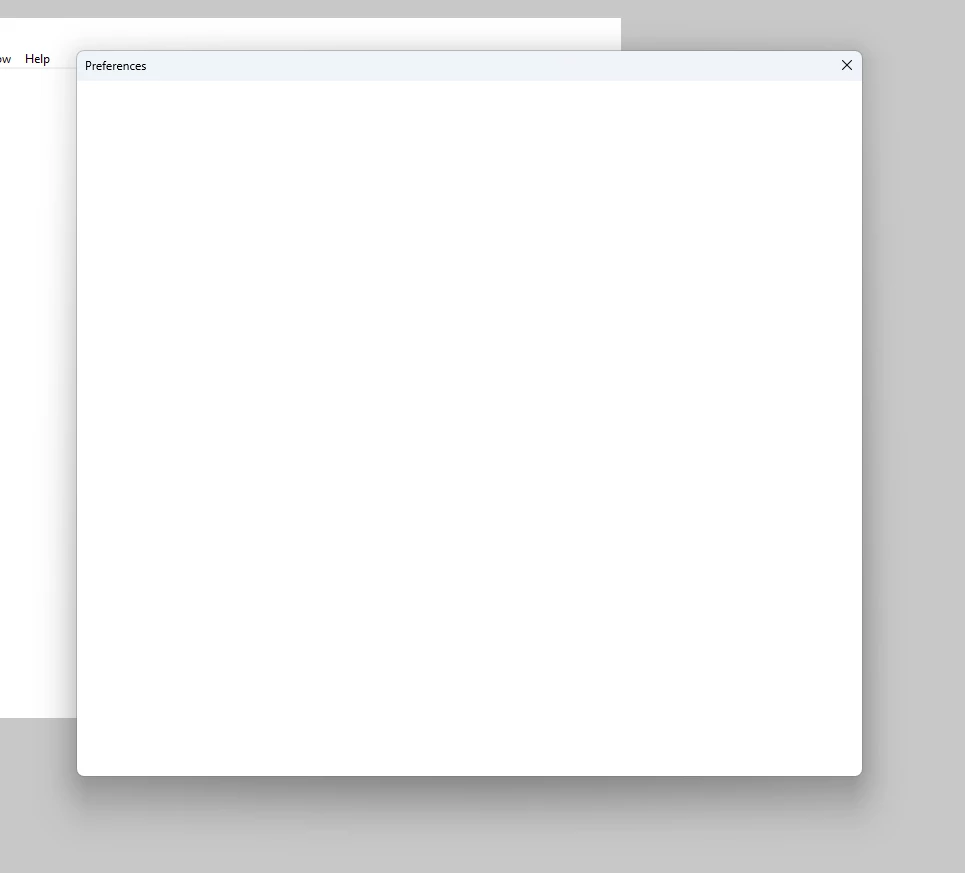
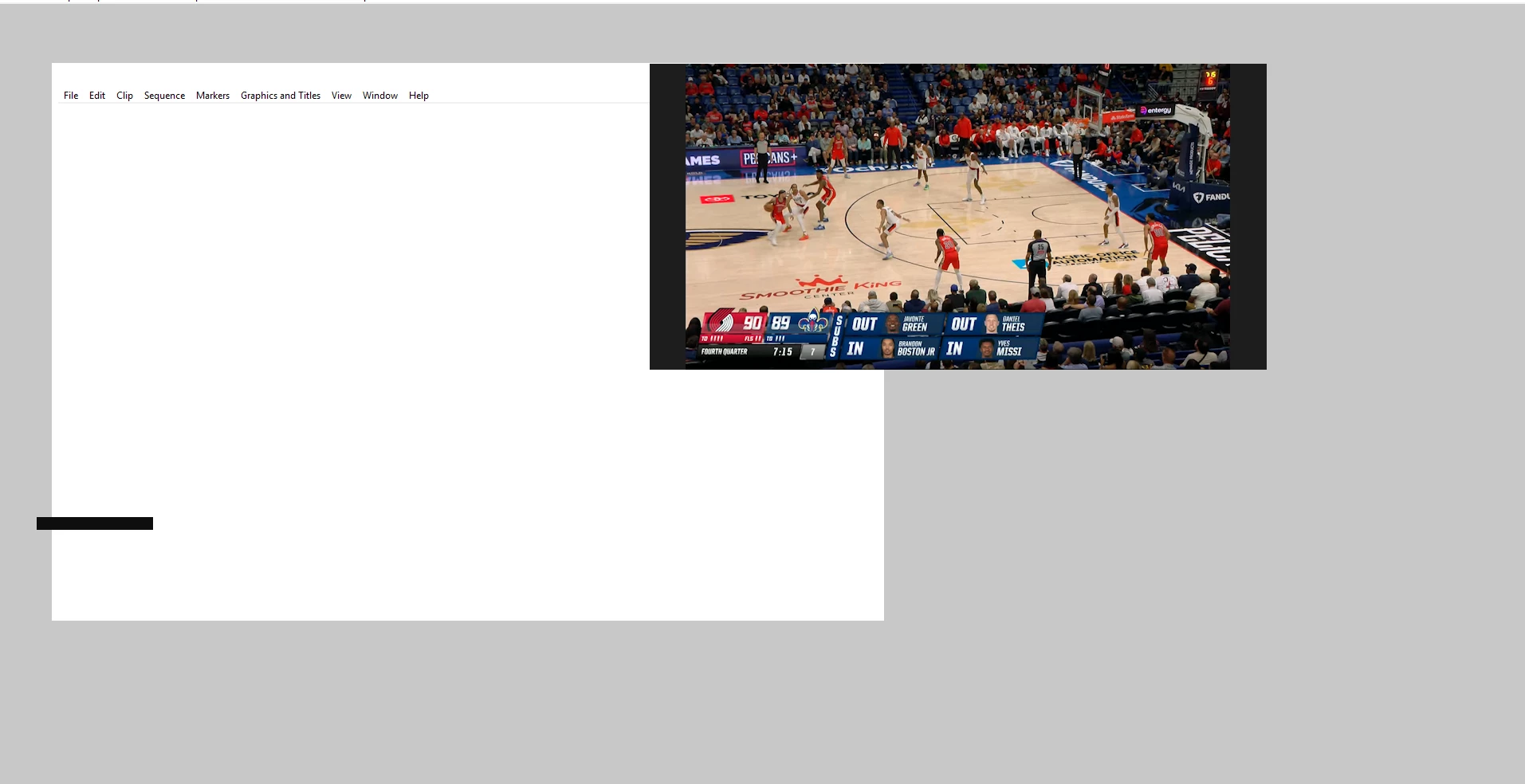
The entire program is displaying where you can see the preview window and the top menu items, but everything else is a white or grey box. No buttons are displayed. When going into Edit-Preferences, only a blank box comes up with no options to change any preferences. Updated the graphics card, reinstalled the program, didn't solve the issue. 2024 does not have this issue on this system. This issue occurs on opening a project (or not).
10 replies

Inspiring
December 5, 2024

No luck on beta


We are having no issues with 2024. Currently on 24.6.4


Emailing you the system compatibility report from 2024

jamieclarke
Community Manager
Community Manager
December 4, 2024

Hi @Dane24174775zt3s - Can you try installing the beta version 25.2 and let us know if that helps your issue. 


You are right I don't think the i9-9900X has an iGPU


Which exact version do you not have this problem with?

Can you follow the system compatibility report instructions with the version that works for you.

Inspiring
December 4, 2024

Updated to the latest driver and restarted. Didn't seem to resolve anything.


For premiere, I don't even need to open a project to get the white windows. If I open Edit-Preferences-General for example, the window that opens is just a white box.


I don't believe there's an iGPU. How do I check that? I know 2024 is running on CUDA from looking at the preferences and don't have display issues there.


Clicking on System Compatibility report doesn't seem to do anything. I can't tell if another window comes up, but I can't close out of the program either since it acts like there's another window open where I need to answer a prompt. I can't see the window though.

jamieclarke
Community Manager
Community Manager
December 4, 2024

Hi @Dane24174775zt3s - This seems like a graphics issue.  Can you try installing their latest driver version 553.35.


Just to be clear you open Premiere Pro, then create a project, and all of your windows are just a white screen?  


Do you have an iGPU on your system?  


Can you navigate to the help menu and select "System Compatibility report" then in the bottom left corner there is an export button can you save those files and email them to jamiec@adobe.com 

Inspiring
December 4, 2024

What type of computer do you have?

Dell Precision 5820 Tower X Series

Which driver did you install?

553.24

Do you have any other extra components installed from Nvidia?

No

Do you have any custom scaling in your operating system?

No

Do you have any plugins installed?
No

If you want to check any issues with Premiere, you can always hold down "SHIFT" while launching Premiere and check the boxes

"Reset app Preferences"

"Reset Plugin Cache"
"Disable third-party plugins (one time only)"
"Clear media cache files"


I did do the SHIFT launch method and checked the boxes, but unfortunately that did not fix anything.

jamieclarke
Community Manager
Community Manager
December 2, 2024

Hi @Dane24174775zt3s - What type of computer do you have?

Which driver did you install?

Do you have any other extra components installed from Nvidia?

Do you have any custom scaling in your operating system?

Do you have any plugins installed?

If you want to check any issues with Premiere, you can always hold down "SHIFT" while launching Premiere and check the boxes

"Reset app Preferences"

"Reset Plugin Cache"
"Disable third-party plugins (one time only)"
"Clear media cache files"

Inspiring
December 2, 2024

Unfortunately rolling back the driver did not help. I also updated to Premiere 25.1 just now and that did not solve the issue either.

jamieclarke
Community Manager
Community Manager
November 14, 2024

Hi @Dane24174775zt3s - I see you are on a Pre Release version of your driver. Can you try rolling back to 553.24 and let us know if that helps your issue?

Inspiring
November 13, 2024

Apologies for the missing info!


  • Adobe Premiere Pro version number: v25.0
  • Operating system - Windows 11 Pro
  • System Info: CPU, GPU, RAM, HD:
    • CPU - Intel(R) Core(TM) i9-9900X CPU @ 3.50GHz

    • GPU - Nvidia Quadro P6000

    • GPU driver - RTX Driver Release 565 v566.03
    • RAM - 64 GB

    • Hard Drive - Internal 250gb SSD (Boot drive), 10gb Network NAS (for editing and projects)

  • Video format: Video will technically show in the program window as shown in screenshot, but typical formats are .MXF, XAVC, 23.98, 1080p, 4:2:2 10bit 
  • Workflow details: Start a new project and essentially can't do anything. Can put in a new name of a project, but every other button that should be on screen is just covered white box, so there is nothing to click on to actually create a project. Menu items on the top of the program don't lead to any help either as clicking on any of them leads to another whited out window.
  • Steps to reproduce - Create a new project. Can't do anything after that. Can try opening an existing project, but after the project opens, mostly everything is covered in white, so still cannot do anything.
  • Expected result - Should be able to see the buttons in the program to actually work.
  • Actual result -  Nothing changes whether I start a new project or open an existing one.
Community Manager
November 13, 2024

Hi @Dane24174775zt3s  ,


Welcome to the Premiere Pro forums! We are glad to see you here. We need a few more specific details to try to help with this issue.


Please see; How do I write a bug report?


I hope we can help you soon. Sorry for the frustration! 


Thanks,
Rach