Participant
August 16, 2022
Question

Premiere crashes when I'm trying to open a project.

  • August 16, 2022
  • 2 replies
  • 106 views

I had just finished editing a project today when I started using the Lumetri Color effect to make some color adjustments and it suddenly crashed on me. 


I opened it up again but now every time I try to open a project it crashes again. 


This is the message I get. 
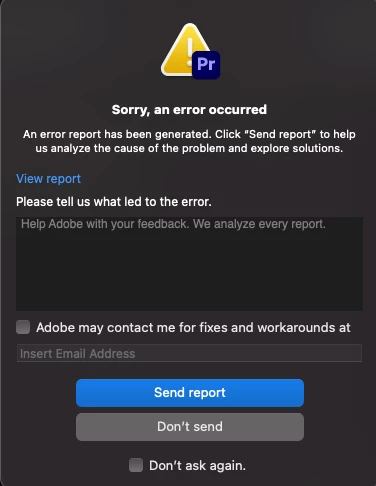


I'm frightened now I won't be able to open this project anymore. I've tried restarting the Mac and also reinstalling the premiere. No go. 


Any ideas?

This topic has been closed for replies.

2 replies

Legend
August 16, 2022

A couple of relatively simple troubleshooting steps.  Try creating a new project and then import the problematic project rather than opening it.  Sometimes will work...  Have you done any premiere updates recently?  If so, try reverting to the previous version.  Disconnect your media drive and then try launching the project.  If it opens, might be an indication something's screwy (the technical term) with your media drive.  Running diskutility: first aid might help.  Resetting your premiere preferences and cache might help.  I think if you hold down the option key when launching Premiere, you 'll get a dialog to do this...  Post back and let us know if any of these things work and if not,  answer Kartika Rawat's questions...  We are blessed with the occasional presence of Adobe employees here...  Something Apple didn't allow back in the fcp1-7 days...

Kartika Rawat
Community Manager
Community Manager
August 16, 2022

Hi there! 

Sorry about the crash. Would you mind sharing your system details (OS, CPU, RAM, GPU)? Do you get crash reports? https://community.adobe.com/t5/premiere-pro-discussions/faq-where-do-i-find-premiere-pro-crash-logs-on-windows-or-mac/td-p/9200778


Let us know.


Thanks,

Kartika

Participant
August 19, 2022

Sure thing. 

I'm running