
Premiere Pro 2019 randomly using all system RAM and crashing?
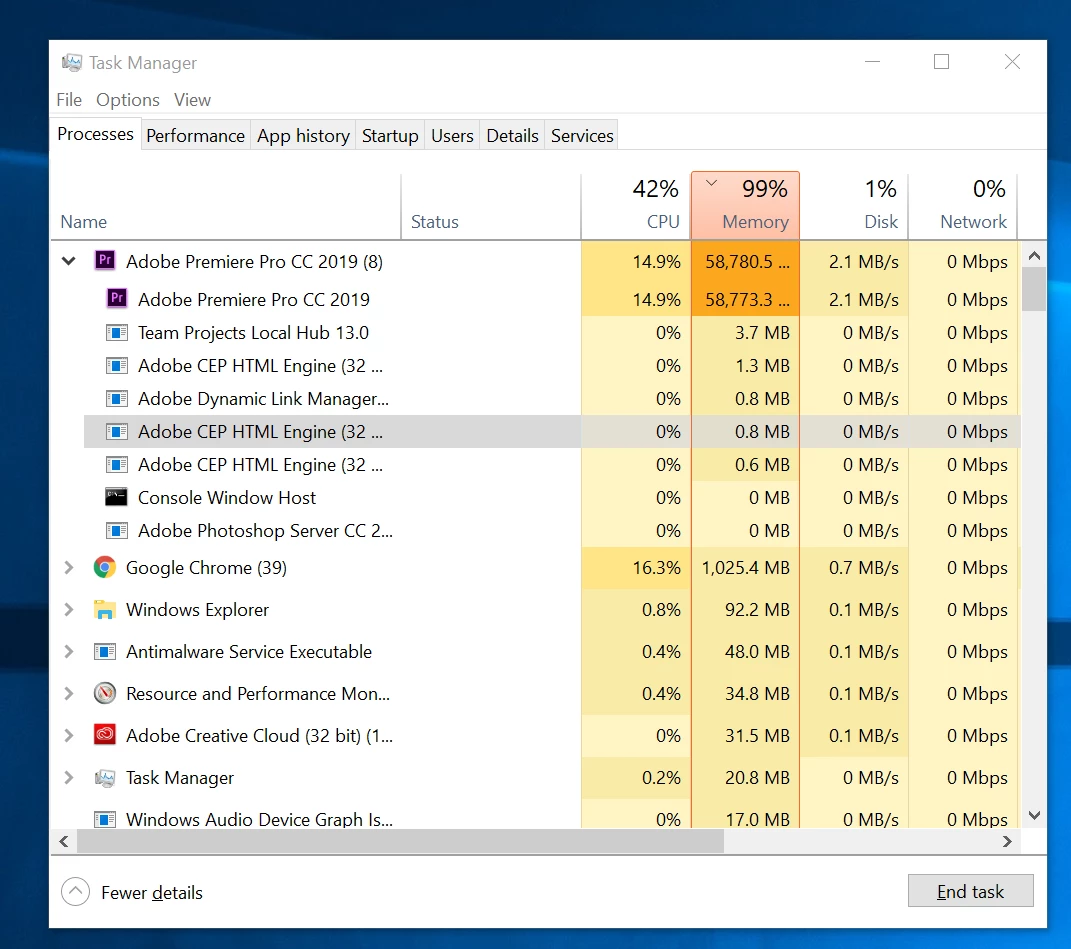
Recently I have been having a troublesome issue with Premiere Pro 2019 and was hoping to get some help. Without any reason I can find, in the middle of editing, Premiere will suddenly stop playing back any video. Occasionally audio will continue but that soon stops as well. When this happens, within a matter of seconds, my RAM usage will basically sky rocket and max out my computer, going from 8 GB to around 55GB+ (see screenshot). At this point, I can only very slowly navigate the interface and save the project, still with no playback or frame updates when dragging or attempting to move the playhead. Usually, however, if I try to do anything, the program will crash. Strangely, if I leave my computer idle, after 10-20 minutes, playback may suddenly resume and RAM usage quickly drops to normal as if nothing happened. I can continue working at that point until it happens again. Sometimes I can get 2 or 3 hours of work, sometimes only 5 minutes, until the issue returns. I am not doing anything complex at this point. So far, I've just been importing footage, cutting and nesting different takes, and putting a few multicam sequences together. As such, I've mostly noticed this issue simply when playing through source material.
I tried doing several steps to fix this already all with no luck. I deleted my unused media cache in the preferences menu. I reset all preferences. I turned off GPU acceleration. I made sure I had the latest driver for my GPU. I imported my project into a new project. Closed unused programs. Restarted my computer. Uninstalled and redownloaded Premiere. Etc. Still no solution. This is my first project with Premiere 2019 but it is also my first time using my new machine. I was concerned it might be an issue from my video footage (.MOV files with h.264 compression from my Canon 80D) but I didn't experience this problem before on a different machine with Premiere 2018.
Does anyone have any idea what the issue might be? Is it a bug in Premier? I am especially concerned as this is my first time on my custom build and was unsure if this may be a hardware related issue (although this only happens in Premiere, so I find it unlikely that my computer is at fault).
My build is as follows:
Windows 10
Cpu: intel i7-8700k
GPU: NVIDIA RTX2080Ti
RAM: 64 GB DDR4
Storage: 500GB Samsung evo 970 (program files & disk cache), 1TB Samsung evo 860 (source material, project, scratch disks, etc.)
I would truly appreciate any help as this is consuming an immense amount of my time!


 AdChoices