

Premiere Pro 23.4 - A/V sync issues when moving project to new directory - Motion Effects Disabled
I need help, like real help. I've never seen Premiere this broken before. Adobe's chat support is garbage. One guy just disconnected from me randomly after I outlined the issue I was having, and another person I spoke to not only couldn't resolve any issue, but he could barely cobble together a properly-written sentence in English throughout the entire session.
First issue: I synced a WAV file of audio with my video before making cuts and arranging them in an edit. I take a break from the project and open it up a week or two later and I find that instead of the audio being exactly where I left it, each time there is a cut made in the audio track, corresponding with video, the audio track starts over from the very beginning each time. I've attached a screen shot and the audio in question is on A6 layer. How did this happen and short of manually resyncing the entire video, which would take hours, how can this be fixed?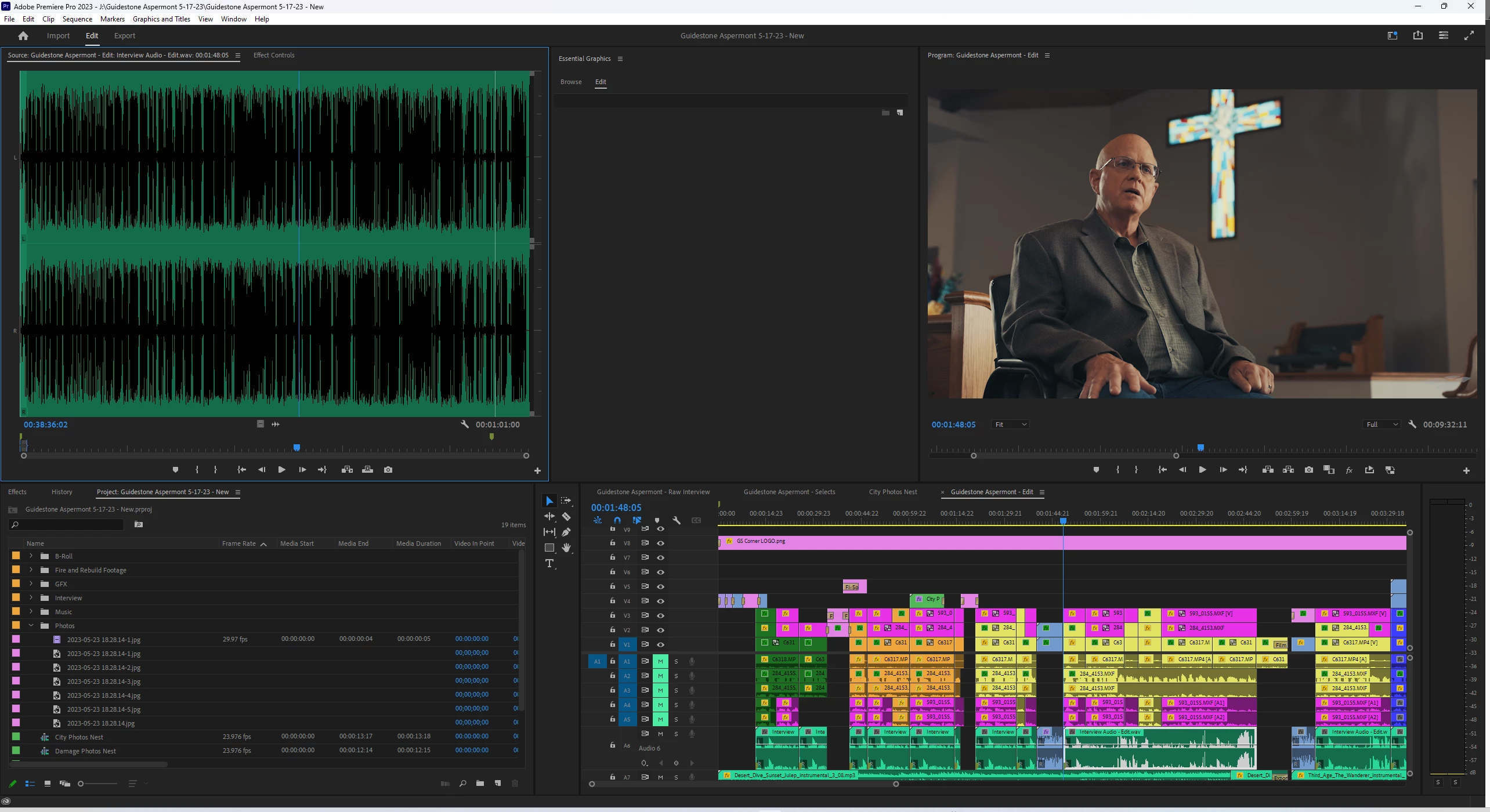
Second Issue: I once again open up a fairly recent project only to find that simple layer effects I made, not from a third party, mind you, are not actually functioning despite being applied to the video layer. For example, I have the built-in Transform effect applied to a video layer that's supposed to move the video a certain direction according to key frames. It just doesn't do anything. I also have the video resized a bit in the standard Motion effect and the video isn't actually resized. Crop effects aren't showing up either.
Guys, I didn't do anything to either project between when it was last working as intended and today when everything was broken. What the hell did Adobe do, and can anyone help me restore the project files properly?!
Mod note: Title changed to reflect issues.
 AdChoices