


Participating Frequently
November 8, 2018
Question

Premiere Pro CC 13.0.1 corrupt color problem.

  • November 8, 2018
  • 14 replies
  • 4749 views

Hello,

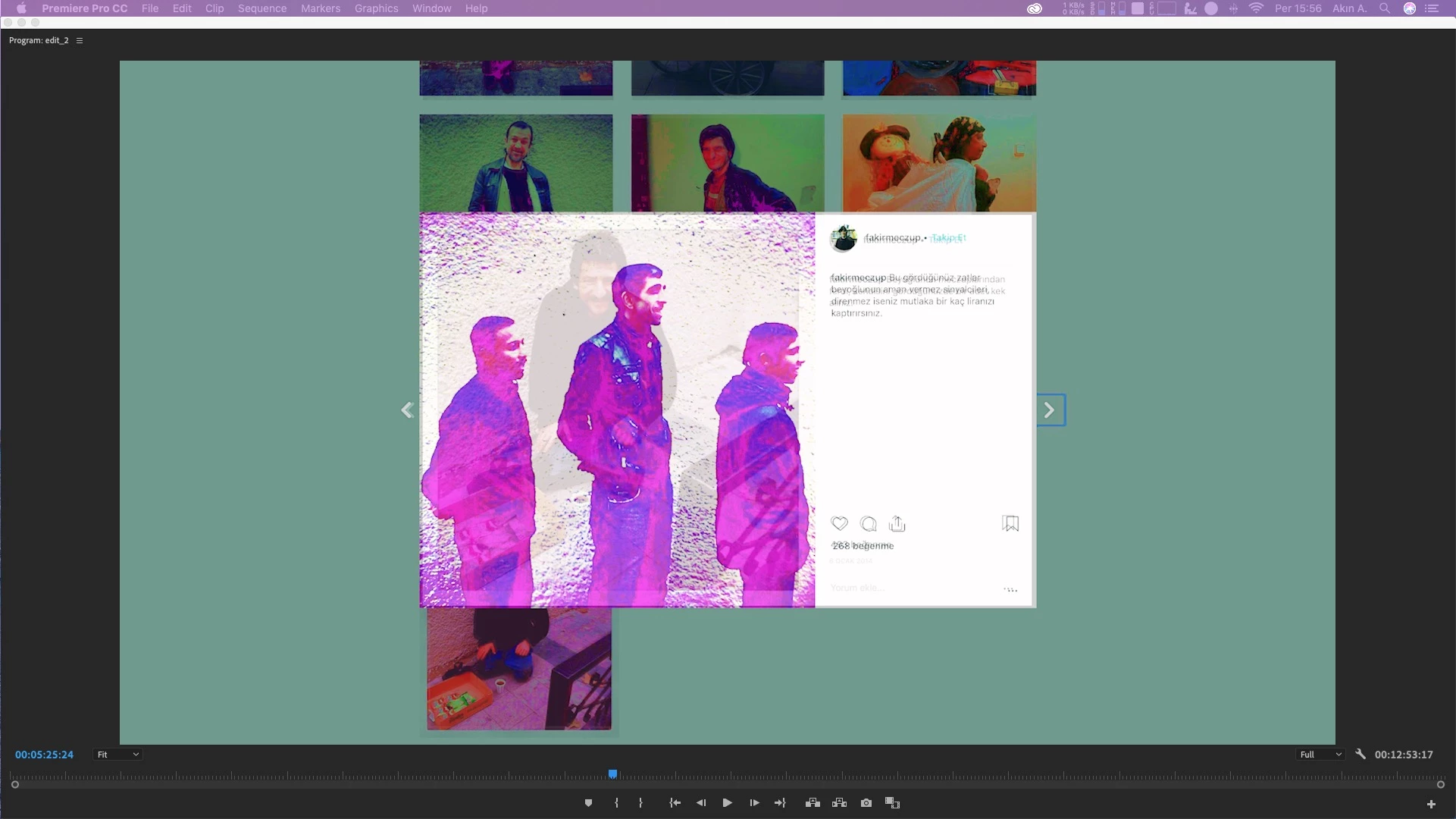
I'm having a color problem while playing the sequence or when randomly jumping from frame to frame in timeline.

I keep jumping from frame to frame till it becomes normal.

It's only a playback issue, it doesn't export movies like this. It also happens sometimes when i change color options in Lumetri.

Sending you a sample frame here.

Thanks.
This topic has been closed for replies.

14 replies

handeilkAuthor
Participating Frequently
November 11, 2018

Here is another before/after sample. I was trying to adjust exposure in Lumetri here.

R Neil Haugen
Legend
November 11, 2018

I would still say this is a GPU issue, do check drivers manually.

Neil

Everyone's mileage always varies ...
Kevin J. Monahan Jr.
Legend
November 12, 2018

https://forums.adobe.com/people/R+Neil+Haugen  wrote

I would still say this is a GPU issue, do check drivers manually.

Neil

That is not possible in macOS. Drivers are installed with an OS update.

Thanks,
Kevin

Kevin Monahan - Sr. Community and Engagement Strategist – Adobe Pro Video and Audio
handeilkAuthor
Participating Frequently
November 11, 2018

Hi all,

I realized that this is not an issue related to lumetri.

In the previous example i saw that when i change any parameter in lumetri, like exposure, highlights, temperature, the problem occurs.

Yesterday i added gaussian blur to a video and when i change the parameters, the same thing happened.

So this is not an export issue actually. This happens before export but sometimes it also exports some parts of the movie with corrupted colors.

There are 3 things that have changed lately in my work environment. Maybe that can help.

1- I updated my IOS to Mojave 10.14.

2- I added 32 gb's of RAM to my system. (It was 8, now it is 40)

3- I updated my Premiere to the latest version.

I wasn't having this issue before these changes.

Thanks.

handeilkAuthor
Participating Frequently
November 9, 2018

Here is another before after sample. This happens when i change lumetri settings.

caroline_edits
Community Manager
Community Manager
November 9, 2018

Hey there, Handeilk!

This looks a lot like an issue that another user was having. This thread had a lot of possible solutions: Export Issue - Maximum Render Quality/Depth

Would you mind scrolling through there and seeing if any of those solutions work for you? Please report back here so we know you've been taken care of!

-Caroline

R Neil Haugen
Legend
November 8, 2018

I'm unsure what is happening ... is it layering part of another frame over or under the current frame?

Neil

Everyone's mileage always varies ...