Question
Premiere Pro Ruins Color of Footage from iPhone 12 Mini
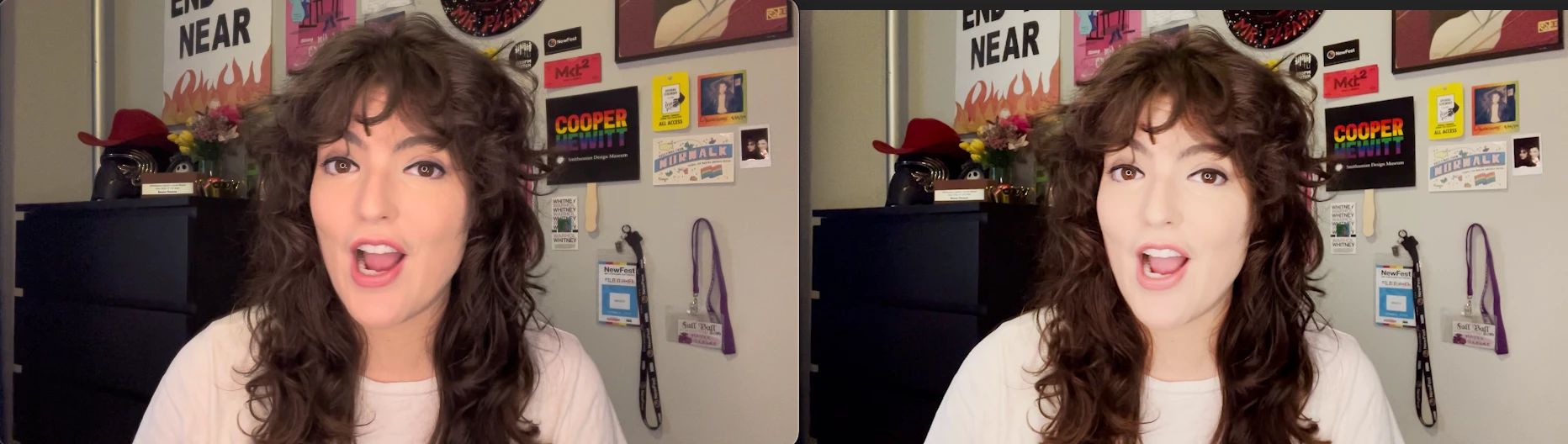
Hello! I filmed footage on my new iPhone 12 today. Airdropped it to my mac from my iPhone - the color looks the same as it did on my phone in QuickTime. I import the footage into Premiere Pro and all of a sudden it's super washed out. How can I stop premiere from doing this? or how can I color correct in premiere so it looks at least kind of like the footage originally did?
The screenshot on the left is the original footage and the screenshot on the right is the footage in Premiere Pro.
 AdChoices